







Canvas LMS pricing comes up early in almost every institutional evaluation. A straight answer is harder to find. Instructure does not publish standard pricing.
What you pay depends on institution size, user count, contract terms, and which add-ons or integrations make it into the agreement. This guide breaks down how Canvas LMS cost is structured, what factors move the number, and what institutions realistically spend — so you go into vendor conversations knowing what to expect.
What Is Canvas LMS?
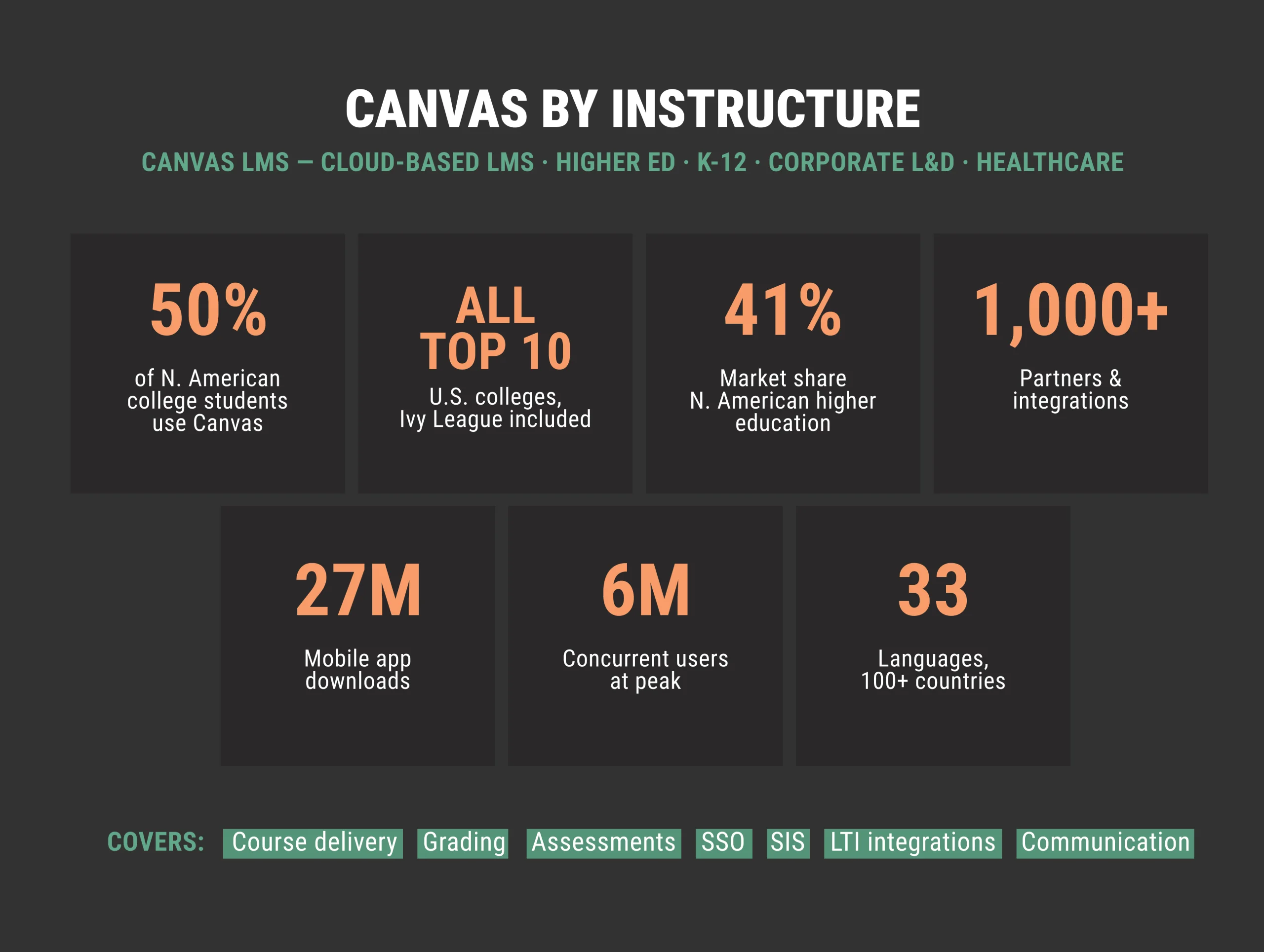
Canvas is a cloud-based LMS developed by Instructure — and at this point, one of the most widely deployed platforms in institutional education. It holds 41% of the North American higher education market. What you find at the top of that market tells the story: all ten of the highest-ranked U.S. universities run Canvas, including every Ivy League university. K-12 districts, corporate L&D teams, and healthcare organizations use it too.
Canvas software covers course delivery, grading, communication, assessments, and integrations with institutional systems — SIS, SSO, and LTI tools. It is available as a hosted SaaS platform, which means infrastructure and maintenance are included in the institutional contract. For a full overview of what the platform covers, see our Canvas LMS guide.
Note on naming: Canvas LMS (by Instructure) and Canva (a graphic design tool) are unrelated products. If you landed here researching Canva subscription price, you are looking for a different platform. Similarly, ‘canva lms’ is a common search typo — the correct name is Canvas LMS.
How Much Does Canvas LMS Cost?
Canvas does not publish a standard price list. Institutional pricing is negotiated directly with Instructure and varies based on:
- number of users or full-time equivalent (FTE) enrollment
- institution type and size
- contract length — typically annual, often multi-year
- add-ons and integrations included in the contract
There is no publicly available per-user rate for the core institutional product. To get a Canvas LMS cost estimate for your organization, you need to contact Instructure directly or work with an implementation partner who can model costs based on your setup.
Canvas LMS Pricing Model Explained
Understanding how Instructure Canvas pricing is structured helps institutions budget more accurately and negotiate more effectively.
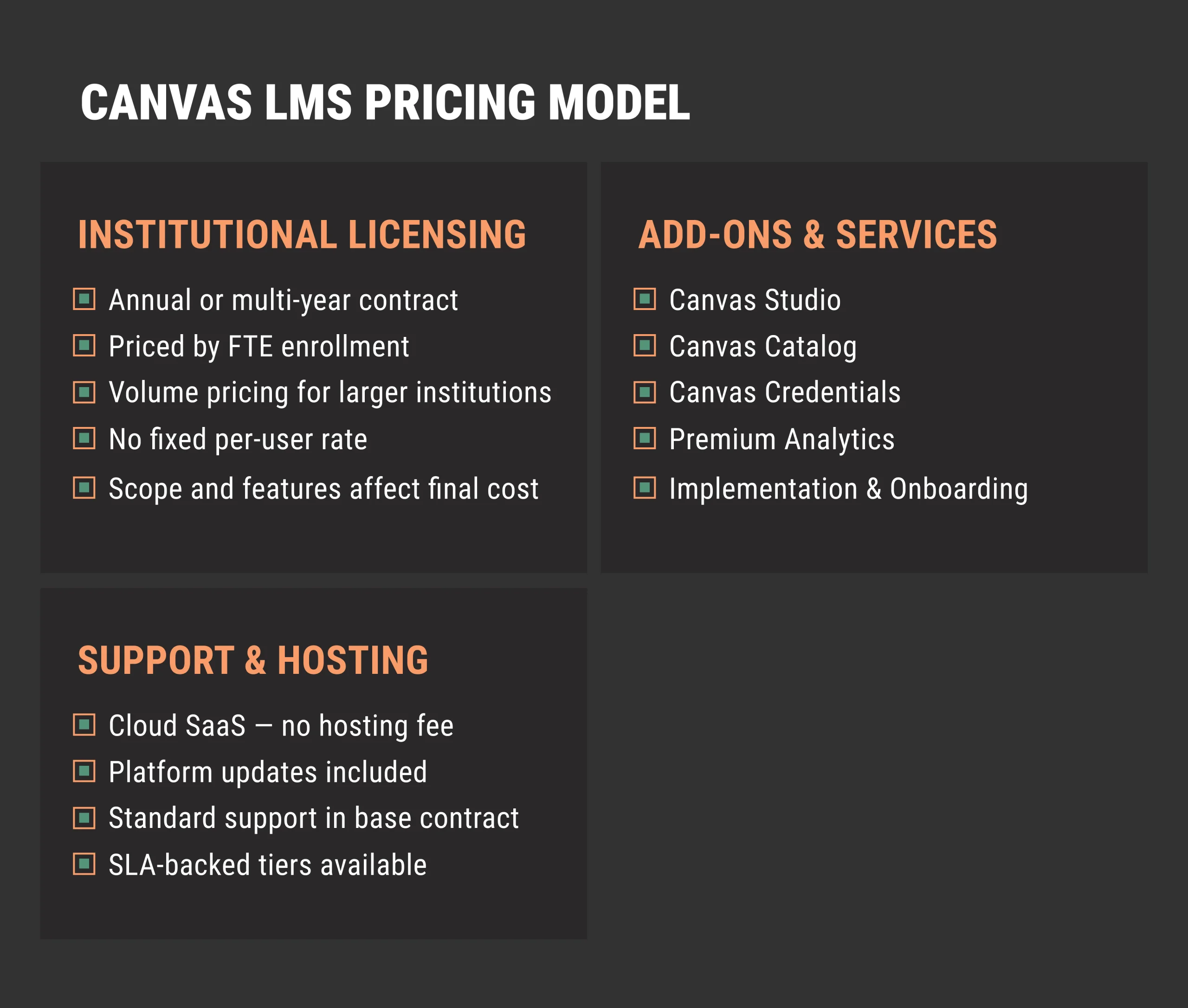
Canvas LMS pricing follows an institutional licensing model based on FTE enrollment, with optional add-ons such as Canvas Studio, Catalog, Credentials, and Premium Analytics.
Institutional Licensing
The core Canvas pricing model is built around annual institutional contracts. Pricing scales with:
- FTE enrollment — the number of active students or users covered by the license
- User tiers — larger institutions may access volume pricing
- Contract length — multi-year agreements often come with more favorable rates
Canvas learning management system cost does not follow a fixed per-user formula. Two institutions with similar enrollment numbers may pay different amounts depending on their negotiating position, the features included, and the support level in their contract.
Add-ons and Services
The base Canvas license covers core LMS functionality — course management, grading, assessments, and standard integrations. Additional costs may apply for:
- Canvas Studio — video creation and feedback tools
- Canvas Catalog — course catalog and enrollment management for external audiences
- Canvas Credentials — digital badges and credential management
- Premium analytics — advanced reporting beyond standard dashboards
- Implementation and onboarding — professional services for setup and migration
Canvas license cost for a large institution deploying multiple add-ons can look significantly different from a basic deployment. It is worth mapping which features are business-critical before entering pricing discussions.
Support and Hosting
Canvas operates as a cloud-based SaaS platform. Infrastructure, hosting, and platform updates are included in the institutional contract — there is no separate hosting fee. Support tiers vary by contract: standard support is included, while dedicated support or SLA-backed response times may require a higher tier.
How Much Does Canvas Cost for Schools?
K-12 Canvas contracts are negotiated at the district level. Smaller districts generally pay more per student than larger ones — volume and multi-year agreements bring the rate down. What ends up in the contract depends on district size, active student accounts, and whether it covers teacher tools, parent access, and SIS integrations like PowerSchool or PeopleSoft. Implementation complexity, particularly SIS integration and data migration from a previous LMS, can add to the total cost of ownership.
How Much Does Canvas Cost for a University?
Canvas pricing in higher education starts with one number: FTE enrollment. How many students are registered for courses that year — that is what anchors the contract.
Research universities with large student bodies tend to go multi-year. The spread is wide because the variables are wide — enrollment size, which integrations are in scope, which add-ons make it into the agreement. A mid-sized university running SIS, SSO, and LTI tools is not the same conversation as a small institution that needs the basics and nothing more.
Canvas Free vs Paid
Canvas offers a Free-for-Teacher account for individual educators. This is a meaningful distinction for institutions evaluating whether to pilot the platform before committing to an institutional contract.
Canvas Free for Teacher
The free version gives individual instructors access to core course management features: assignments, quizzes, discussions, grading, and the Canvas mobile app. It is a legitimate starting point for educators testing the platform.
Limitations include:
- 100 MB storage per user or group, 500 MB per course, which can be impractical for courses with video or large file content
- No SIS import or automated roster management
- No institutional branding or sub-account management
- No customer support beyond basic account issues
- LTI integrations limited to course-level, no institution-wide tools
Canvas Institutional (Paid)
The paid institutional version removes those limitations and adds the infrastructure required for large-scale deployment: SIS integration, SSO configuration, administrative controls, institutional branding, and SLA-backed support. Canvas free vs paid is not a feature comparison so much as a scale comparison — the free version is for individual use, the institutional version is built for organizations.
How Raccoon Gang Helps Evaluate LMS Pricing
At Raccoon Gang, we work with institutions across higher education, K-12, corporate L&D, and healthcare — and help them make informed LMS decisions before signing contracts. Canvas is now part of our LMS portfolio alongside Open edX® and Moodle — see our Canvas services for implementation, integration, and support. That means we can provide an honest cross-platform comparison rather than advocating for any single vendor. See our open-source LMS guide and top Canvas alternatives for broader context.
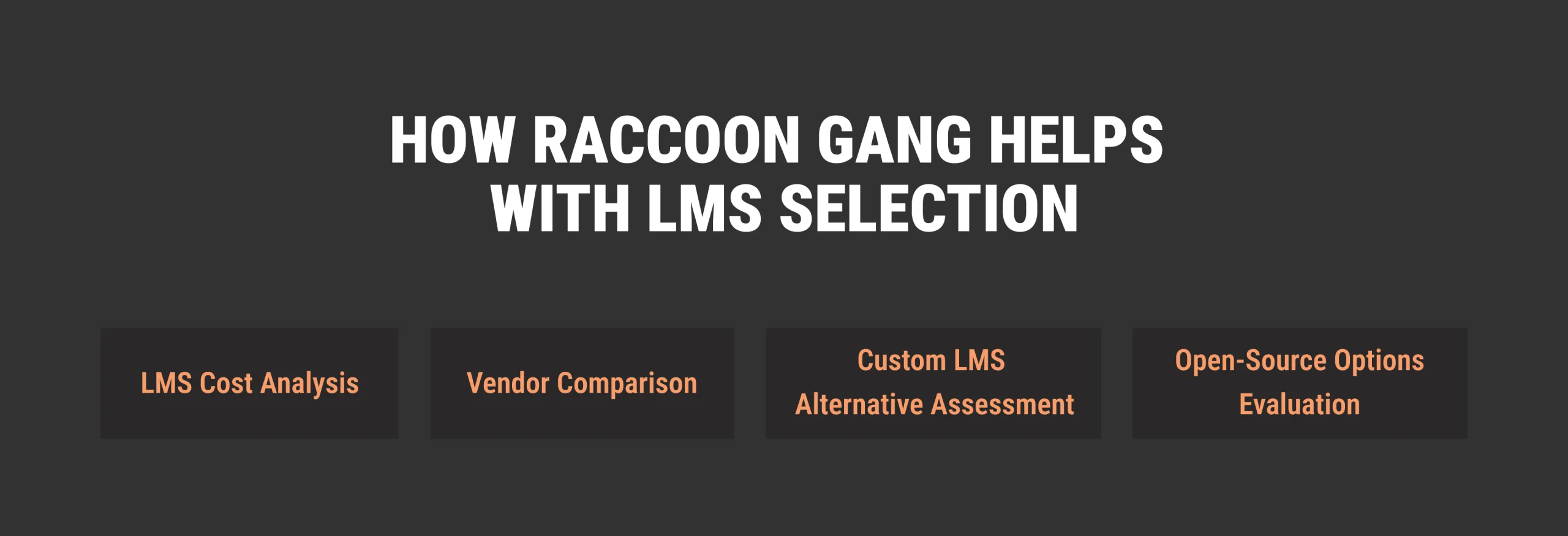
When institutions come to us during the LMS evaluation phase, we help with:
- LMS cost analysis — modeling total cost of ownership across platforms, including implementation, integrations, training, and ongoing support.
- Vendor comparison — structured evaluation of Canvas against Moodle, Open edX, Brightspace, and other platforms based on your specific requirements.
- Custom LMS alternative assessment — for institutions where off-the-shelf platforms do not fully fit, we assess whether a custom-built solution would better meet their needs.
- Open-source options like Open edX — for institutions where Canvas licensing cost exceeds budget, we evaluate whether Open edX or Moodle would meet their requirements at a lower total cost.
LMS pricing is only one part of the equation. LMS scalability, integration complexity, and long-term maintenance costs all affect the real cost of ownership. We help institutions see the full picture before committing.
Canvas LMS Implementation Timeline and Cost
Canvas licensing is only part of the total cost. Canvas LMS implementation adds professional services, migration, training, and integration costs that often exceed the first-year license fee for complex deployments.
| Implementation scope | Timeline | Typical cost components |
| Basic deployment (SaaS, minimal customization) | 4–8 weeks | Instructure onboarding fee, SIS integration, faculty training |
| Mid-complexity (SSO, LTI tools, content migration) | 8–16 weeks | Above + LTI configuration, content migration, custom theme |
| Full enterprise deployment (multi-campus, deep integrations) | 4–6 months | Above + SIS sync, API integrations, change management, extended training |
Raccoon Gang provides Canvas implementation services alongside Open edX and Moodle — including SIS/SSO setup, LTI tool configuration, content migration from Blackboard or other platforms, and faculty training.
Conclusion
Canvas LMS pricing is contract-based, institution-specific, and not publicly listed. Enrollment size, contract length, add-ons, support tier — all of it shapes the final number.
The institutions that go into vendor negotiations in the best position are the ones that have already mapped their requirements — which integrations are non-negotiable, what migration will actually involve, and how Canvas pricing compares to alternatives at their scale. A structured cost assessment before signing tends to be cheaper than the surprises that come after.
FAQ
How much does Canvas LMS cost?
>Canvas does not publish flat pricing. Canvas LMS cost is negotiated per institution based on user count, FTE enrollment, contract length, and add-ons.
Does Canvas have a free version?
Yes. Canvas offers a Free-for-Teacher account for individual educators with access to core course management features. It has significant limitations — 100 MB storage, no SIS integration, no institutional branding — and is not designed for institutional deployment.
How much does Canvas cost for schools?
K-12 Canvas contracts are negotiated at the district level, not school by school — and district size is the biggest factor in what you end up paying. Contract terms, active student accounts, and what the agreement actually covers all move the number too.
Is Canvas cheaper than other LMS platforms?
Not necessarily. Open-source platforms like Open edX and Moodle carry no licensing cost, but implementation and hosting have their own price tags. Blackboard and Brightspace negotiate institutional contracts in much the same way Canvas does. The meaningful comparison is total cost of ownership, not the licensing fee alone, and that number looks different at every institution.
What does Canvas LMS implementation cost?
What is Canvas Catalog and how is it priced?