







Canvas LMS pros and cons is a search that tells you something about where someone is in their decision process. They have already heard of Canvas. They probably know it is popular. What they want to know is whether popular translates to right for us — and that is a harder question than a feature comparison can answer.
This guide approaches the pros and cons of Canvas LMS from a different angle. Not what Canvas can do, but where it performs well relative to the alternatives, and where the limitations show up in practice.
TL;DR
- Canvas is a cloud-based LMS by Instructure — dominant in North American higher education, growing in enterprise.
- Strongest advantages: usability, SaaS deployment, integration breadth, and adoption speed.
- Real limitations: customization ceiling, vendor dependency, analytics gaps, opaque pricing.
- Best context: higher education, mid-size institutions, standard course-based workflows.
- Worth reconsidering when: deep customization, complex compliance, or long-term platform ownership matters.
Canvas LMS in Brief
The Canvas learning management system is a cloud-based platform developed by Instructure, launched in 2011. It arrived when institutions were actively looking to move away from legacy platforms — and its cleaner interface made the timing work.
What is Canvas LMS in practice: a hosted SaaS platform that handles course delivery, grading, communication, assessments, and integrations with institutional systems. Instructure manages the infrastructure. Institutions manage the content and configuration within the bounds the platform allows.
The LMS Canvas footprint is genuinely large — 41% of the North American higher education market. That market share creates real network effects: peer institutions are on it, integrations are built for it, and instructors moving between jobs are likely to already know it.
What Is Canvas Used for in Education?
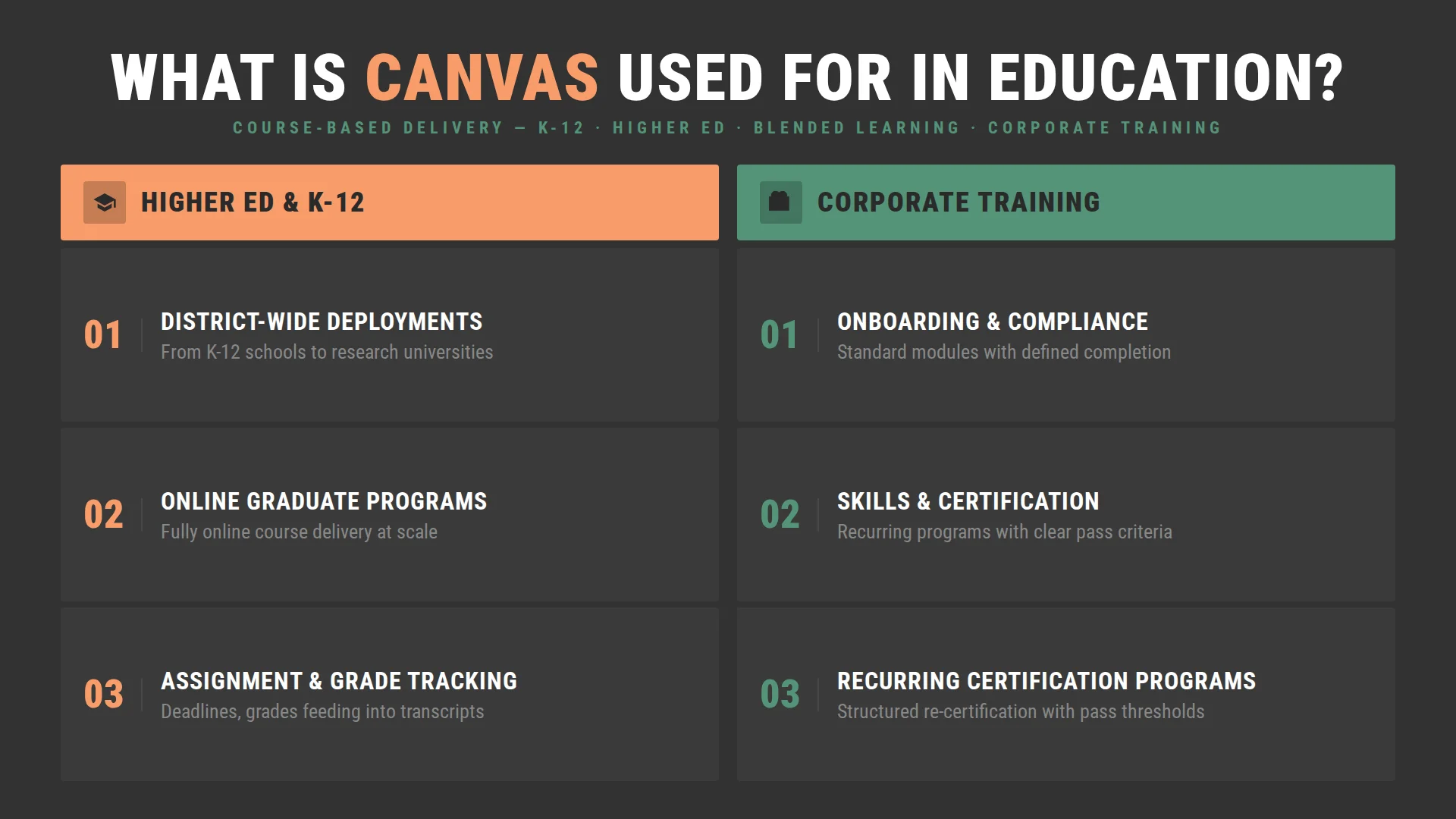
What Canvas is used for in schools ranges from district-wide K-12 deployments to research universities running fully online graduate programs. The Canvas education platform was designed around course-based delivery, and that design assumption shapes everything — how content is organized, how progress is tracked, how instructors and students interact.
In higher education, that assumption fits well. Courses have defined enrollments, clear timelines, assignments with deadlines, and grades that are reflected on transcripts. Canvas handles all of that cleanly.
In corporate training, the fit depends on how far the training program deviates from that course-based model. Standard onboarding, compliance modules, skills training with defined completion criteria — Canvas manages these without friction. Recurring certification programs with complex branching logic, performance-linked learning paths, or training that needs to live outside an LMS context — that is where the course-based architecture starts to show its limits.
Canvas LMS Features Overview
Canvas covers the expected ground for a mature LMS — course management, assignments, grading, communication tools, and integrations are all present and solid. The module system and SpeedGrader are where the platform clearly invested: instructors use them daily, and they work well.
The thinner spots are analytics beyond basic course-level reporting and anything that requires the platform to behave outside of Instructure’s design. These exist, but they come with add-ons or workarounds. For most standard deployments, that never becomes an issue.
Canvas Pros
Behind the market share number are specific capabilities that make Canvas the default choice for most higher education evaluations.
- The interface actually reduces friction. This sounds obvious, but it is worth saying plainly: Canvas pros start with an interface that instructors and students can navigate without training. That is not the case for every LMS, and the downstream effects are real. Lower support overhead, faster adoption, fewer errors in course setup. For institutions where instructor buy-in is the hardest part of any new platform rollout, this matters more than most technical capabilities.
- SaaS means someone else owns the infrastructure problem. For institutions without large IT departments — and many mid-size universities and corporate training teams fall into this category — SaaS deployment removes a significant operational burden. Updates, security patches, uptime management: Instructure handles all of it. Canvas has maintained a strong uptime record, which matters most during high-traffic periods like exam weeks or compliance deadlines.
- The integration ecosystem is genuinely broad. Over 1,000 LTI tools connect to Canvas without custom development. Google Workspace, Microsoft Teams, Turnitin, Zoom, plagiarism tools, content libraries, assessment platforms — if an institution already uses it, there is a reasonable chance it connects to Canvas out of the box. The REST API extends that further for institutions with development resources. Compared to platforms where integration is a project, Canvas’s ecosystem makes it a configuration.
- Adoption speed is a real advantage. Institutions that have migrated to Canvas from legacy platforms consistently report faster time-to-competency for both instructors and students. That speed has a dollar value: shorter training programs, fewer support tickets, and less time between signing a contract and running courses on the platform.
- The peer network is large and active. Instructure Canvas has an active user community, a large base of shared resources, and a job market where Canvas familiarity is common. That network effect compounds over time in ways that do not show up on feature comparison spreadsheets.
Canvas Cons
Canvas works well for most organizations. The cases where it does not tend to follow a pattern, and they are worth knowing in advance.
- Customization works within defined boundaries. Canvas offers theming, branding, and configuration options — but the platform is designed around Instructure’s architecture decisions. Organizations that need non-standard learning paths or workflows that fall outside the standard course model will need to work within those parameters, use available add-ons, or plan for technical configuration. For most institutions, this is not a barrier. For those with highly specific requirements, it is worth mapping early.
- Pricing requires direct vendor engagement. Canvas does not publish a rate card. Institutional Canvas pricing is negotiated directly with Instructure based on enrollment, contract length, and scope. For organizations that prefer to do internal budget planning before involving vendors, this means the evaluation process requires an earlier conversation with sales than some teams expect.
- Advanced analytics are available as add-ons. Standard Canvas reporting covers completion rates, scores, and basic engagement. Learning analytics teams that need behavioral data, cohort progression tracking, or custom dashboards can access this through Canvas Data or Impact. These are separate products with their own cost, which is worth factoring into the total cost of ownership from the start.
- Feature development follows the vendor roadmap. Like any SaaS platform, Canvas evolves on Instructure’s timeline. Organizations with specific feature needs that are not yet on the platform can submit requests through the Canvas Community. This is a standard SaaS tradeoff — the infrastructure and maintenance benefits of SaaS come with less direct control over product direction than self-hosted or open-source alternatives offer.
- Complex enterprise environments need careful planning. Running Canvas across multiple campuses with deep compliance requirements and many concurrent integrations is doable — the platform handles scale well. But organizations that go in underestimating the complexity tend to find that integration management and permission structures take more ongoing attention than the initial budget accounted for.
Canvas Pros and Cons Summary Table
Now that we’ve walked through each pro and con in detail, here is a summary table to bring it all together. Use it as a quick reference when working through your own evaluation.
| Area | Pros | Cons |
| Interface | Clean, intuitive, low learning curve for instructors and students | Course setup consistency depends on the instructor’s practice |
| Deployment | SaaS, no infrastructure overhead | Feature updates follow the vendor roadmap |
| Mobile | Strong native apps for students, instructors, and parents | Some mobile sync issues reported by users |
| Integrations | 1,000+ LTI tools, open REST API | Multi-integration environments require ongoing maintenance |
| Analytics | Standard course-level reporting included | Advanced analytics require Canvas Data or Impact add-ons |
| Customization | Theming, branding, and configuration options | Deep workflow customization requires technical planning |
| Pricing | Free-for-Teacher option for individual educators | Institutional pricing requires direct vendor engagement |
| Reliability | Strong uptime track record | Infrastructure managed by a vendor |
Canvas LMS for Enterprise vs Education
The advantages and disadvantages of Canvas look different depending on the deployment context, and the difference is significant enough to be worth examining separately.
Higher Education
This is where Canvas is most at home. The platform was built around course-based delivery, and academic workflows map to that model naturally: defined enrollments, semester timelines, assignment submission, grading, and outcome tracking.
Instructor adoption is faster here than on most competing platforms. Students coming from other institutions often already know Canvas, which reduces orientation overhead. The peer network of shared course templates, community resources, and Canvas-familiar staff compounds those advantages over time.
Corporate Training
Canvas has expanded into corporate L&D, and for organizations with standard training needs, it works well. Onboarding programs, compliance modules, and skills training with defined completion criteria fit the course-based model without friction.
Where corporate deployments require more planning is in more complex scenarios — multi-step certification workflows, performance-linked learning paths, or training programs that need to connect deeply with HRIS and CRM systems. These are solvable with proper implementation planning, but they require more upfront configuration work than a standard academic deployment.
The honest framing: Canvas is a strong choice for corporate training when the requirements are well-understood and map to what the platform was designed to do. When they don’t, the planning and configuration investment increases, and that is when a comparison against alternatives becomes worth the time.
When Canvas LMS Is the Right Choice
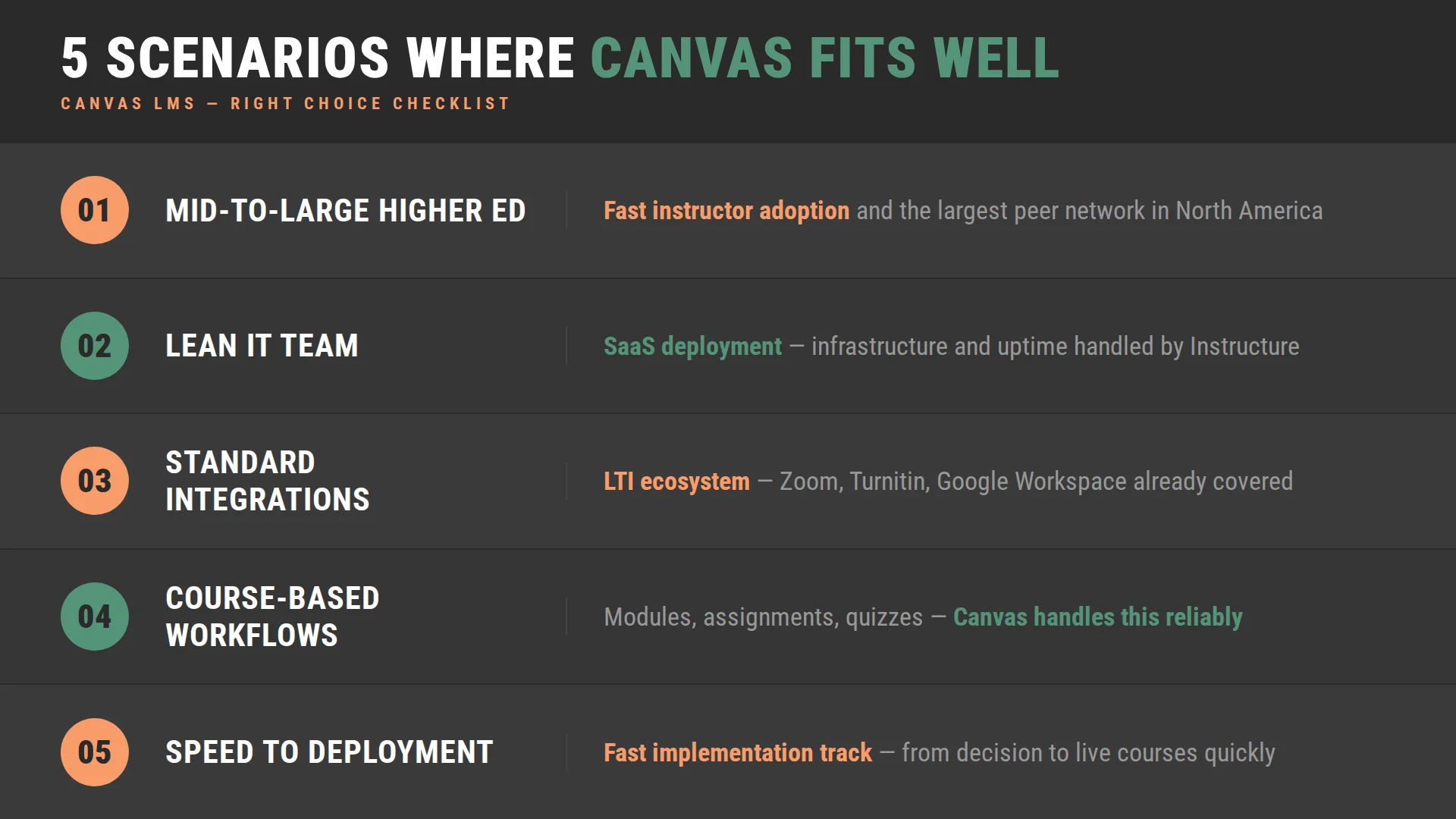
The Canvas pros and cons discussion lands differently depending on what an organization is actually trying to do. There are contexts where Canvas is a strong, defensible choice — and recognizing them makes the evaluation faster.
Canvas tends to be the right fit when:
- The organization is a mid-to-large higher education institution that wants a modern platform with a large peer network and fast instructor adoption. The combination of usability, SaaS deployment, and market presence makes Canvas the path of least resistance in academic contexts — and in this case, least resistance is genuinely the right answer.
- The IT team is lean, and the priority is a platform that runs itself. SaaS deployment means infrastructure, updates, and uptime are Instructure’s problem. For institutions that do not want to allocate engineering resources to platform management, that is a significant operational advantage.
- The integration needs are well-defined and standard. If the institution already uses tools that are in Canvas’s LTI ecosystem — Google Workspace, Zoom, Turnitin, a common SIS — the integration work is largely configuration, not development. That reduces implementation time and cost considerably.
- The learning workflows are course-based and relatively standard. Modules, assignments, discussions, quizzes, and grading — if this covers most of what the organization needs the LMS to do, Canvas handles it reliably and well.
- Speed to deployment matters. Organizations that need to move from decision to live courses quickly benefit from Canvas’s fast implementation track and the availability of experienced implementation partners.
How Raccoon Gang Helps Evaluate LMS Platforms
LMS decisions tend to go wrong in the same place: the evaluation starts too late, after the organization is already in a vendor conversation. By that point, the comparison is happening on the vendor’s terms — and the internal requirements have not been mapped clearly enough to push back effectively.
Raccoon Gang works with institutions before that point. Canvas is part of our LMS portfolio alongside other leading platforms, which means our team evaluates options based on what the organization actually needs, not on which vendor we represent. We work with Canvas because it genuinely fits many of our partners’ requirements. And when it does not, we say so.
- LMS audits. Before recommending a direction, our team assesses the current environment — what is working, what is not, and what a platform decision would realistically involve in terms of migration, integration, and change management.
- Platform comparison. We evaluate Canvas alongside Open edX, Moodle, and other platforms based on the organization’s actual requirements. Not a generic feature checklist, but a comparison built around what the specific deployment needs to do.
- Cost evaluation. We model the total cost of ownership across platforms, including implementation, integrations, training, and ongoing support. The licensing number is rarely the most important one in that model.
- Custom LMS architecture. For organizations whose requirements go beyond what any off-the-shelf platform provides, our team designs and builds on Open edX — a platform we can customize, host, and support without vendor dependency.
Conclusion
Canvas LMS pros and cons do not resolve into a simple answer — and any guide that suggests otherwise is either selling something or oversimplifying. The right platform is the one that fits what your organization actually needs to do, not the one with the best marketing or the largest market share. Getting that answer right is worth the time it takes to do the evaluation properly.
FAQ
What are the pros and cons of Canvas LMS?
What is Canvas LMS used for?
Is Canvas a good LMS for enterprises?
Does Canvas LMS cost money?
What are the limitations of Canvas LMS?