







When it comes to choosing an LMS, Blackboard Learn is among the first systems that pop up in the head. However, it is never perfect for each and every business. In this article, we are going to look at the top Blackboard LMS alternatives, helping you find a platform that better suits your specific needs.
The LMS market has a 16.1% annual growth rate. Against this backdrop, Blackboard is losing market share in the academic segment. In the last two years, Canvas held about a 50% enrollment share in North America, compared with 12% for Blackboard.
“Be it flexibility, pricing, or features, all these Blackboard LMS alternatives will make your choice easier and help you find a solution for your business needs. Our LMS consulting services have helped many of our clients pick the right mix for their specific situation.”
— Mariia Moskalenko, Team lead Business Analyst at Raccoon Gang
Key takeaways:
- Migration from Blackboard Learn to a new LMS may sound daunting, but there are tools and services that ensure a smooth transition of your data and courses.
- Moodle, Open edX, and Sakai LMS are affordable and wider for customization, while Brightspace and Absorb LMS offer out-of-the-box functionality and support.
- Scalable platforms like Absorb LMS and Brightspace can handle the expanding needs of growing institutions or businesses.
- Open-source options can be tailored to specific requirements, making them suitable for organizations of all sizes.
Understanding Blackboard Learn
Blackboard Learn is a widely used learning management system (LMS) designed to facilitate online education. It works as a digital learning environment where instructors can craft, oversee, and distribute courses while learners gain access to materials, engage in discussions, and hand in assignments. However, many institutions are exploring Blackboard LMS alternatives due to factors like cost, customizability, or a desire for a more user-friendly interface.
Here’s a breakdown of what Blackboard Learn offers: course creation, communication tools, assessment features, mobile compatibility, and integration capabilities.
Examples of Use:
- Universities. Many higher education institutions worldwide rely on Blackboard Learn to deliver courses remotely or complement traditional classroom instruction.
- Corporate Training. Corporate training departments leverage Blackboard Learn for employee development schemes, offering a centralized hub for learning and growth initiatives within organizations.
- K-12 Education. Schools at the elementary and secondary levels leverage Blackboard Learn to offer online classes, homework assignments, and resources for students.
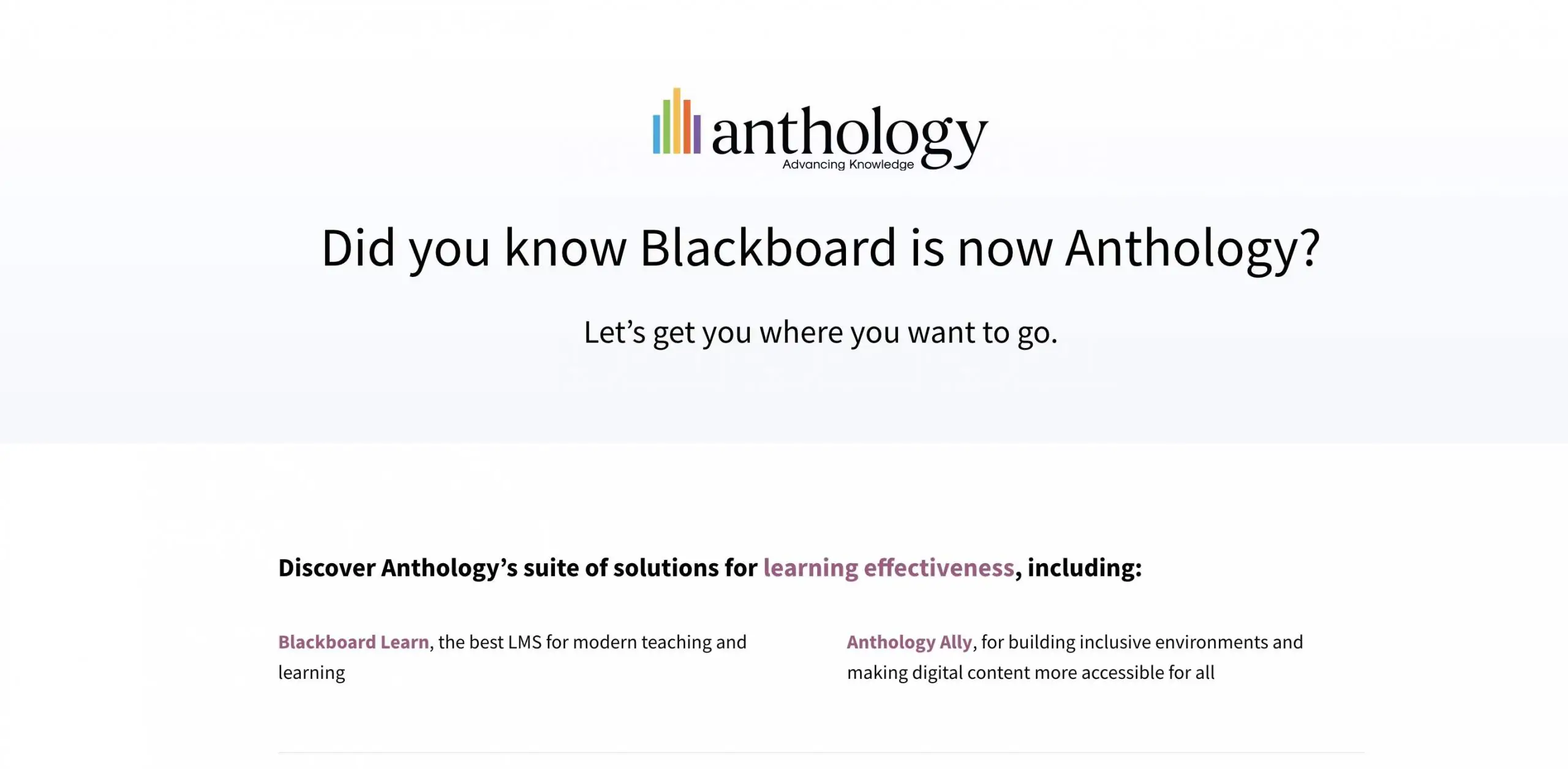
It’s important to note that in October 2021, Blackboard merged with another education technology company to form Anthology. However, Blackboard Learn remains a core product offered by Anthology and is still widely used in educational institutions.
Why Consider Blackboard Alternatives?
Blackboard Learn is a powerful LMS with a long history in education. However, just like any software, it has its pros and cons. Here are some reasons why educators and institutions might consider exploring an alternative to Blackboard Learn LMS:
- Cost. Blackboard Learn can be expensive, especially for smaller institutions. Open-source LMS options can offer significant cost savings because there are no licensing fees.
- Customization. While Blackboard Learn offers a variety of LMS features, some users might find it less customizable than they’d like. Open-source platforms often provide more flexibility to tailor the LMS to specific needs.
- Ease of Use. Blackboard Learn can have a bit of a learning curve for instructors and students. Some educators prefer a more user-friendly interface offered by alternative platforms.
- Integration. Blackboard Learn may not integrate seamlessly with all the other tools and software used by an institution. Finding an LMS that integrates well with existing systems can streamline workflows.
- Advancement. The open-source development model has the potential to accelerate innovation and offer a broader array of features in contrast to a proprietary platform such as Blackboard Learn.
Recent Blackboard reviews help explain why some institutions keep looking at other options. On Gartner Peer Insights, Blackboard Learn holds a 3.9/5 rating. That score is based on 70 reviews. Together, those reviews point to a mixed experience rather than broad satisfaction.
“Blackboard Learn offers solid communication and content tools, but grading issues create extra work for instructors and slow routine tasks.”
— Assistant Professor, Education
If you’re looking for a more affordable, customizable, user-friendly, or innovative LMS solution, exploring open-source Blackboard LMS alternatives might be a good option. So, in the next section, we’ll dive into some of the top contenders in the open-source LMS market.
Migrating from Blackboard: What to Expect
Switching LMS platforms is less about picking the right software and more about executing the move. At Raccoon Gang, we have completed Blackboard migrations for universities, enterprises, and public-sector organizations — and the pattern is consistent: the platform choice is settled within a week; the migration plan takes the next three months.
What typically transfers cleanly:
- Course content and structure (modules, pages, assignments)
- User accounts and enrollment records
- Grades and submission history (where source APIs allow)
- SIS/SSO integrations — reconfigured to the new platform
What needs attention:
- SCORM packages often need re-testing in the target LMS
- Third-party tool integrations (proctoring, library, e-commerce) need re-mapping
- Faculty training: allocate 2–4 weeks for adoption before go-live
Need a migration plan? Talk to our migration team — we’ll scope it in one call.
Blackboard vs Top Alternatives: Quick Comparison
Before diving into each platform, here is a side-by-side overview to help narrow your shortlist:
| Platform | Type | Best for | Migration from Blackboard | Pricing model | Open source |
| Open edX | Open-source LMS | Universities, enterprise academies, large-scale MOOCs | Full migration — Raccoon Gang handles data transfer, SIS/SSO reconfiguration | Free (hosting + support extra) | ✓ |
| Moodle | Open-source LMS | K–12, HE, corporate — any org with IT capacity | Strong migration tooling, active community resources | Free (from $129/year for managed hosting) | ✓ |
| Canvas (Instructure) | SaaS LMS | Higher education, K–12, fast adoption | Easiest migration path from Blackboard — built-in course import, large HE install base | Custom quote | ✗ |
| D2L Brightspace | SaaS LMS | K–12 through workforce training | Managed migration support from D2L team | Per-user, custom quote | ✗ |
| Absorb LMS | SaaS LMS | Corporate training, mid-market | Content import tools; less HE-specific migration support | From ~$800/month | ✗ |
| Sakai | Open-source LMS | Higher education (research universities) | Manual migration; smaller community than Moodle/Canvas | Free (self-hosted) | ✓ |
💡 Migration ease from Blackboard: Canvas is typically the fastest path for higher education institutions already familiar with the LMS landscape. Open edX and Moodle offer the most flexibility post-migration but require a specialized implementation partner. Raccoon Gang handles both — see our migration services.
Top 10 Alternatives to Blackboard Learn
For this list of LMS platforms similar to Blackboard Learn, we considered several key factors to ensure the options align with diverse business needs. For example, we evaluated each platform’s user interface, customization options, pricing models, integration capabilities, and quality of customer support.
“Blackboard Learn includes a broad toolset, yet the interface feels unintuitive and cluttered for everyday online learning.”
— Scientist, Education
Additionally, we took into account scalability, mobile accessibility, and how well each platform supports different learning styles and administrative requirements. With these criteria in mind, here are the top LMS platforms that serve as better alternatives to Blackboard Learn.
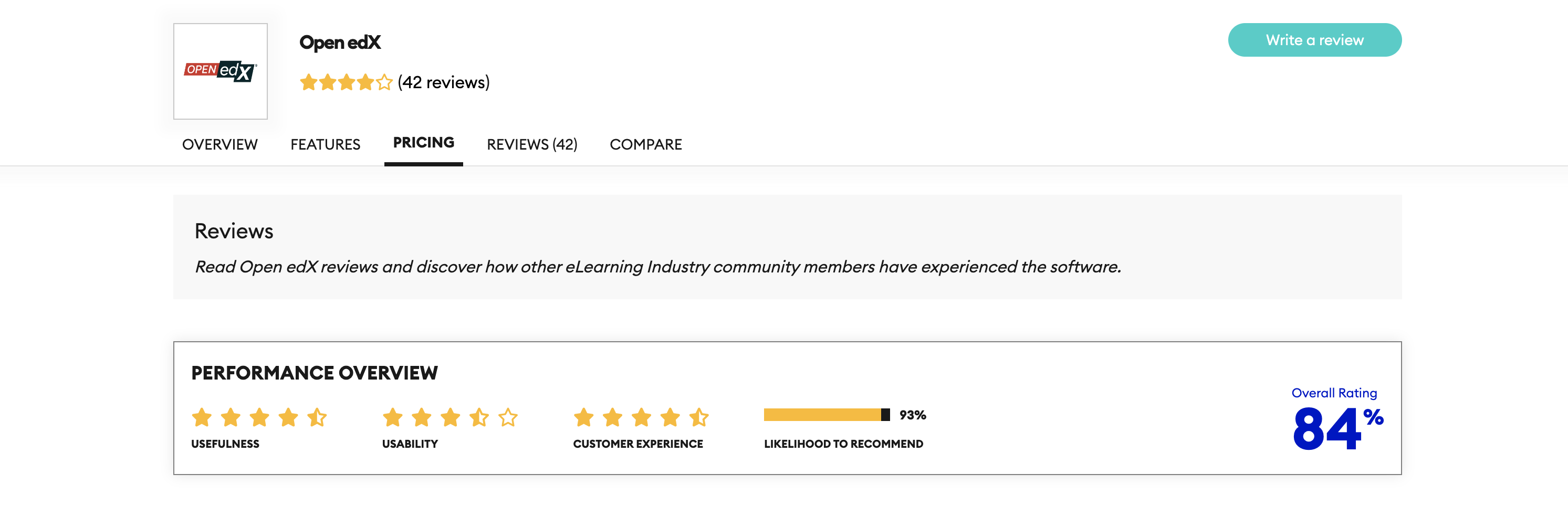
Open edX (Capterra: 4.8/5)
Open edX® platform is a strong contender in the open-source LMS market. Furthermore, it’s known for its high flexibility, robust architecture, and active community support. It is a popular choice for universities, businesses, and institutions offering large-scale online courses, especially those considering Blackboard LMS alternatives.
Pricing structure: Freemium model with paid plans (Paid for hosting/support)
Starting Price: Prices are customized (as features are tailored for the preferences of each institution)
Free Trial: Yes
Pros
- Highly Flexible and Customizable. Like Moodle LMS, Open edX LMS offers extensive customization options to tailor the platform to specific needs. Instructors can design unique learning experiences and integrate them with various tools.
- Robust and Scalable Architecture. Open edX is built to efficiently handle many users and complex courses. This makes it a good choice for institutions with high enrollment or demanding online learning programs.
- Active Community Support. Open edX thrives with a substantial and dynamic community of developers and users actively contributing to its continuous evolution and offering valuable support resources.
Cons
- Steeper Learning Curve for Beginners. Open edX can have a steeper learning curve compared to some user-friendly LMS platforms. Setting up and managing courses effectively might require more technical expertise from instructors or administrators.
- Requires Dedicated Resources for Hosting. Unlike some hosted LMS solutions, Open edX requires institutions to set up and manage their own server infrastructure to host the platform. Besides, this can be resource-intensive for smaller institutions.
Best for
- Universities, public-sector programs, enterprise academies.
Raccoon Gang implements Open edX
Raccoon Gang is a Preferred Open edX Provider and an Open edX Partner — one of a small number of companies with verified active contribution to the platform. We deploy, migrate, host, and extend Open edX for universities, corporate academies, and public-sector organizations. Our Open edX migration services include full data transfer from Blackboard with no loss of learning records.
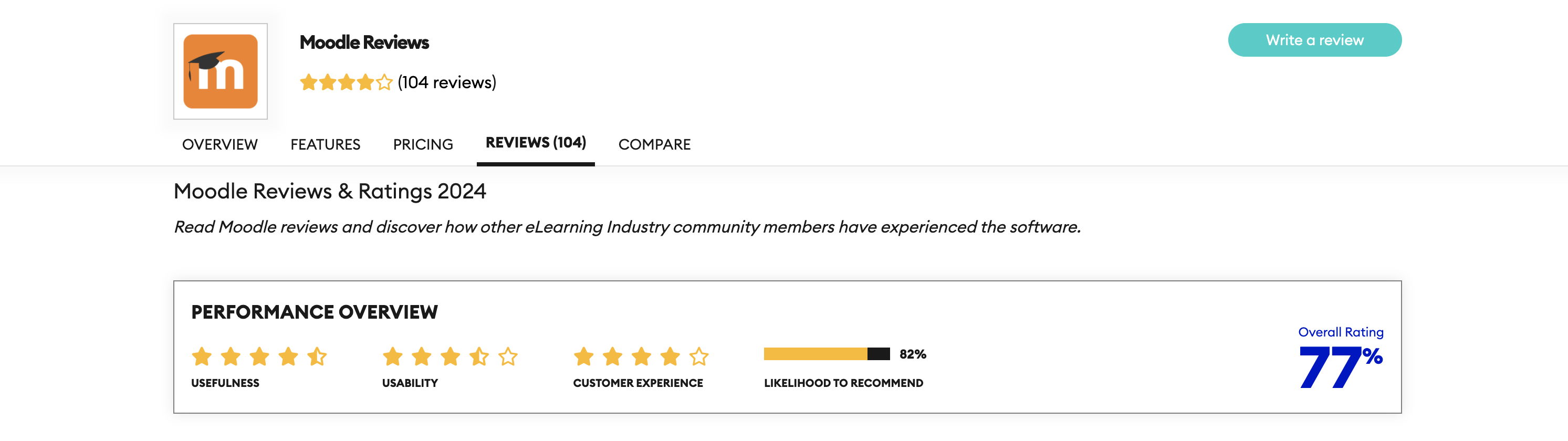
Moodle (G2: 4.1/5)
Moodle is a free and open-source LMS that’s a popular choice for schools, universities, and businesses of all sizes. In fact, it offers a robust feature set for creating online courses, managing student learning, and fostering communication.
Pricing structure: Free and open-source (freemium)
Starting Price: Prices are customized for large organizations, but for small and medium-sized organizations, pricing starts at $129 per year for 50 users.
Free Trial: Yes
Pros
- Cost-effective. Being open-source, Moodle eliminates licensing fees, making it a budget-friendly option.
- Highly Customizable. Moodle allows for extensive customization to fit the specific needs of an institution or course. Instructors can tailor the platform’s look and feel, and even add custom plugins for additional functionalities.
- Active Community. Moodle prides itself on its extensive, engaged user community, offering continuous assistance, materials, and plugin enhancements.
Cons
- Potential Maintenance Needs. As an open-source platform, the responsibility for maintenance and security updates falls on the institution itself. This can require additional IT resources.
- Interface Customization. While Moodle offers customization options, its default interface might appear less polished compared to some commercial LMS platforms.
- Steeper Learning Curve*. Moodle can have a steeper learning curve compared to some user-friendly LMS platforms. Setting up and managing courses effectively might require more technical expertise for instructors.
Best for
- Schools, universities, workplace learning teams.
*Learning Curve Explained:
Think of the learning curve as getting better at a new video game. At first, controlling your character and completing the tasks is tricky. But the more you play, the smoother things become. Finally, it takes less effort to do things you used to find challenging.
Presently, in the context of LMS options, some platforms might have a steeper learning curve for instructors and students who are new to the system. There might be a period of adjustment as they get familiar with the interface and functionalities.
“At RaccoonGang, we provide online employee training and customer onboarding to ease up this process for our clients.”
— Sergiy Movchan, Co-Founder at Raccoon Gang
Instructure Canvas (G2: 4.5/5)
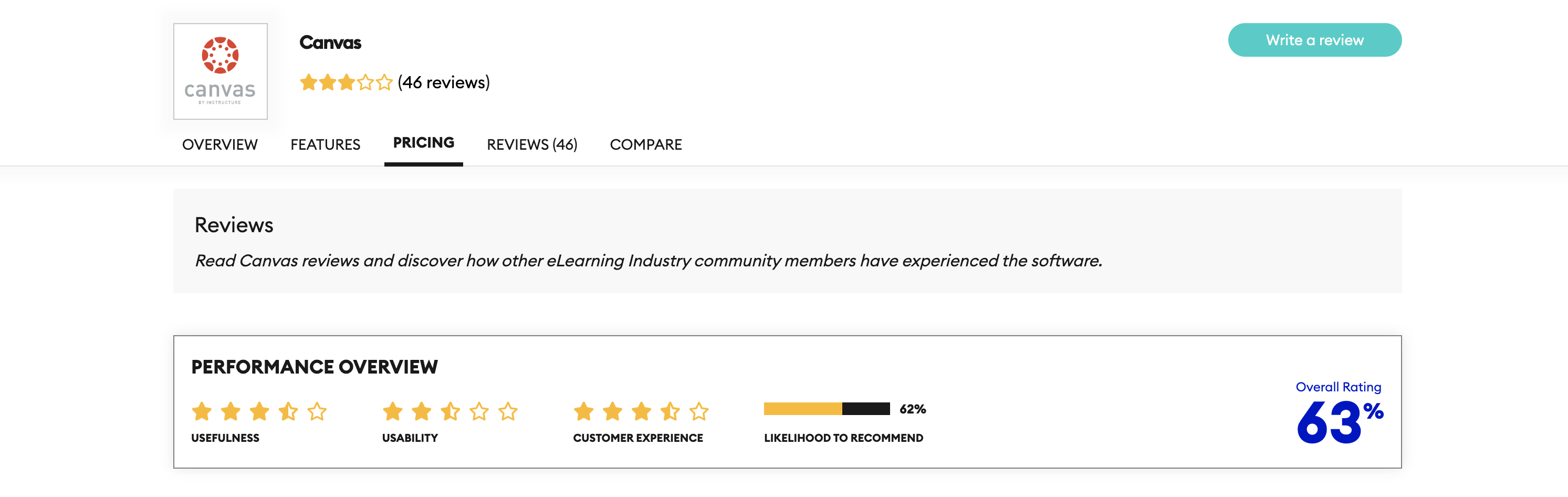
Canvas by Instructure (often simply referred to as Canvas) is a well-established LMS known for its user-friendly interface and comprehensive feature set. Presently, it’s a popular choice for schools, universities, and businesses seeking an accessible learning platform.
Pricing structure: Freemium model with paid plans for institutions
Starting Price: N/A, prices are customized
Free Trial: Yes
Pros
- User-Friendly Interface. Canvas boasts a clean and intuitive interface that’s easy to navigate for both instructors and students. This can minimize the learning curve and streamline course management.
- Rich Feature Set. Canvas offers a wide range of features to support various learning activities, including discussions, assignments, quizzes, video conferencing, and integrations with external tools.
- Mobile Application Availability. Canvas provides mobile apps for instructors and students, allowing for convenient access to courses and learning materials on the go.
Cons
- Cost. While Canvas offers a freemium model with limited features, most educational institutions will require a paid subscription to access the full suite of functionalities. This can be a cost consideration compared to free, open-source options.
- Customization. Canvas offers some customization options, but it might not be as highly customizable as some open-source LMS platforms.
Best for
- Higher education, mid-size institutions, standard course-based workflows.
Raccoon Gang implements Canvas
Raccoon Gang provides Canvas implementation, LTI integration, and SIS/SSO setup for institutions switching from Blackboard. If your team has already shortlisted Canvas, we can scope the migration and go-live plan in a single call.
Sakai LMS (Capterra: 4.1/5)
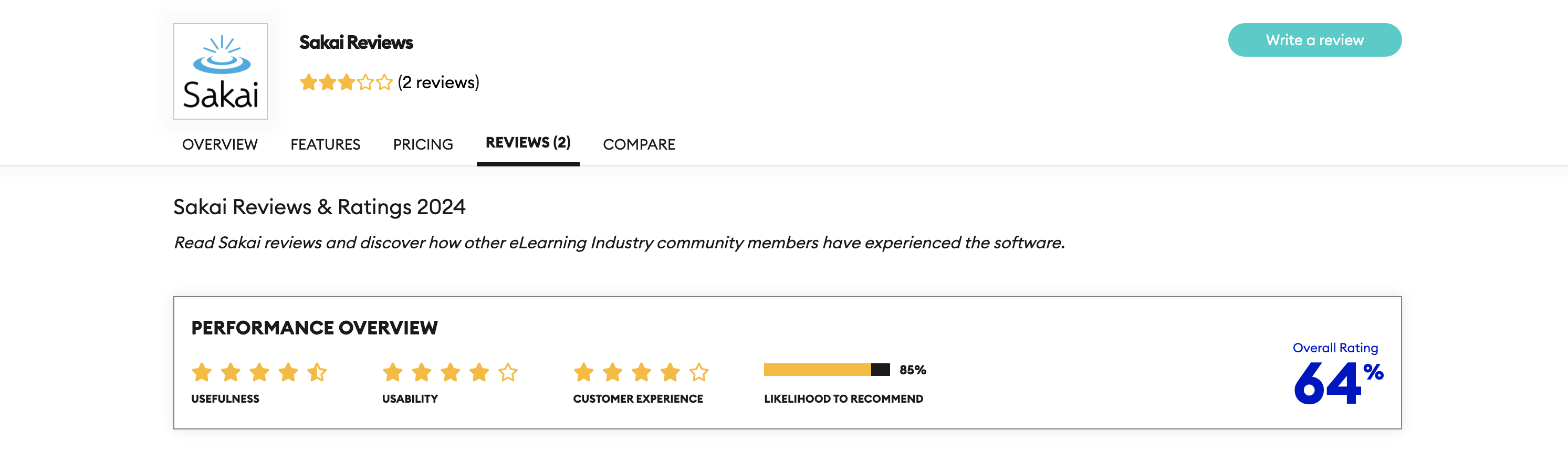
Sakai LMS is a free, open-source LMS that prioritizes collaboration and community building in the online learning experience. Besides, it’s a good fit for institutions that value student interaction and group-based learning activities.
Pricing structure: free
Starting Price: N/A
Free Trial: Yes
Pros
- Open-Source and Cost-Effective. Being open-source, Sakai eliminates licensing fees, making it a budget-friendly option for schools and universities.
- Focus on Collaboration. Sakai offers a robust set of tools specifically designed to facilitate online discussions, group projects, and peer interaction.
- High Customization. Similarly to Moodle, Sakai provides extensive customization options to tailor the platform to an institution’s specific needs and educational philosophy.
Cons
- Steeper Learning Curve. Like other open-source platforms, Sakai can have a steeper learning curve compared to user-friendly commercial LMS options.
- Potential Maintenance Needs. As an open-source platform, the institution is responsible for maintenance and security updates, which can require additional IT resources.
- Less Focus on Visual Appeal. Sakai’s default interface might be less visually appealing than some commercial LMS platforms.
Best for
- Higher education institutions.
Brightspace — Best for Corporate Learning (Capterra: 4.2/5)
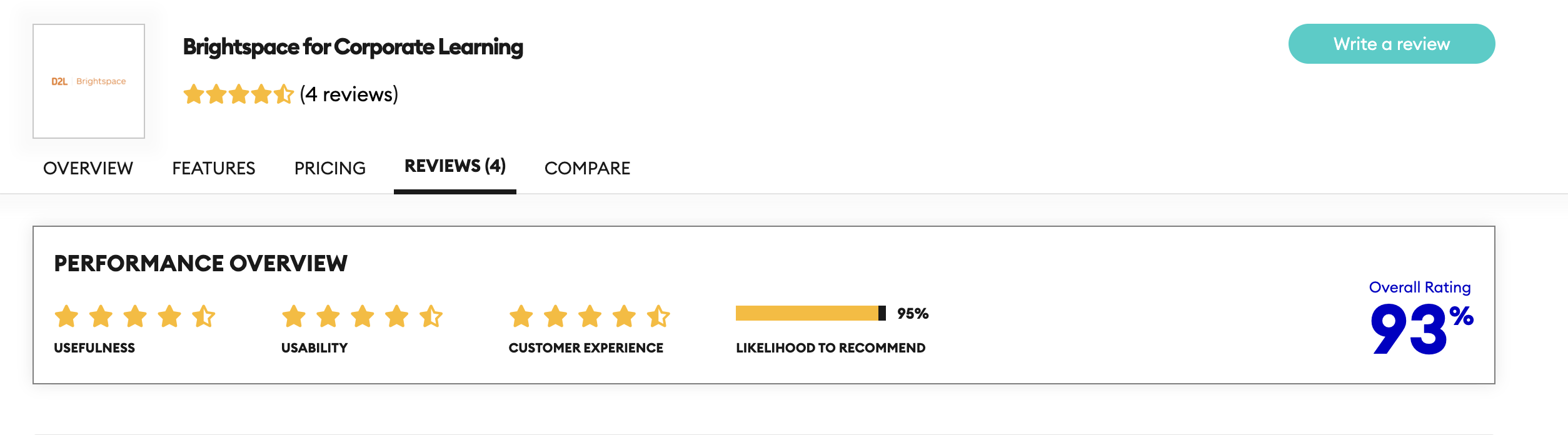
Brightspace is a cloud-based LMS designed to provide a flexible and engaging learning experience for both educators and learners. Known for its intuitive design and advanced analytics, Brightspace is practically the best LMS for corporate training.
Pricing structure: Paid licensing fees
Starting Price: N/A, approximately starting from $100/month
Free Trial: Yes
Pros
- User-Friendly Interface. Brightspace offers a sleek and intuitive interface that simplifies navigation for users at all levels of technical proficiency.
- Advanced Analytics. It includes analytics tools that equip educators and administrators to track progress, assess engagement, and make data-driven decisions.
- Mobile-Friendly. The platform is highly optimized for mobile use, ensuring a seamless experience for learners who prefer studying on the go.
Cons
- Higher Price Point. Brightspace tends to be more expensive than other LMS platforms, which might make it less accessible for smaller institutions or businesses.
- Limited Customization. While it offers a clean and easy-to-use interface, Brightspace is somewhat less customizable compared to open-source alternatives like Moodle or Sakai.
Best for
- Higher ed, K-12, association, and enterprise teams.
TalentLMS — for Small to Medium-Sized Businesses (Capterra: 4.6/5)
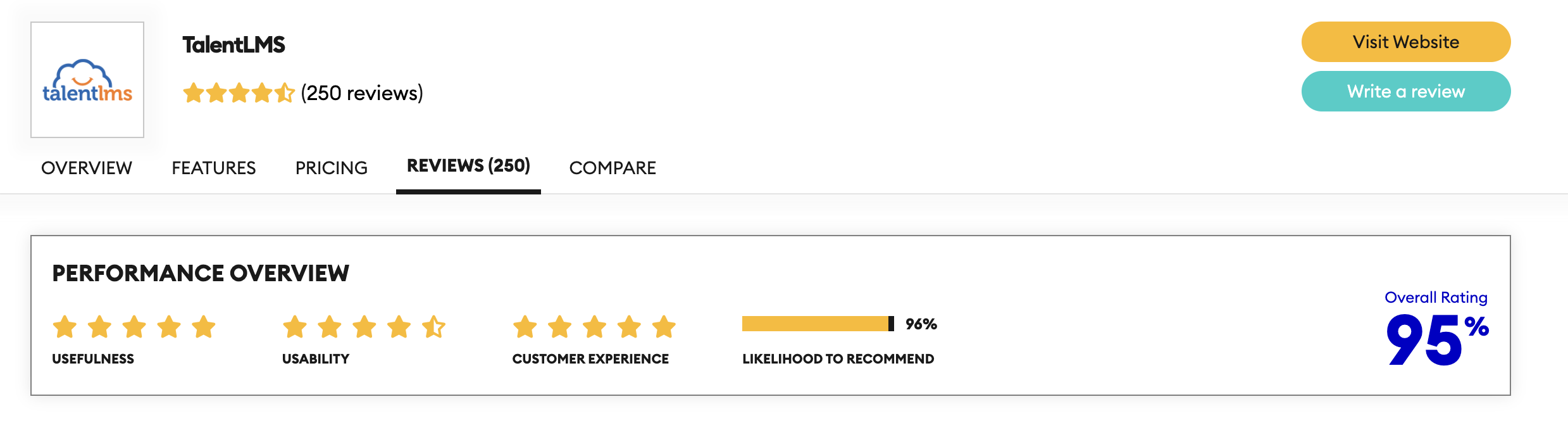
TalentLMS is a cloud-based platform designed specifically for business training and employee development. Its simplicity and built-in course creation tools make it a strong choice for organizations looking for an easy-to-manage solution.
Pricing structure: Freemium (tiered pricing based on users)
Starting Price: $110–120 per month (exact price depends on users and billing cycle)
Free Trial: Yes
Pros
- Easy Setup and Use. TalentLMS is known for its simple onboarding process, making it quick to deploy and easy to manage even without extensive technical knowledge.
- Customization Options. While easy to use, TalentLMS also offers solid customization options, allowing businesses to brand the platform and adapt it to specific training needs.
- Affordable Pricing. TalentLMS provides flexible pricing plans, including a free version for smaller teams, making it cost-effective for businesses of all sizes.
Cons
- Limited Features for Advanced Learning. While TalentLMS covers most business training needs, it may not offer the depth of features required for more complex educational environments.
- Basic Reporting. The reporting tools, while functional, are less comprehensive compared to more advanced LMS options like Brightspace.
Best for
- SMB and mid-market companies.
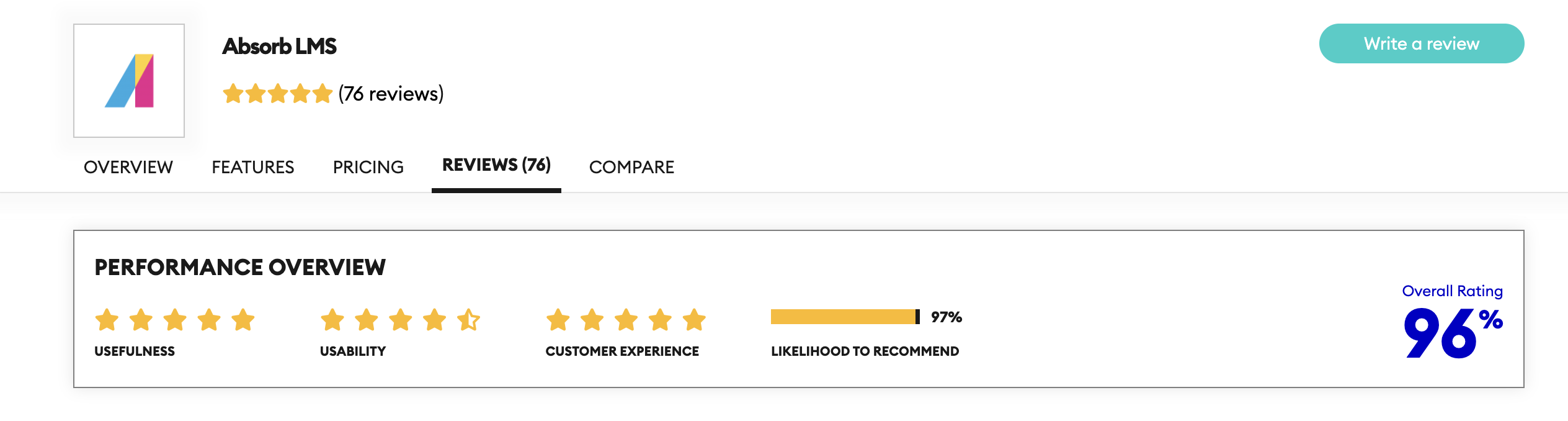
Absorb LMS — for Growing Enterprises or Corporations (G2: 4.6/5)
Absorb LMS is a modern, feature-rich platform designed for corporate training, offering a range of tools to enhance the learning experience. The LMS has scalability and an intuitive interface. Therefore, it is a suitable choice for businesses of various sizes.
Pricing structure: Absorb LMS uses quote-based pricing; historical examples list plans starting around $800 per month plus per-active-user fees, but current costs vary by contract and usage.
Free Trial: Yes
Pros
- Scalability. Absorb LMS is designed to scale with your organization, making it a great option for businesses that anticipate growth or changes in training needs.
- Strong Support. The platform is backed by a high level of customer support, helping users resolve any technical issues quickly and efficiently.
- Rich Feature Set. Absorb LMS offers a broad range of features, including gamification, certifications, and mobile learning, making it a comprehensive tool for employee training.
Cons
- Higher Costs. Similar to Brightspace, Absorb LMS can be more expensive, especially for smaller businesses or startups.
- Customization Limitations. While it provides a lot of features out of the box, Absorb LMS may offer fewer customization options compared to open-source platforms.
Best for
- Mid-market and enterprise companies.
Also worth considering
These Blackboard competitors may also be worth reviewing if your shortlist of Blackboard alternatives extends beyond the academic segment into corporate learning.
- Docebo. Strong fit for enterprise training across employees, customers, and partners. It works best for corporate teams rather than traditional academic delivery.
- LearnUpon. Solid option for companies that want a simpler way to manage employee, partner, customer, and member training in one system.
- Cornerstone. Best suited to larger enterprises that want learning tied to compliance, skills, performance, and wider talent operations.
Main Blackboard Learn competitors
The LMS comparison table below will help you summarize the platforms we have mentioned earlier in the article.
| Feature | Blackboard Learn | Moodle | Open edX | Canvas | Docebo | Brightspace | TalentLMS | Absorb LMS |
| Cost | Paid licensing fees | Free (self-hosted); Paid for MoodleCloud | Free; Paid for hosting/support | A freemium model with paid plans for institutions | Paid licensing fees | Paid licensing fees | Freemium (tiered pricing based on users) | Paid licensing fees |
| Customization | Moderately customizable for branding | Highly customizable for any aspect | Highly customizable for learning experience | Customizable for branding and integrations | Customizable for branding, audiences, learning paths, and workflows | Limited customization options | Customizable for branding and workflows | Limited customization compared to open-source |
| Scalability | May require additional licensing for scalability | Scalable, depending on server capacity | Designed for large user bases and complex courses | Scalable for education institutions | Built for mid-size and enterprise training at scale | Scalable for large organizations | Scalable for small to medium businesses | Highly scalable for growing enterprises |
| Community Support | Vendor-based support with potential costs | Large and active community | Active community-driven development and support | Strong user community and vendor support | Vendor support and partner ecosystem | Vendor support with active user community | Vendor support and user community | Vendor support with dedicated resources |
| Collaboration Tools | Limited collaboration features | Strong collaboration features | Extensive collaboration options via plugins | Good collaboration tools | Moderate collaboration and social learning tools | Moderate collaboration tools | Basic collaboration tools | Strong collaboration tools for teams |
| Mobile App | Mobile app availability may vary | Yes, supported via mobile app and browser | Yes, but dependent on hosting provider | Available for instructors and students | Optimized for mobile learning | Optimized mobile experience | Yes, optimized for mobile | Yes, optimized for mobile |
| User Interface | Modern but can be complex | Functional, but less modern | Functional, requires customization | Clean and intuitive, easy to learn | Modern and admin-friendly | Intuitive and sleek | Simple and user-friendly | Modern and intuitive |
| AI features | Built-in AI Design Assistant | AI subsystem with provider integrations and AI plugins | Plugins and partner tools such as AI Course Creator | AI tools are available through IgniteAI and Gemini LTI | AI includes Creator and Harmony | D2L Lumi adds AI tools | AI-powered course creation is available through TalentCraft | AI supports course creation, skills mapping, recommendations |
| SCORM/xAPI | SCORM packages are supported | SCORM 1.2 is native, and xAPI is typically added through plugins or an LRS | SCORM 1.2/2004 works through the SCORM XBlock, and xAPI events can be sent to an LRS through a plugin | SCORM 1.2 and SCORM 2004 | SCORM 1.2, SCORM 2004, and xAPI content | SCORM and xAPI package upload | SCORM 1.2, xAPI, and cmi5 | SCORM 1.2, SCORM 2004, and xAPI |
| User rating | — | 4.1 | 4.8 | 4.5 | 4.3 | 4.2 | 4.6 | 4.6 |
How to Choose the Right Blackboard Alternatives
With so many LMSs available, selecting the right Blackboard alternative for your institution can seem overwhelming. But we made a checklist (how to choose an LMS) to make your life easier.
Choosing the Right Blackboard LMS Alternative – A Quick Checklist
For higher education
- Define your budget for software, support, and setup.
- List must-have features.
- Consider user experience. Choose an LMS that will be easy to use for faculty and students.
- Evaluate scalability. Your platform should be ready for the future enrollment growth.
- Check compatibility with SIS, video, proctoring, and campus tools.
- Look for AI tools that reduce admin workload.
- Check security and compliance. Confirm support for privacy, security, and institutional compliance.
“We take the details of each project into close consideration, making sure that our clients can integrate their existing payment systems, analytics, tracking systems, etc. into the new system.”
— Glib Glugovskiy, Tech lead and solution architect at Raccoon Gang
For corporate training
- Define your budget. Calculate licensing, rollout, and ongoing support.
- List must-have features. Prioritize onboarding, partner training, and compliance training needs.
- Consider user experience. Pick a platform learners and admins can use easily.
- Evaluate scalability. LMS should be ready for the future growth across teams and regions.
- Review integrations. Verify links with HRIS, CRM, SSO, and reporting tools.
- Assess AI and automation. Choose tools that speed up content and admin work.
- Validate access controls, audit trails, and governance support.
- Match your business model. Choose an LMS for enterprise use cases and reporting.
In fact, by using this checklist alongside the factors mentioned above, you’ll be well-equipped to compare the different LMS options and select the one that best suits your institution’s unique needs. For your convenience, we’ve also created a side-by-side LMS comparison chart.
Conclusion
This post explored some of the top open-source Blackboard LMS alternatives, including Moodle, Open edX, Canvas, and others – each offering distinct strengths. Moodle and Sakai LMS provide high customizability and affordability, while Open edX boasts a robust architecture for large-scale courses. Canvas stands out for its user-friendly interface and mobile accessibility.
Undoubtedly, the suitable Blackboard LMS alternative depends on your unique institutional priorities. Therefore, we recommend carefully considering factors like LMS cost, ease of use, desired features, scalability, integration capabilities, and available support.
Raccoon Gang – Your Partner in E-learning Success
As an Official Open edX Partner and a team that also delivers Canvas consulting and implementation, Raccoon Gang helps organizations choose LMS platforms based on fit, cost, and long-term requirements. Our team brings 10+ years of LMS work and experience across 150+ e-learning projects for universities, companies, nonprofits, and public-sector programs.
We help clients compare platforms, plan migrations, and launch learning environments that match their delivery model. That includes open-source platforms like Open edX as well as commercial LMS options when the use case calls for them.
👩🚀 Still deciding? Contact Raccoon Gang to explore a tailored LMS solution that meets your organization’s exact needs.
FAQ
What is the best alternative to Blackboard LMS?
The best Blackboard alternatives in 2026 depend on your institution type and priorities. For higher education with a need for fast adoption and broad LTI integrations, Canvas (Instructure) is the most common replacement — holding ~50% HE enrollment share in North America. For full data ownership and deep customization, Open edX is the strongest open-source alternative, used by Harvard, MIT, and Arizona State University. Moodle is the best option for institutions with IT capacity that want no licensing fees and maximum plugin flexibility. For corporate training, Absorb LMS and D2L Brightspace are the leading managed SaaS options.
How does Blackboard Learn compare to Canvas LMS?
Blackboard leans into built-in AI for course design. Canvas usually makes its case on usability. Grading speed is another reason teams look at it. It also creates less friction for faculty from day one. So Blackboard may appeal to teams that want more built-in authoring help, while Canvas often wins when the campus wants a platform people can pick up quickly.
How much does it cost to switch from Blackboard to another LMS?
The price depends on course volume. It also depends on integrations, authentication, and testing. Another factor is how much legacy data you need to preserve. In practice, the final cost often comes down to how much content you move and how much history you need to retain.
Which Blackboard alternative is best for corporate employee training?
For corporate training, the shortlist usually changes fast. Blackboard comes from an academic tradition. Platforms like Docebo and LearnUpon are built for employee, customer, partner, and extended enterprise training. That focus makes them a stronger fit for many business use cases. It matters most in onboarding, partner enablement, and recurring workplace learning.
Which Blackboard alternative is best for higher education institutions?
Canvas, Open edX, and Moodle are usually the three strongest starting points. Open edX fits teams that need scale and platform control. Moodle works well when the institution wants open-source freedom and broad customization. Canvas suits institutions that want a smoother faculty experience.
What is the easiest migration from Blackboard?
Do Blackboard alternatives support AI-powered learning features?
Blackboard, Canvas, Moodle, Docebo, and TalentLMS now offer AI support. In most cases, it appears in course creation or learning workflows. That makes AI less of a differentiator than it was a few years ago. The real difference now is depth. Features still vary by platform and plan.
What are the best Absorb LMS alternatives?



- Understanding Blackboard Learn
- Why Consider Blackboard Alternatives?
- Migrating from Blackboard: What to Expect
- Blackboard vs Top Alternatives: Quick Comparison
-
Top 10 Alternatives to Blackboard Learn
- Open edX (Capterra: 4.8/5)
- Moodle (G2: 4.1/5)
- Instructure Canvas (G2: 4.5/5)
- Sakai LMS (Capterra: 4.1/5)
- Brightspace — Best for Corporate Learning (Capterra: 4.2/5)
- TalentLMS — for Small to Medium-Sized Businesses (Capterra: 4.6/5)
- Absorb LMS — for Growing Enterprises or Corporations (G2: 4.6/5)
- Also worth considering
- Main Blackboard Learn competitors
- How to Choose the Right Blackboard Alternatives
- Conclusion
