








We compared 12 corporate learning management systems, from SaaS platforms like Docebo, TalentLMS and Absorb to open-source options like Open edX and Moodle Workplace. For each one, you will find who it is best for, pricing, key and AI features, pros and cons, and where it falls short.
A note on our perspective: Raccoon Gang has implemented and integrated learning platforms since 2015, and Open edX is our core specialization. We include Open edX in this list and say so openly. The other platforms are assessed on the same criteria, including their strengths where they outperform Open edX.
Key Takeaways
- Best for small and mid-size teams: TalentLMS — a free plan for up to 5 users and launch in days.
- Best for enterprise: Docebo or Cornerstone — AI personalization, skills data and deep integrations.
- Best for compliance-heavy industries: Absorb LMS or SAP Litmos — certification tracking and audit trails.
- Best for customer and partner training: LearnUpon or Adobe Learning Manager — multiple branded academies on one platform.
- Best for HR-driven compliance and onboarding: Rippling — courses assigned automatically by role, department or tenure.
- Best for full control without per-seat fees: Open edX or Moodle Workplace — budget for hosting and an implementation partner.
Best Corporate LMS Platforms at a Glance
| Platform | Best for | Type | Starting price |
|---|---|---|---|
| Docebo | AI-driven personalization at scale | SaaS | Custom (based on active users) |
| Cornerstone | Large enterprises: learning + skills + talent | SaaS | Custom quote |
| Absorb LMS | Compliance and extended enterprise | SaaS | Custom quote |
| SAP Litmos | Fast deployment + ready-made content | SaaS | Custom quote |
| TalentLMS | Small and mid-size teams | SaaS | $119/month (Core, up to 40 users) |
| 360Learning | Collaborative, expert-led learning | SaaS | $8/user/month (up to 100 users) |
| iSpring Learn | Rapid course creation, mid-size companies | SaaS | $3.97–$6.91/user/month (billed annually) |
| LearnUpon | Customer and partner training | SaaS | Custom (from 100 users) |
| Adobe Learning Manager | Multiple branded academies, partner enablement | SaaS | Custom quote |
| Rippling | HR-native compliance and onboarding | SaaS (part of HR suite) | Custom quote |
| Moodle Workplace | Budget-conscious, customizable programs | Open source via Moodle Partners | Partner pricing |
| Open edX | Full control, large-scale programs, no per-seat fees | Open source | Free software; hosting + support |
12 Best LMS for Corporate Training in 2026
When it comes to selecting the best learning management system (LMS) for corporate training, making an informed decision is paramount. This corporate LMS comparison breaks down what sets each platform apart, so you can see how they stack up before committing to one.
Docebo
Docebo is a feature-rich LMS platform that combines user-friendly design with robust functionality. It offers content creation tools, gamification, and AI-powered recommendations. Docebo’s emphasis on user engagement and personalized learning paths makes it appealing for organizations focused on employee development, and its AI capabilities extend to automated content tagging and skills suggestions.
Best for: mid-size and large organizations that want AI-driven personalization across employees, partners and customers.
Pricing: custom, based on your plan
Key features:
- AI-powered content creation and an embedded AI assistant
- Instant AI translations for multilingual training
- Docebo Roleplay, an AI simulation add-on for practicing conversations
- Extended enterprise (up to 10 domains), branded mobile app and advanced analytics on the Enterprise plan
- Skills Intelligence, a separate product for skills inference and an internal talent marketplace
Pros: strong AI and personalization; one platform for internal and external audiences; mature integrations.
Cons: no public pricing; multi-year contracts; several AI features are paid add-ons that use AI credits.
Cornerstone
Cornerstone OnDemand (now branded Cornerstone Galaxy) is an enterprise-grade learning and talent management platform that combines LMS functionality with skills intelligence, performance management, and succession planning. Its AI-Powered Skills Intelligence Engine maps workforce skills, flags gaps, and recommends development paths tied to broader business strategy. It’s widely used in regulated, compliance-heavy sectors — healthcare, financial services, government, and manufacturing.
Best for: large, compliance-heavy enterprises that want learning connected to skills, performance and succession planning.
Pricing: custom quote.
Key features:
- Cornerstone Galaxy: LMS combined with skills intelligence, performance management and succession planning
- Large off-the-shelf content library
- Compliance tracking and certification management for regulated industries
- AI-driven skills recommendations
Pros: one of the most complete talent platforms on the market; built for very large and global workforces.
Cons: complex to configure and administer; usually needs a dedicated admin team; overkill for companies under a few thousand employees.
Absorb LMS
Absorb LMS is an AI-powered learning platform built for mid-size to enterprise organizations managing training across multiple audiences: employees, partners, customers, and vendors. Its AI agents (branded Absorb Aura) help automate administrative tasks, generate course content, and personalize learning recommendations. It’s commonly used in industries like manufacturing, retail, finance, and healthcare, where compliance training at scale matters.
Best for: mid-size and large organizations that train employees, partners and customers, with a strong focus on compliance.
Pricing: custom quote, based on the number of learners and selected features.
Key features:
- Absorb Aura, AI agents that support admins and learners
- Compliance training with certification tracking and automated reminders
- Extended enterprise: separate portals for partners and customers
- eCommerce for selling courses
Pros: strong compliance tooling; easy-to-use admin interface; one platform for internal and external training.
Cons: no public pricing; advanced customization may need extra services.
SAP Litmos
SAP Litmos is a cloud-based LMS platform that offers a comprehensive set of features for corporate training. It provides flexible content creation, blended learning options, and robust reporting and analytics. SAP Litmos stands out for its ease of use and scalability, making it a strong choice for organizations that want to get training running quickly with minimal setup.
Best for: mid-size and large organizations that want a quick setup and ready-made training content.
Pricing: custom quote.
Key features:
- Cloud-based course creation and blended learning (online + instructor-led)
- Off-the-shelf content library for compliance and soft skills [verify current name and size]
- Reporting, certifications and compliance tracking
- Integrations with CRM and HR systems
Pros: fast deployment; useful mix of custom and off-the-shelf courses; reliable compliance features.
Cons: no public pricing; less flexible for complex, highly customized learning experiences.
TalentLMS
TalentLMS is a cloud-based LMS platform designed to simplify corporate training. It offers a user-friendly interface, mobile compatibility, and features like course creation, progress tracking, and social learning. TalentLMS is known for its intuitive design and ease of use. Its AI tools (TalentCraft) can generate course content, quizzes, and translations from existing documents or video, plus an AI Coach that gives learners real-time guidance inside courses.
Best for: small and mid-size teams that need to launch training in days, not months.
Pricing: Enterprise pricing is custom.
Key features:
- Drag-and-drop course builder
- TalentCraft: AI generation of courses, quizzes and translations
- AI Coach for learners
- Mobile app and gamification
Pros: fast setup; transparent pricing; free plan is enough for a pilot.
Cons: limited customization for complex enterprise workflows; reporting is simpler than in enterprise platforms.
360Learning
360Learning is an AI-powered LMS built around collaborative learning — subject-matter experts within your organization can create and refine courses directly on the platform, alongside content from a dedicated L&D team. AI assists with course creation, content structuring, and surfacing internal expertise. It’s a good fit for organizations that want to scale training by tapping into what their own people already know.
Best for: companies that want internal experts to turn their knowledge into training quickly.
Pricing: Business and Enterprise plans are custom.
Key features:
- Collaborative authoring: subject-matter experts co-create courses
- AI support for course creation
- Peer feedback, reactions and discussions inside courses
- Learning needs collected from employees
Pros: fast content creation at scale; high engagement through social learning; flexible active-user pricing.
Cons: works best when experts actively contribute; the Team plan is capped at 100 users.
iSpring Learn
iSpring Learn is a cloud LMS from iSpring, the maker of the iSpring Suite authoring tool, built for fast course creation and blended training.
Best for: mid-size companies that need to create courses fast and run blended training.
Pricing: Business plan from $6.91/user/month for 100 users down to $3.97/user/month for 500 users, billed annually. Enterprise pricing is custom.
Key features:
- Built-in course authoring, plus integration with the iSpring Suite authoring tool
- Learning paths, assessments and certifications
- Blended learning: online courses combined with live sessions
- Mobile app and reporting
Pros: transparent per-user pricing; strong authoring; quick to launch.
Cons: less suited to large extended-enterprise programs; Enterprise features require a custom plan.
LearnUpon
LearnUpon is a cloud-based LMS that helps companies train employees, customers and partners from one platform.
Best for: companies that train employees, customers and partners from one platform.
Pricing: custom.
Key features:
- Separate products for employees, customer education and associations
- Learning journeys, dynamic enrollment rules, certification and recertification
- AI-powered assessments and an AI assistant
- SSO, HRIS, Salesforce and HubSpot integrations, two-way API and webhooks
- White-label branding and eCommerce on the Enterprise plan
Pros: strong extended-enterprise features; an implementation consultant and 24/7 support are included in all plans.
Cons: no public pricing; minimum user counts make it less suitable for very small teams.
Adobe Learning Manager
Adobe Learning Manager, formerly Adobe Captivate Prime, is Adobe’s LMS for running branded learning academies for customers, partners and employees.
Best for: companies that run several branded academies for partners, customers and franchises.
Pricing: custom quote.
Key features:
- Multiple branded academies on one multi-tenant platform, each with its own branding, users and settings
- AI coach, an AI assistant that answers with citations from learning content, and AI recommendations
- Native integrations with Adobe Experience Manager, Marketo Engage and Adobe Commerce, plus Microsoft Teams, Salesforce and SSO providers
Pros: best-in-class for partner and customer academies; strong security credentials; fits companies already using Adobe tools.
Cons: no public pricing; most of its value comes from the Adobe ecosystem.
Rippling
Rippling LMS is the learning module of Rippling’s HR and workforce management platform, built to automate compliance and onboarding training.
Best for: companies that already use Rippling for HR and want compliance and onboarding training managed from the same system.
Pricing: custom quote
Key features:
- Automatic course enrollment based on role, department, location or tenure
- Ready-to-use compliance course bundles, including anti-harassment training
- 80,000+ prebuilt courses from Go1
- AI-powered reporting and course search; content in 15+ languages
Pros: training data is linked to HR records, so no separate sync is needed; strong for compliance and onboarding.
Cons: most of the value depends on using Rippling for HR; less depth for complex learning programs and extended enterprise.
Moodle Workplace
Moodle Workplace is the corporate edition of Moodle, one of the most widely used open-source LMS platforms, with added features for organizational training.
Best for: budget-conscious organizations that want an open-source LMS with corporate features.
Pricing: sold through Moodle Certified Partners; pricing depends on the partner, hosting and number of users.
Key features:
- Multi-tenancy for departments, subsidiaries or clients
- Dynamic rules and automated learning paths, certifications and recertification
- Collaborative learning, assessments and reporting
- Large plugin ecosystem; AI mainly through plugins
Pros: no vendor lock-in; huge community; flexible customization.
Cons: the interface needs work to feel modern; AI features depend on plugins; you need a partner or in-house team.
Open edX
Open edX is a highly acclaimed open-source LMS platform known for its versatility and scalability. It offers robust features such as content authoring tools, interactive learning modules, and comprehensive analytics.
Best for: organizations that want full control over the platform, run large-scale programs or sell training, and don’t want per-seat fees.
Pricing: the software is free and open source. You pay for hosting, customization and support, either with an in-house team or a partner like Raccoon Gang.
Key features:
- Adaptive learning paths and a wide range of assessment types
- Cohort-based programs with forums and discussions
- Native mobile apps, white-label branding and multi-site setup
- AI through integrations: course creation assistants, tutors and analytics
- Open APIs for HRIS, CRM, CMS and eCommerce integrations
Pros: no licensing fees at any scale; full ownership of data and code; proven at the scale of edX and leading universities.
Cons: customization and implementation require technical expertise or a partner; launch takes longer than SaaS; fewer built-in compliance templates and off-the-shelf courses.
Overall, these platforms each bring something different to corporate training. Organizations should weigh factors like scalability, customization, user-friendliness, and AI capabilities against budget and team size when choosing the right fit for their specific situation.
Choosing the right training software is key — explore our guide to the best employee training software in 2026.
Must-Have Features and AI Capabilities in a Corporate LMS
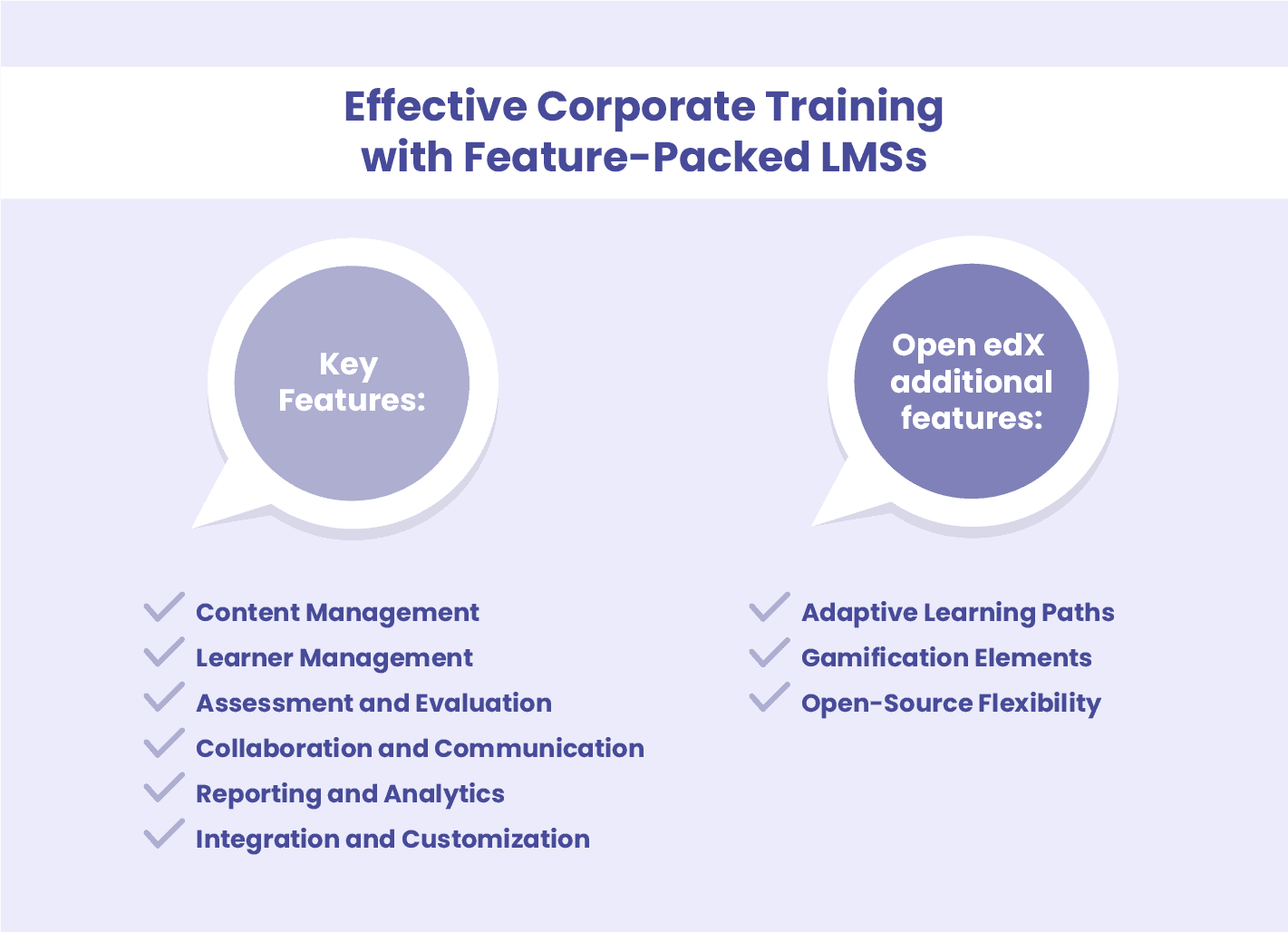
Core features
- Course authoring and content support: build courses in the platform and import SCORM, xAPI and video content.
- Learning paths: sequenced programs by role, with adaptive paths that skip what learners already know.
- Assessments and certifications: quizzes, assignments, certificates and automated recertification.
- Reporting and analytics: completion, compliance and skills reports, with export to BI tools.
- Engagement: gamification (points, badges, leaderboards), social learning and discussions.
- Mobile access: native apps or a responsive interface, ideally with offline mode for frontline staff.
- Integrations: SSO, HRIS, CRM, video conferencing and an open API.
- Security: SOC 2 or ISO 27001, GDPR compliance and role-based access.
AI capabilities in 2026
Almost every vendor now claims AI. Group the claims into four areas, and ask what the AI actually automates.
- Course creation: generating courses, quizzes and translations from documents or prompts.
- Skills mapping: inferring employees’ skills from their roles and activity, and linking training to skill gaps.
- Adaptive learning paths: adjusting content and difficulty to each learner’s progress.
- AI coaching and assistants: answering learners’ questions from course content and running practice conversations.
Questions to ask vendors: Is the AI included or billed as an add-on with credits? Which data does it use, and is that data used to train models? Can admins review AI-generated content before it goes live?
Best Corporate LMS by Use Case
The best LMS depends less on features and more on who you train, how many people, and how much control you need. Here is how the 12 platforms map to the most common scenarios.
- Small teams. TalentLMS is built for fast setup and simplicity, with pricing that scales with active users rather than requiring an enterprise contract.
- Mid-market organizations. Absorb LMS supports training across multiple audiences — employees, partners, customers — from one platform, which fits organizations that have outgrown a single-audience LMS but aren’t yet enterprise-scale.
- Enterprise organizations. Docebo and Cornerstone OnDemand are built for large-scale deployments. Docebo leans toward AI-driven personalization and extended enterprise portals; Cornerstone ties learning directly to broader workforce planning and talent management.
- Organizations that want full control and no vendor lock-in. Open edX and Moodle are open-source, giving teams the ability to customize the platform and host it on their own infrastructure.
- Compliance-heavy industries. Absorb LMS is widely used in regulated sectors like healthcare, finance, and manufacturing, where audit-ready training records matter.
This list isn’t exhaustive — your integrations, budget, and team’s technical setup will narrow things further. But sorting by organization size and deployment model is usually the quickest way to go from ten platforms to two or three worth actually demoing.
Benefits of Implementing Corporate LMS Platforms
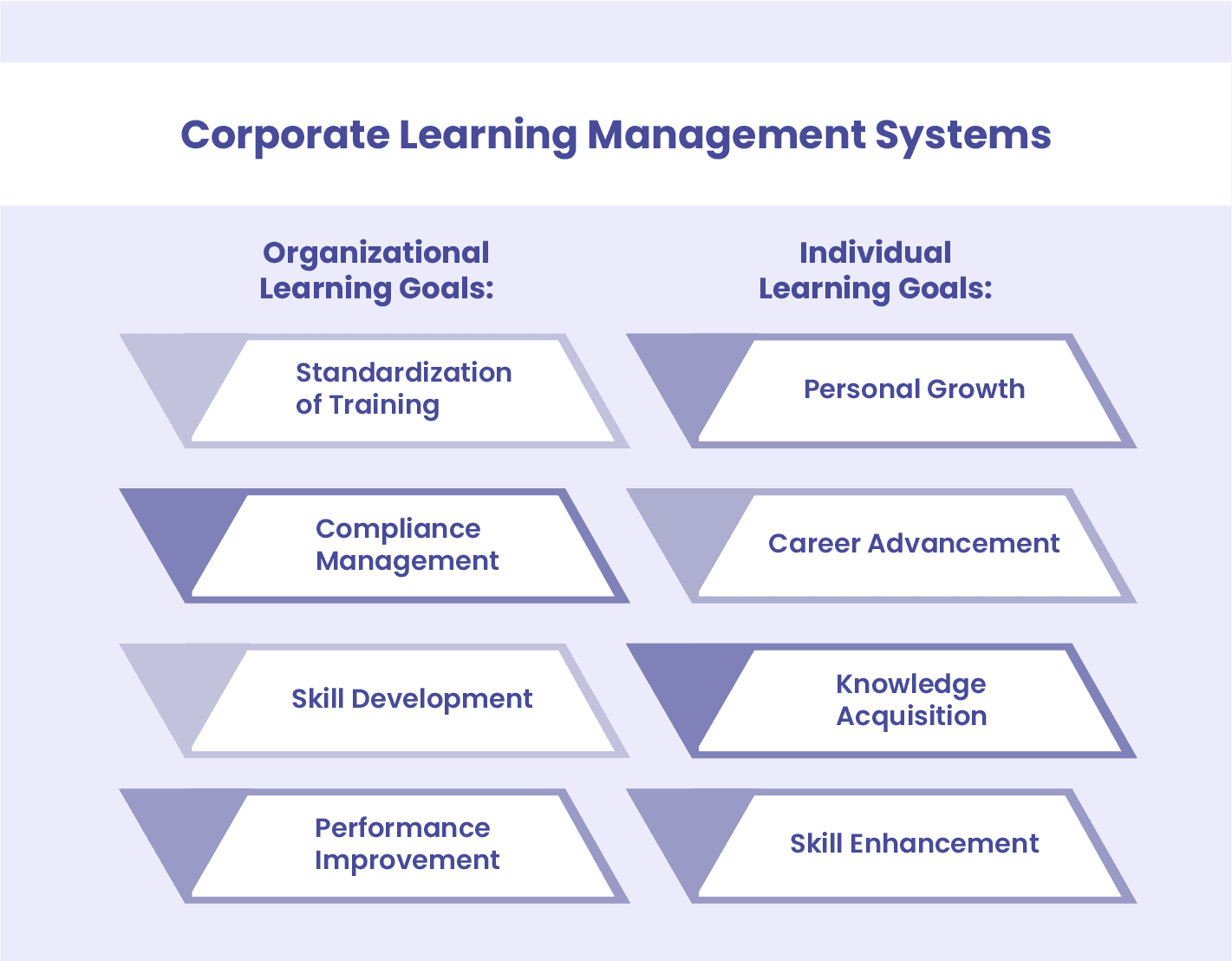
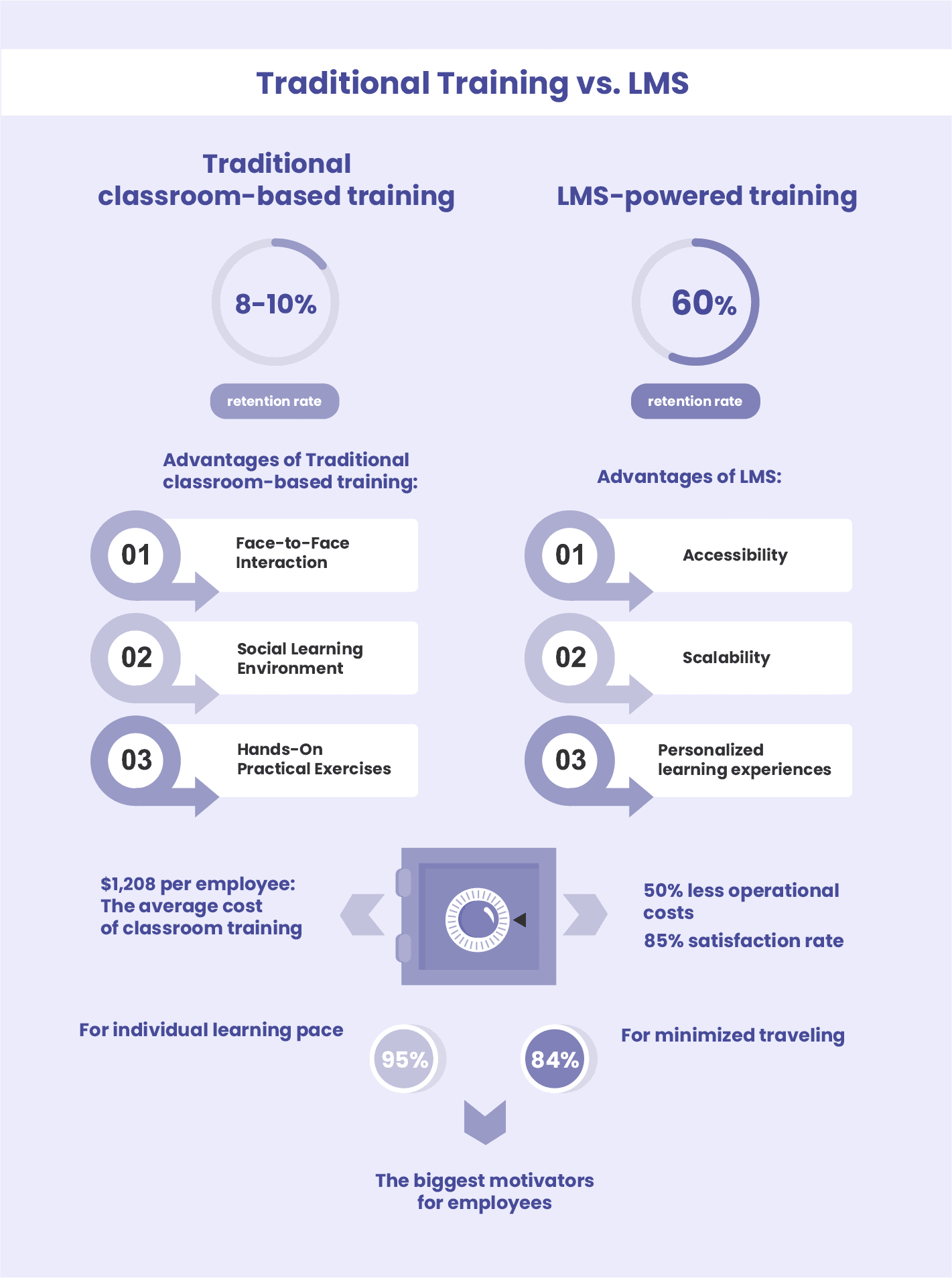
Implementing a corporate learning management system (LMS) in your organization brings a multitude of benefits, enhancing employee training and development initiatives. Let’s delve into the specific advantages that corporate LMS implementation offers.
- Faster onboarding and reskilling: employees learn anytime, at their own pace.
- Lower training costs: less classroom time, travel and manual administration, with all training managed in one place.
- Continuous skill development: learning paths and content libraries support growth beyond mandatory training.
- Better engagement and retention: employees see the company investing in their development.
- Data-driven decisions: completion, assessment and skills data show what works and where to improve.
How to Choose a Corporate LMS: Key Criteria
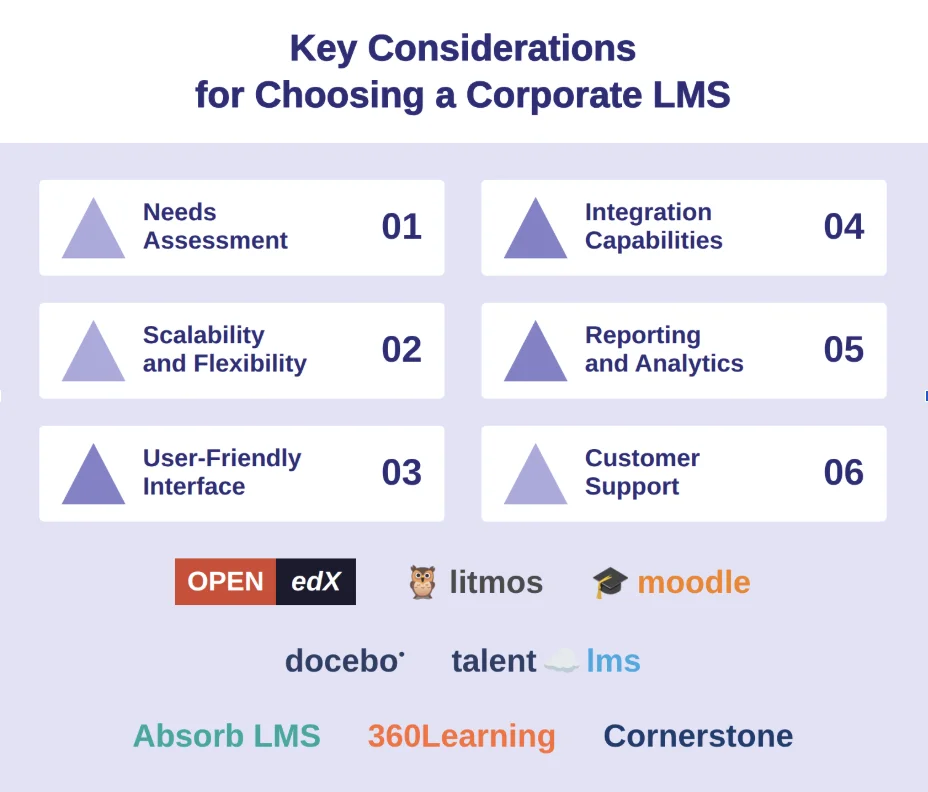
The best LMS for your organization comes down to a handful of practical factors: how big your team is, how you want to deploy the system, what compliance requirements you’re working under, what it needs to connect to, and what it’ll actually cost over time. Here’s what to look at for each.
Company Size
A 30-person team and a 3,000-person enterprise need very different things from an LMS. If you’re looking for the best LMS for small business, TalentLMS is usually where that search lands — fast to set up, priced per active user, with a straightforward signup process. It’s built around LMS for employee training rather than complex enterprise structures, which keeps the learning curve short for a small team. Larger organizations tend to need the depth of a corporate enterprise LMS like Docebo or Cornerstone OnDemand, built to handle multiple departments, regions, and reporting structures at scale.
Deployment Model
A cloud-based SaaS platform gets you running fast with minimal IT involvement. A self-hosted, open-source LMS like Open edX or Moodle gives you full control over customization, data, and infrastructure, with the technical resources needed to set it up and maintain it.
Compliance Requirements
If you’re specifically looking for an LMS for compliance training — audit trails, certification tracking, regulatory mandates in industries like healthcare, finance, or manufacturing — this criterion isn’t optional. Look for built-in compliance reporting, automated recertification reminders, and audit-ready records. Platforms like Absorb LMS and Cornerstone are built with these regulated sectors in mind.
Integration with HRIS
Check whether the LMS integrates with your existing HRIS, CRM, or other core systems. This is what lets employee data, role assignments, and training records sync automatically as people change roles or new hires start.
Total Cost of Ownership
The sticker price is rarely the full picture. Factor in implementation, onboarding, support tiers, and any per-user costs that scale as your team grows. Platforms with transparent, all-inclusive pricing tend to be easier to budget for over a two- or three-year horizon than ones with a low entry price and expensive add-ons.
Why Companies Choose Open edX for Corporate Training
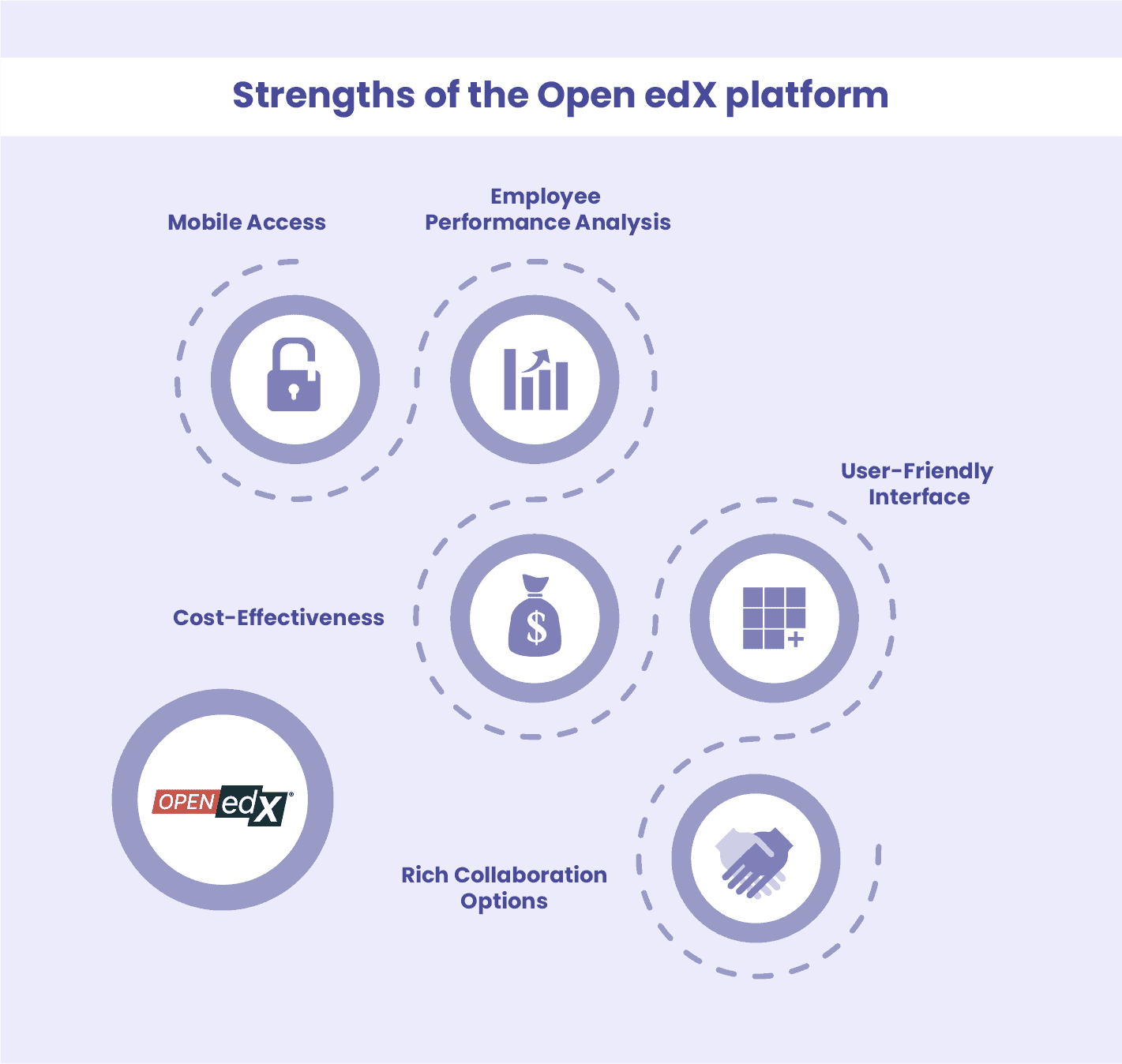
Raccoon Gang has worked with Open edX across dozens of corporate and higher education projects since 2015, and a few things consistently come up as the reasons organizations choose it.
Mobile Access
Employees expect to pick up training on their phone between meetings, not just at a desk. Open edX’s mobile compatibility handles this natively, and on projects where we’ve built custom mobile apps on top of it, completion rates for on-the-go learners typically improve.
Employee Performance Analysis
Open edX’s built-in analytics track course completion, assessment scores, and engagement at a granular level. For organizations that needed more depth than Open edX’s standard reporting, we built RG Analytics, a custom reporting tool that surfaces where learners get stuck and which assessments trip people up most. We took this further for HarvardX, building an Adaptivity Bridge that personalizes learning paths based on individual performance data in real time — a project HarvardX’s research team has continued working with us on since.
Cost-Effectiveness
Because Open edX is open-source, there’s no licensing fee: the cost is in hosting, customization, and support. For organizations training large or growing teams, this tends to scale predictably as headcount increases.
User-Friendly Interface
The learner-facing interface is straightforward by default, which matters more than it sounds. A clunky LMS interface is one of the fastest ways to tank completion rates, regardless of how good the training content is.
Communication and Collaboration
Discussion forums, social learning features, and chat functionality are built in. We’ve seen this matter most in cohort-based training programs, where peer interaction is part of the learning design.
Open edX also comes up often for organizations migrating off Blackboard — we’ve handled several of these migrations, and the flexibility for customization is usually the deciding factor.
Raccoon Gang Expertise: LMS Integration
A learning platform isn’t truly complete until it connects with the tools your team already uses. At Raccoon Gang, we specialize in end-to-end LMS integration to ensure your system works smoothly across departments—from content management to training analytics.
For example, our process includes:
- Analysis to understand your goals and infrastructure,
- Customization to match platform functionality to your exact needs,
- Deployment with minimal disruption to your operations,
- and ongoing support to keep everything running and growing.
We integrate essential tools like your CMS, HRM, and CRM into your LMS. And you find yourself in a winning position because your learning experience works as one connected system.
LMS Integration Services We Provide
| Service | What It Means for You |
| E-commerce Integration | We connect your LMS to payment gateways and storefronts—so you can sell courses, offer subscriptions, and automate transactions without extra tools. |
| CRM Integration | We bring training progress into your CRM, so your team sees what customers are learning and can support them better. |
| CMS Integration | We align your LMS with your website and content system, so your brand, voice, and visuals stay consistent across platforms. |
| AI Assistant | We add AI tools that suggest content and adapt to learners, so every user gets a more personalized learning path. |
| Career Platform Integration | We connect learning to career tools, so users can build skills that lead directly to job opportunities. |
| Mobile Application Integration | We bring your LMS to mobile apps, so your learners can train anytime, anywhere, on any device. |
Final Verdict: Choosing the Right Corporate LMS
The right LMS depends on where your organization is right now — team size, deployment preferences, compliance needs, and how much control you want over customization. Smaller teams tend to do well with fast, low-overhead platforms like TalentLMS, while larger or compliance-heavy organizations usually need the depth of Docebo, Cornerstone, or Absorb LMS. Organizations that want full control over their platform and data — without ongoing per-seat licensing — often land on open-source options like Open edX or Moodle.
Whichever platform fits, pairing it with strong instructional design is what actually determines whether training sticks or gets ignored.
FAQ
What makes a good LMS for corporate training?
What is the best LMS for corporate training in 2026?
Why choose Open edX over a commercial LMS?
Open edX is an open-source platform. This means your budget won’t be affected by service licenses or unnecessary fees. You can expand the platform’s functionality as needed, adding the blocks you want—or even developing your own. You won’t have that flexibility with a proprietary solution.
Which LMS supports compliance and analytics?
Platforms like Open edX, Moodle, and others support compliance tracking and detailed analytics—especially when paired with custom dashboards and tools like RG Analytics.
How long does it take to implement an LMS?
Depending on complexity, required integrations, and content readiness, you should expect implementation to take up to 12 weeks.
Can Raccoon Gang integrate LMS with mobile apps?
Yes, we integrate LMS platforms with mobile apps—so your learners can access training anytime, on any device, with full tracking and syncing.
What are the cost models for corporate LMS?
Costs vary based on hosting, customization, and user volume. Open-source platforms like Open edX reduce licensing costs and shift investment toward custom features and long-term support.



- Best Corporate LMS Platforms at a Glance
- 12 Best LMS for Corporate Training in 2026
- Must-Have Features and AI Capabilities in a Corporate LMS
- Best Corporate LMS by Use Case
- Benefits of Implementing Corporate LMS Platforms
- How to Choose a Corporate LMS: Key Criteria
- Why Companies Choose Open edX for Corporate Training
- Raccoon Gang Expertise: LMS Integration
- Final Verdict: Choosing the Right Corporate LMS