






Project Overview
This case study covers four areas of the Open edX platform where Raccoon Gang worked with 2U teams to improve usability, extend functionality, and update the authoring and learning experience.
Partner: 2U, the operator of edX.org
Scope: 4 projects: Paragon Design System, Proctoring, Content Library, MFE Studio
Platform: Open edX
Stack: React, Django, micro-frontends (MFE)
Timeline: 2023–2024; the Proctoring project took about 2.5 months
Project documentation: Paragon repository on GitHub, BD-14 Content Libraries on the Open edX wiki, MFE Studio spec memo on the Open edX wiki
Each section demonstrates how Raccoon Gang, in partnership with 2U, has worked to improve the ease of use, the range of features, and the overall experience on the Open edX platform.
About 2U
2U is a privately held online education company. Through edX, its global online learning platform, 2U offers courses and programs created together with universities and companies around the world. edX.org runs on Open edX, and 2U teams took part in developing the platform together with community partners, including Raccoon Gang.
Projects 1: Paragon Design System
The Paragon Design System is a foundation for making the Open edX platform look and work consistently across different parts. This includes the online learning system (LMS), the content management system (CMS), and other connected features.
Objectives

Add new components and standardize existing
ones to ensure a cohesive and intuitive user
experience.

Improve the usability and accessibility of the Paragon library
within the Open edX interface

Review and integrate contributions from the Open
edX community.

Maintain the documentation site that helps developers use the updated components.
Challenges Overcome
- The ongoing challenge for edX lies in the continuous development and maintenance of the Paragon Library. To fully use its benefits across the platform, it is significant that its usage within the micro-frontends architecture needs to be popularized.
Key Implementations and Innovations
by Raccoon Gang
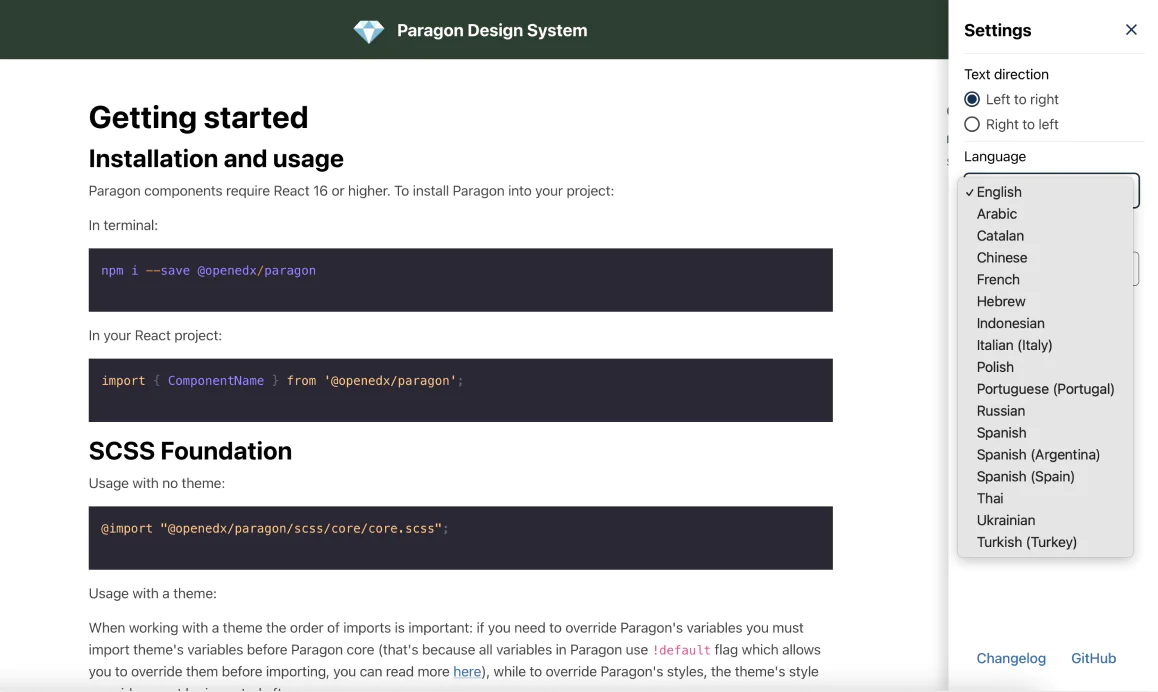
LANGUAGE SELECTION.
Users can choose their language, which makes the platform more accessible for a global audience.
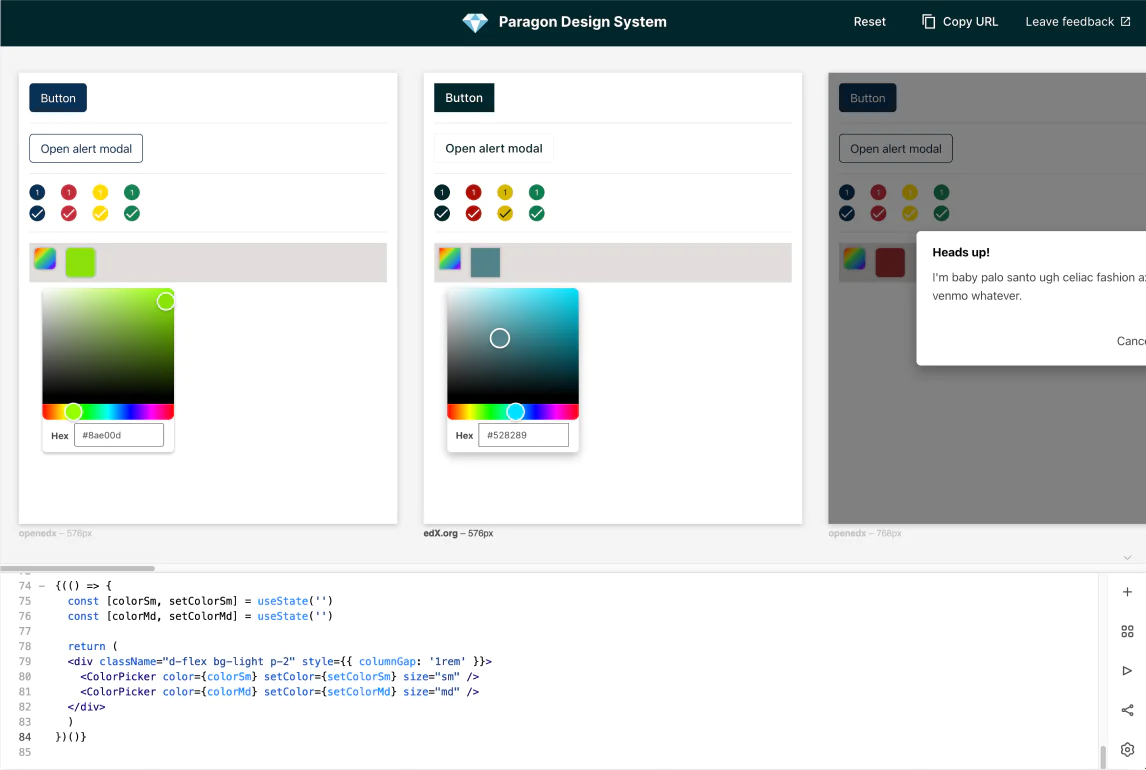
PLAYGROUND FOR CODE VISUALISATION.
Developers can see the visual result of their code changes in a dedicated playground.
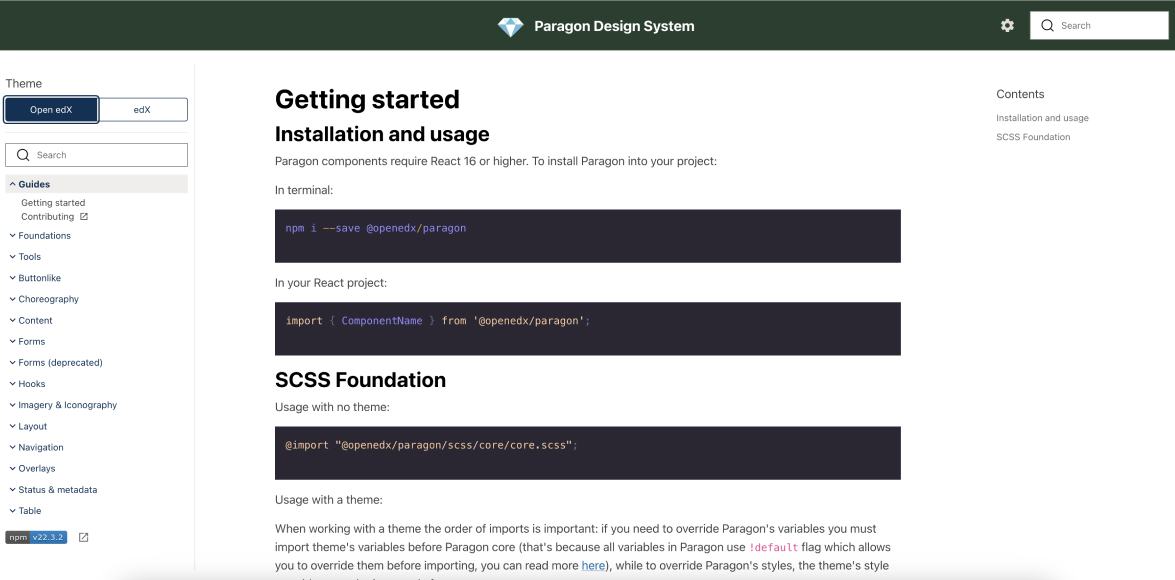
REAL-TIME THEM CHANGES.
Themes can be switched between edX and Open edX in real time.
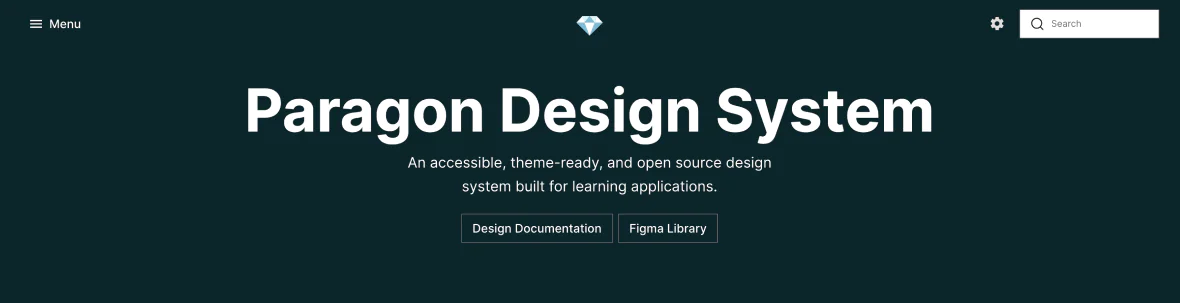
ACCESSIBILITY BEST PRACTICES.
Our team built accessibility best practices into the Paragon components.
Paragon: next steps
Paragon needs continuous development and maintenance. Wider adoption of the library across the micro-frontend architecture is the next step toward using its benefits across the whole platform.
Projects 2: Proctoring
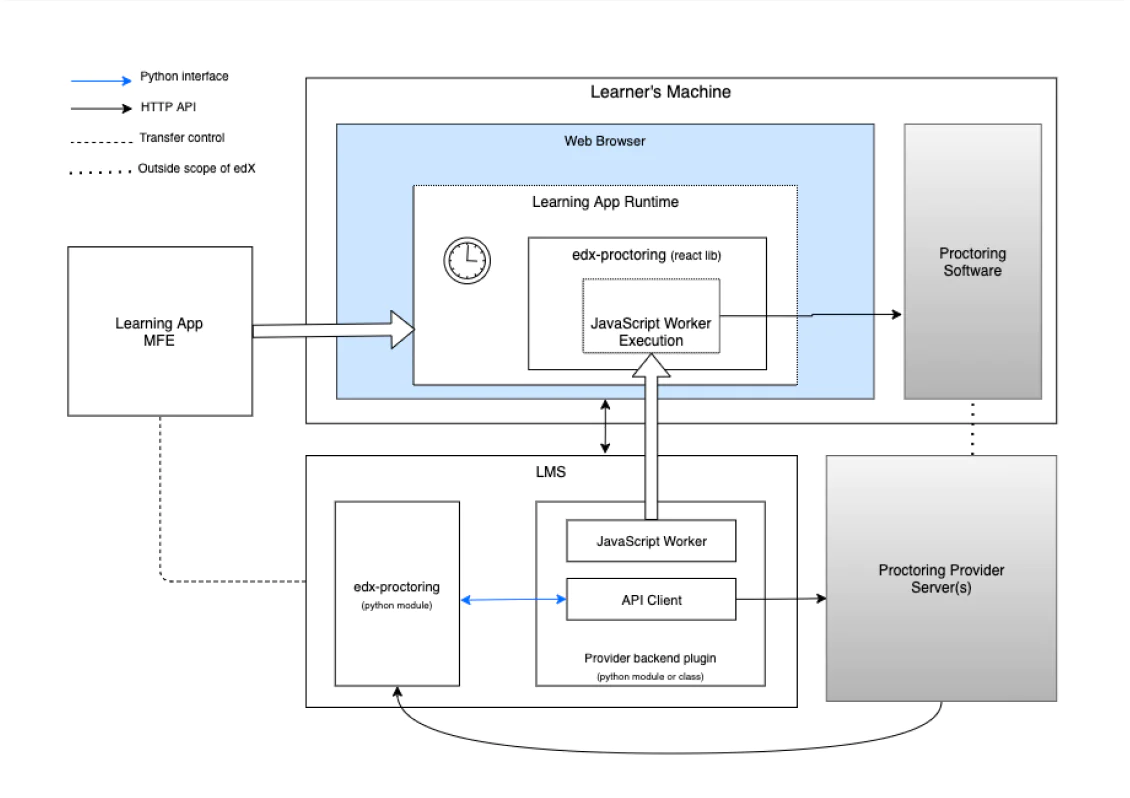
This project added online exam proctoring to the Learning MFE (frontend-app-learning), the React-based micro-frontend learners use to take Open edX courses. Our team completed it in about 2.5 months and covered three exam types: timed exams, practice exams, and proctored exams.
Objectives

Design the project architecture together with the edX proctoring team.

Integrate special exam functionality into the Learning MFE.

Develop a React library that manages the flow of special exams.

Update the existing proctoring API to support the new React library.

Support several proctoring providers at the same time.
Challenges Overcome
- While the core objectives have been successfully implemented, the project acknowledges the ongoing need to generalize support for various proctoring providers. Future developments may include refining API interactions and expanding provider support, based on evolving requirements and feedback from the educational community.
Key Implementations
in Proctoring
ALL-IN-ONE PROCTORING REACT COMPONENT
Proctoring functionality lives in a single React library, added to the Learning MFE as a dependency.
SPECIAL EXAM COMPONENTS
These components render instructions and status messages and integrate the exam sequence into the learning app.
EXAM TIMER INTEGRATION
The timer moved from the legacy LMS into the Learning MFE, so learners get the same exam experience across exam types. The timer can trigger updates during an exam attempt.
PROCTORING INSTRUCTIONS CUSTOMIZATION
The system retrieves instructions from proctoring providers via API and falls back to default settings when provider-specific instructions are unavailable.
Proctoring: next steps
The core objectives were implemented. Next steps include generalizing support for different proctoring providers, refining API interactions, and expanding provider support based on evolving requirements and feedback from the educational community.
Projects 3: Content Library
This project upgraded the Open edX content library with new authoring tools, including a new video editor. The goal was to give educators and course teams updated UI components for problem and video editing.

Provide updated UI components for the problem and video editing to enhance the authoring experience for educators and course teams.

Provide updated UI components for the problem and video editing to enhance the authoring experience for educators and course teams.

Provide updated UI components for the problem and video editing to enhance the authoring experience for educators and course teams.
Challenges Overcome
- The primary challenge in this initiative has been aligning with the concept of solution during the early stages of project development. Additionally, transitioning the new functionalities from beta to a full release involves navigating complex technical enhancements and ensuring robust community support and adoption.
Key Implementations
in Content Library
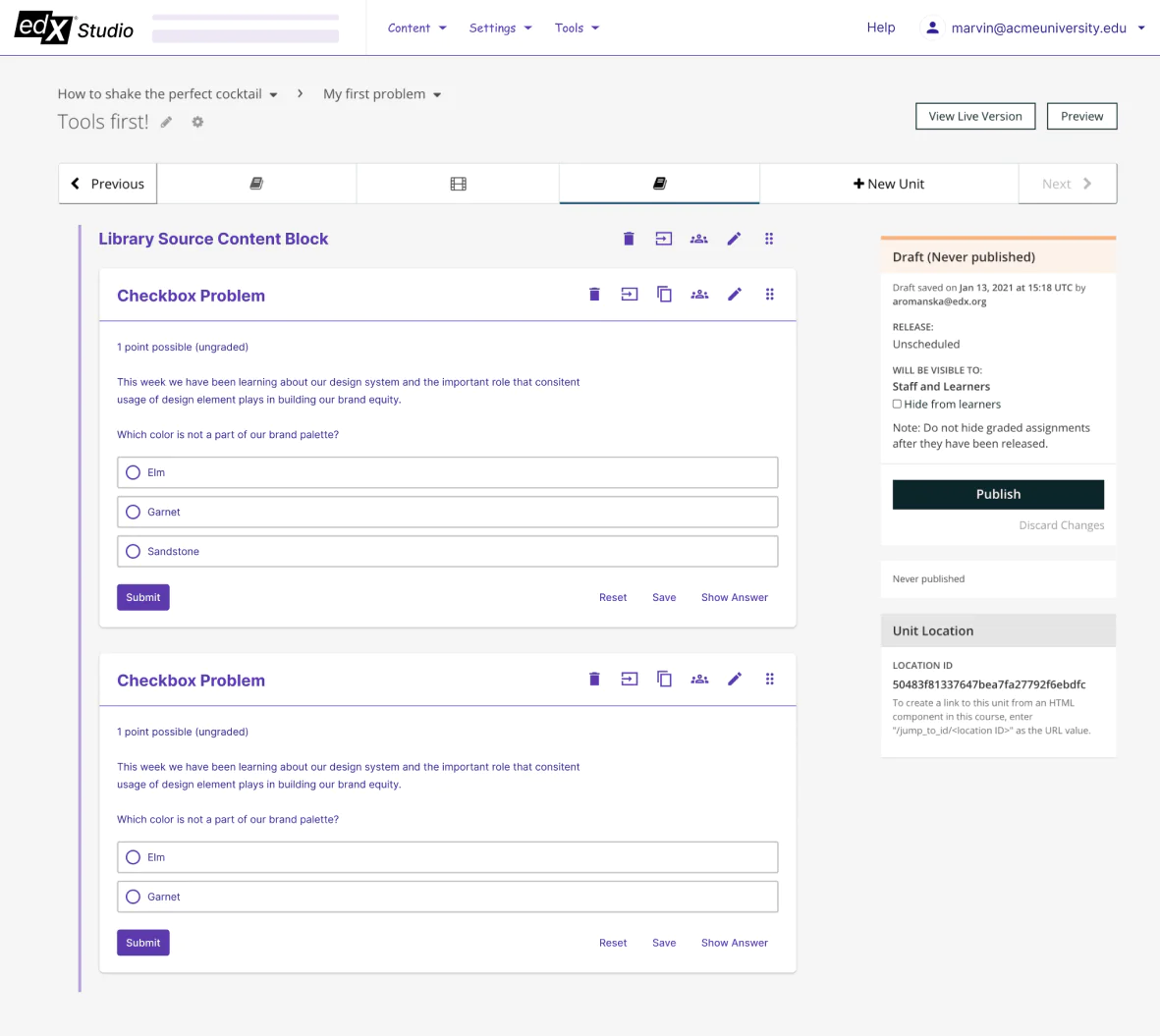
NEW PROBLEM AND VIDEO EDITOR
Our team rebuilt both editors to improve user interaction and remove technical limitations of the previous versions.
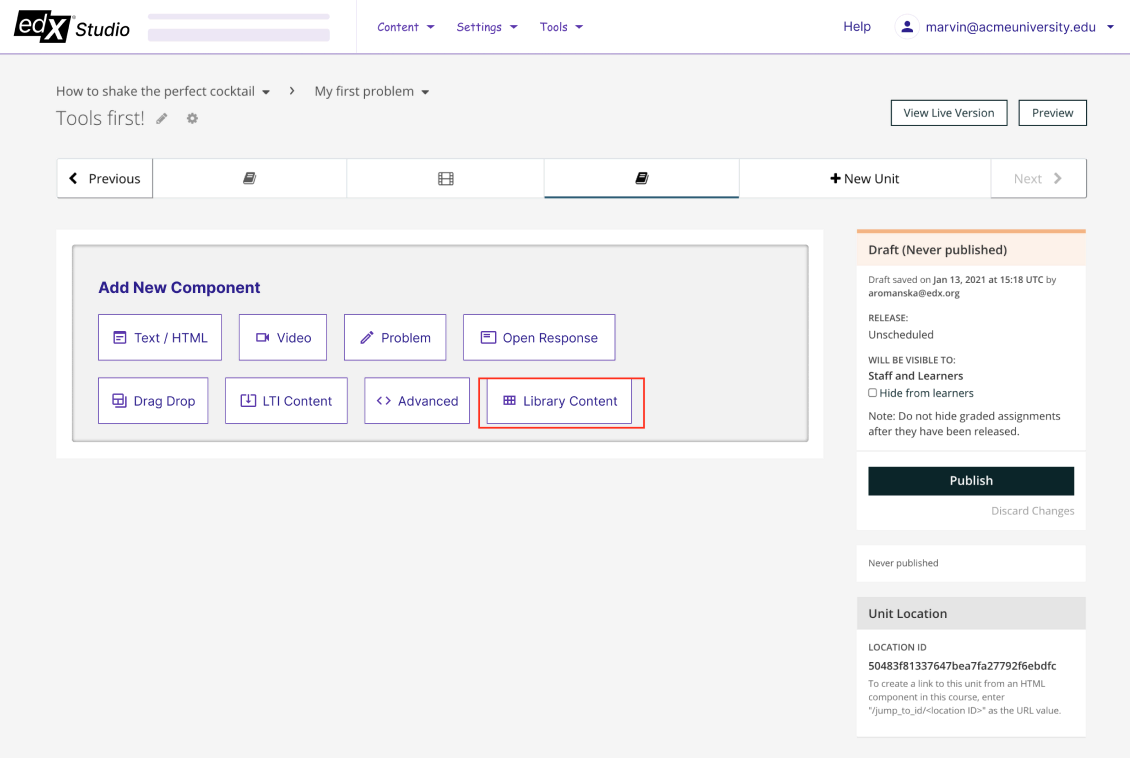
REACT-BASED UI FOR CONTENT BROWSING.
The team built a prototype of a React-based XBlock editing experience.
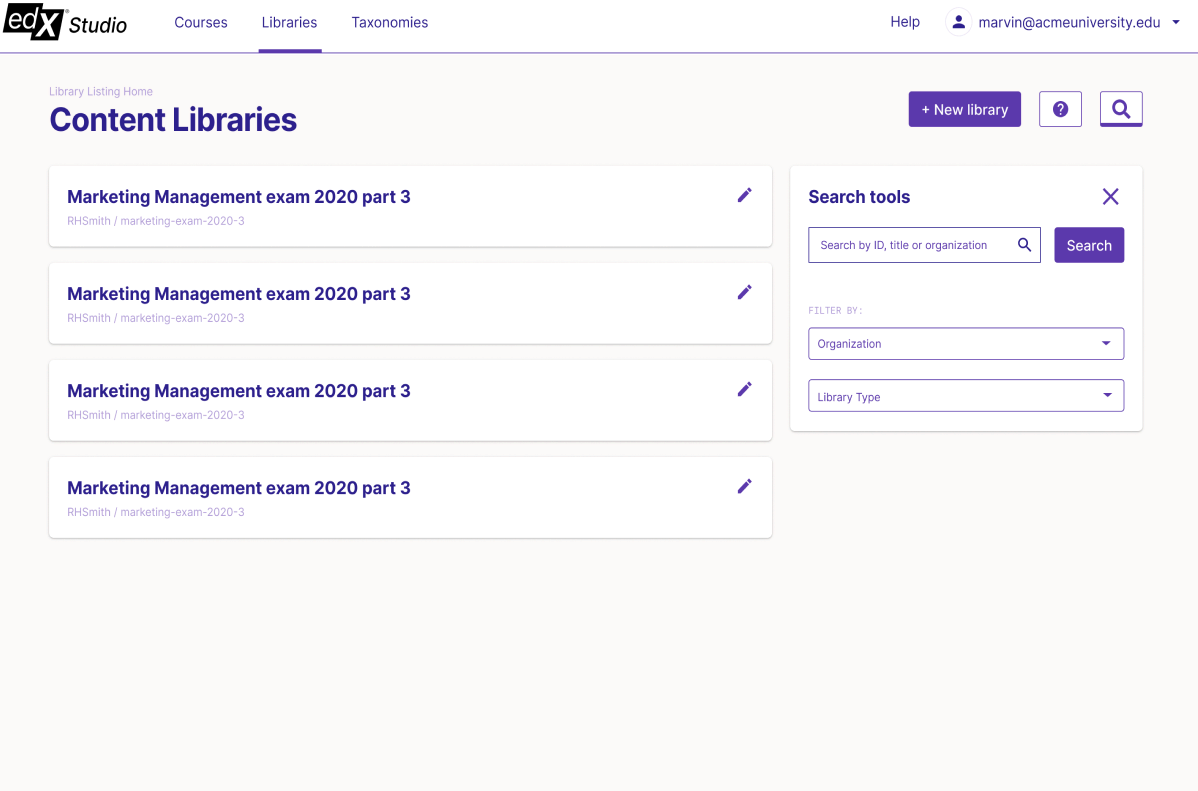
BETA TESTING AND COMMUNITY FEEDBACK.
The updated Content Library functionality was released for beta testing with the Open edX community.
Content Library Challenges
The main challenge came at the start: the teams had to agree on the solution concept before development could move forward.
Projects 4: MFE Studio
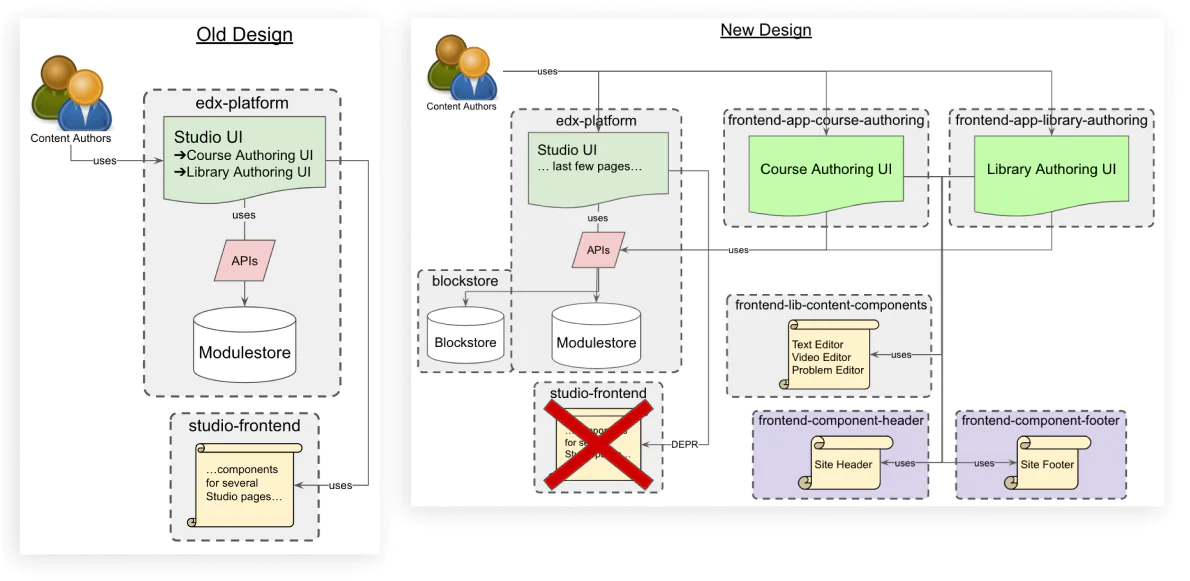
This project, led by Raccoon Gang together with 2U teams, moved the legacy edX Studio interface to a React-based micro-frontend. Out of the 19 legacy Studio pages that remained, 13 were selected for conversion, and Raccoon Gang’s team built most of them.
Objectives

Carry over all essential features from legacy edX Studio.

Review existing features and simplify the experience by removing outdated functionality.

Coordinate work between Raccoon Gang, 2U Teaching & Learning, and 2U UX teams.

Deliver React-based components that feel familiar and intuitive to course authors.
MFE Studio Challenges
- Keeping every legacy feature working as well as before, or better, in the new system.
- Coordinating work smoothly between three teams.
- Finding practical ways to adapt existing interface elements to the new Studio.
Key Implementations
in MFE Studio
BUILDING NEW PAGES
Raccoon Gang's team built most of the 13 new course authoring pages.
KEEPING THINGS SIMPLE
The new pages were integrated into the existing course authoring system without a full architectural overhaul.
FAMILIAR LOOK, BETTER EXPERIENCE
The team adjusted the UI/UX to reuse existing components, so course authors work in a familiar environment.
Impact and Future Opportunities
This project makes it easier for teachers to create and manage courses on the platform by improving the design and user experience (UI/UX) and making the system run more efficiently.
Results
Raccoon Gang's contributions to the Open edX platform, spanning the Paragon Design System, Proctoring, Content Library, and MFE Studio, showcase deep expertise of successful implementations in the Open edX ecosystem.
Proctoring in the Learning MFE in About 2.5 Months
Timed, practice, and proctored exams run inside the Learning MFE through a single React library, with the exam timer moved out of the legacy LMS.
1Most of the 13 new Studio Pages Built in React
Course authoring screens moved from legacy Django templates to MFE Studio without a full architectural overhaul.
2Updated Paragon Components
The design system received new and standardized components, language selection, a code visualization playground, real-time theme switching, and built-in accessibility best practices.
New Content Library Editors
The rebuilt problem and video editors went into beta testing with the Open edX community. The team also built a prototype of React-based XBlock editing.
Contact Us
Let Raccoon Gang unleash the full potential of Open edX for your organization!
Partner with us to transform and optimize your Open edX experience.
Book a call