






Canvas vs Blackboard is the comparison that comes up in almost every serious LMS evaluation — in higher education, corporate L&D, and healthcare training alike. When teams flip the question to Blackboard vs Canvas, the answer still depends on the same factors: deployment model, compliance requirements, and how much switching cost your organization can absorb. Both platforms have deep institutional roots. Both have large customer bases. And both come with tradeoffs that look very different depending on whether you are running a university registrar or a corporate compliance program.
TL;DR
- Canvas holds 41% of the North American higher education market; Blackboard follows at 19%.
- Canvas is SaaS-first, modern UX, strong in higher ed, and growing in enterprise.
- Blackboard has deep legacy enterprise integrations and a long track record in regulated environments.
- Pricing for both is contract-based and institution-specific — no public rate cards.
- If neither fits, open-source alternatives like Open edX® are worth evaluating.
This article evaluates fit, not popularity. The right platform depends on your institution type, your technical environment, your timeline, and what you actually need the LMS to do.
What Is Canvas LMS?
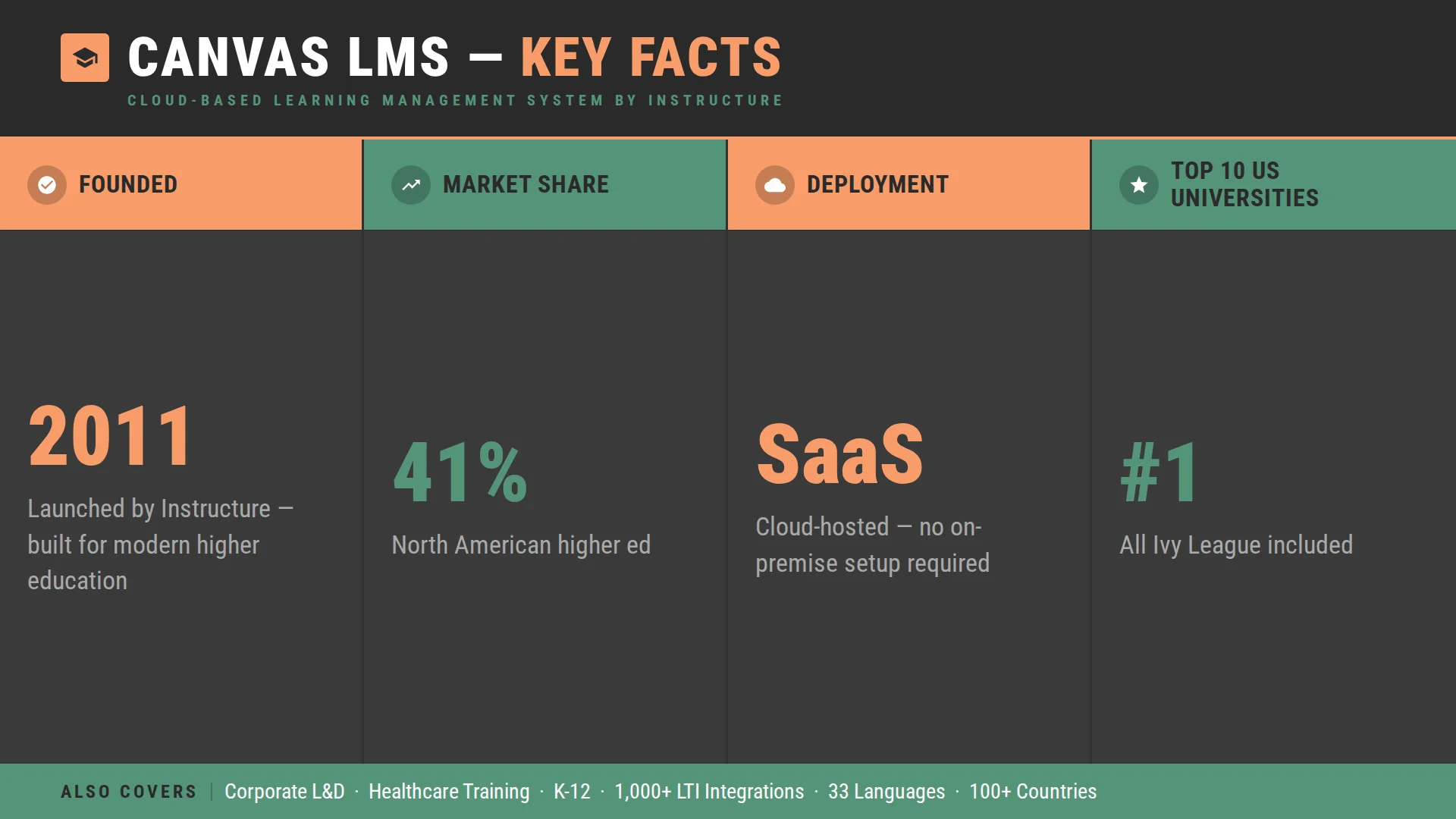
Canvas is a cloud-based learning management system developed by Instructure. It launched in 2011 and grew quickly — partly on the strength of its interface, which was noticeably cleaner than what most institutions were used to at the time, and partly because it arrived at the moment higher education was ready to move away from legacy platforms.
Canvas holds 41% of the North American higher education LMS market, making it the dominant learning management system in that segment. It runs as a SaaS product, which means infrastructure and updates are handled on Instructure’s side. For institutions that want to deploy quickly without heavy IT involvement, that model has obvious appeal.
For a full overview of what Canvas covers, see our Canvas LMS guide.
What Is Blackboard LMS?
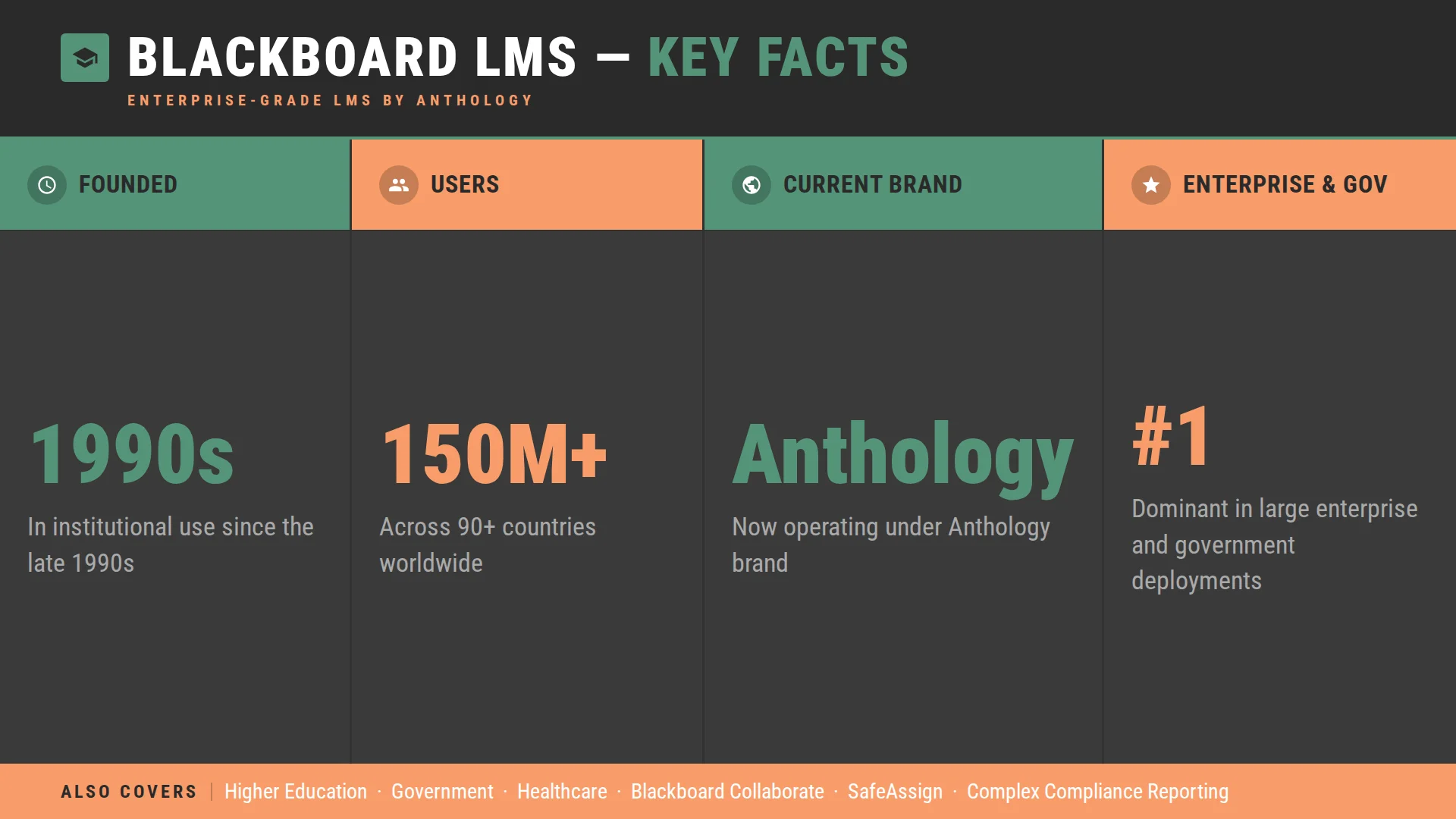
What is Blackboard? It is one of the longest-standing names in learning technology — an enterprise-grade LMS that has been in institutional use since the late 1990s. The LMS Blackboard, now operating under the Anthology brand, built its reputation on deep enterprise functionality: complex permission structures, granular compliance reporting, and integrations with the kind of legacy institutional systems that many large universities and government organizations still run.
Blackboard LMS positioning has historically been strongest in large universities and regulated enterprise environments where those compliance and integration requirements are non-negotiable. Blackboard serves over 150 million users across 90+ countries, which reflects that legacy footprint. But the market trend has shifted — Canvas and Brightspace have grown their presence in higher education, while Blackboard remains dominant in large enterprise and government deployments.
Canvas vs Blackboard: Features Comparison
The Canvas and Blackboard feature sets overlap significantly at the core — both handle course delivery, grading, assessments, and communication. Where they diverge is in how those features are built and how much configuration they require.
| Feature | Canvas | Blackboard |
| User Interface | Modern, intuitive, low learning curve | Functional, more complex, steeper onboarding |
| Course Management | Flexible modules, strong content organization | Robust but configuration-heavy |
| Assessment Tools | Built-in quizzes, SpeedGrader, and outcomes tracking | Comprehensive, strong rubric tools, more setup required |
| Analytics | Canvas Data, Impact (add-on), learning mastery | Advanced Enterprise reporting, deeper compliance dashboards |
| Mobile Access | Strong native app, widely adopted | App available, historically weaker mobile experience |
| Integrations (LTI, API) | 1,000+ LTI integrations, open REST API | Strong legacy integrations, complex API environment |
| Customization | Moderate via themes and sub-accounts | High, particularly for enterprise compliance workflows |
| Multi-tenancy | Sub-account structure | Robust multi-tenancy for enterprise deployments |
| Enterprise Reporting | Standard dashboards, Impact for advanced analytics | Strong out-of-the-box compliance and audit reporting |
The Сanvas and Blackboard comparison looks different depending on what you weigh. If interface and time-to-deployment matter most, Canvas wins on both. The blackboard and canvas architecture tells a different story for organizations with legacy enterprise integrations that cannot be replaced — that is where Blackboard’s deeper configuration still has real value.
Canvas vs Blackboard: Pricing Comparison
Neither platform publishes a standard rate card. Both use institutional contract models where price depends on enrollment size, contract length, and what is included.
Canvas Pricing
Canvas pricing follows a SaaS licensing model. Contracts are enrollment-based — larger institutions with more active users typically negotiate lower per-student rates, and multi-year agreements tend to come with more favorable terms. Does Canvas cost money? Yes — but how much does Canvas cost for a specific institution depends on enrollment size, which add-ons are in scope (Canvas Studio, Catalog, Credentials), and SIS integration requirements. The cost of Canvas LMS varies widely, and there is no public starting price to anchor against.
Blackboard Pricing
Blackboard pricing operates on institutional contracts with tiered enterprise agreements. Blackboard learn pricing is similarly opaque — there is no public per-user rate. Cost of blackboard contracts at the enterprise level typically reflects the complexity of the deployment: legacy integrations, compliance modules, and custom reporting layers all affect the final number. Blackboard reviews from procurement teams consistently note that the total cost of ownership can be higher than the headline contract figure once implementation and ongoing support are factored in.
Both platforms require direct vendor negotiation to get a real number. That is worth knowing before entering the sales process.
Canvas or Blackboard: Decision Framework
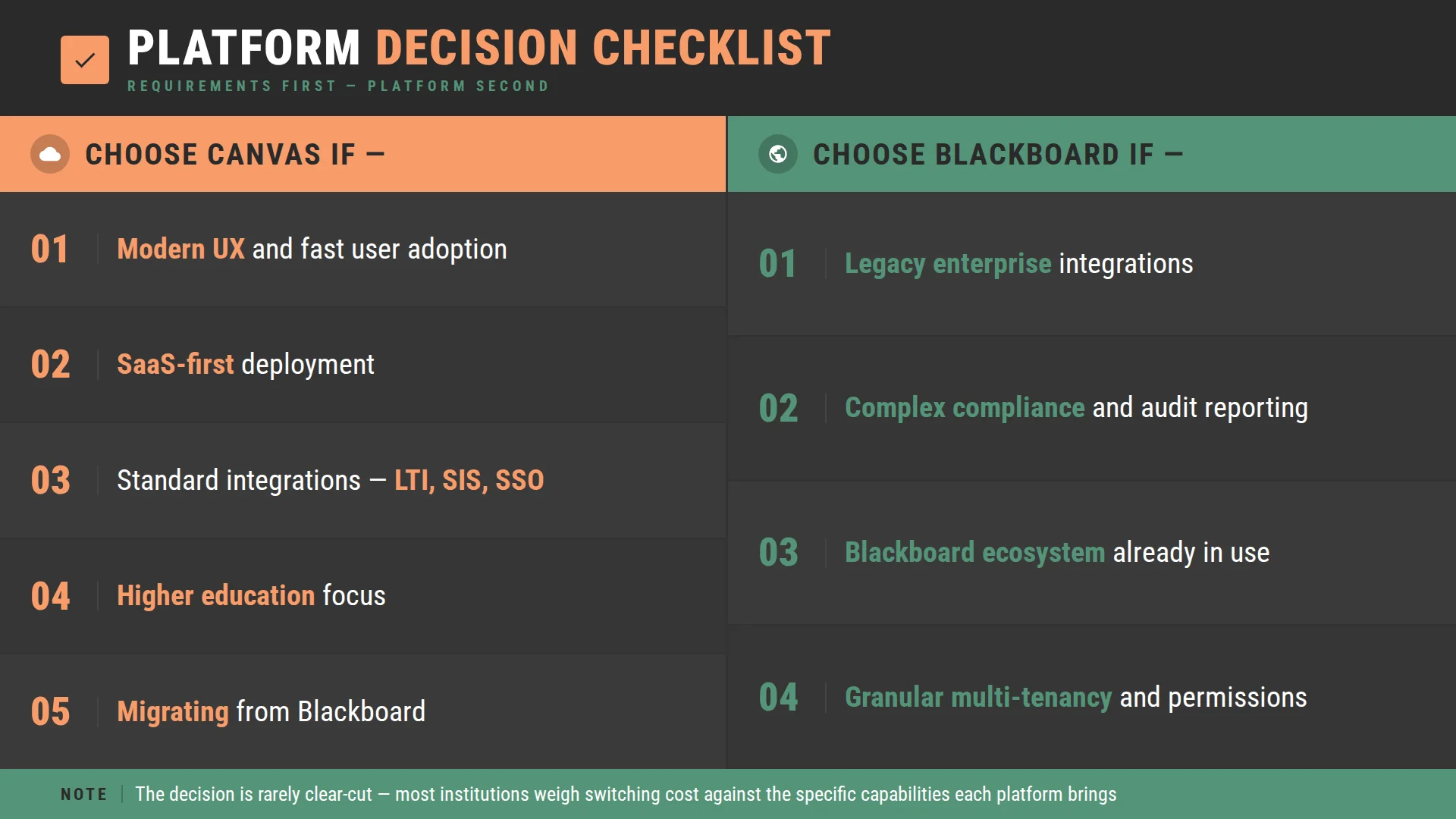
Canvas or Blackboard — the answer depends less on which platform is better in the abstract and more on what your organization actually needs. Blackboard or Canvas, framed the other way, leads to the same place: requirements first, platform second.
Choose Canvas if:
- Modern UX and fast user adoption are a priority — instructor and student onboarding is significantly smoother.
- You want a SaaS-first deployment without heavy on-premise infrastructure.
- Your integration needs are standard — LTI tools, SIS connections, and SSO.
- You are in higher education and want the platform with the largest peer network in North America.
- You are migrating from Blackboard and want a cleaner break.
Choose Blackboard if:
- You have legacy enterprise integrations that cannot be replaced or replicated in another environment.
- Your compliance and audit reporting requirements are complex and non-negotiable.
- Your institution is already deep in the Blackboard ecosystem — Blackboard Collaborate, SafeAssign, and other Anthology products.
- You need granular multi-tenancy and permission structures for a large, complex organization.
The decision is rarely clear-cut. Most institutions evaluating both are weighing the switching cost and disruption of a platform move against the specific capabilities each platform brings.
When to Consider Alternatives
Canvas and Blackboard are not the only options — and for some organizations, neither is the right fit.
Open-source platforms like Open edX and Moodle carry no licensing cost. That does not mean they are free — implementation, hosting, and ongoing maintenance are real costs — but the total cost of ownership can be significantly lower at scale, and the flexibility is considerably higher. For organizations that need custom learning workflows, specific integrations, or a platform they can own and modify, open-source is worth a serious evaluation. See our top Canvas alternatives guide for a broader comparison.
Custom LMS development is another path for organizations whose requirements genuinely exceed what any off-the-shelf platform provides. This makes sense less often than vendors suggest, but when the use case is complex enough — highly specialized content, unusual compliance requirements, deep integration with proprietary systems — it can be the most cost-effective option over a five-year horizon.
SaaS platforms like Canvas are excellent for standard institutional deployment. They become limiting when scalability requirements grow beyond what the vendor’s infrastructure supports, or when customization needs exceed what the platform allows.
How Raccoon Gang Helps Evaluate LMS Platforms
Most LMS evaluations go wrong in the same place: organizations enter vendor conversations before they have mapped their own requirements clearly enough to ask the right questions. By the time a proposal arrives, the evaluation is already shaped by the vendor’s framing.
Raccoon Gang works with institutions and organizations before that point. Canvas is now part of our LMS portfolio alongside Open edX and Moodle, which means we can give an honest cross-platform view rather than advocating for any single vendor.
What we help with:
- LMS audits. Before recommending a direction, we assess what the current environment actually looks like — what is working, what is not, and what the switching cost would realistically be.
- Cost modeling. We build total cost of ownership models across platforms, including implementation, integrations, training, and ongoing support. Not just the licensing line.
- Migration planning. Moving from Blackboard to Canvas — or from either to Open edX — involves content migration, SIS re-integration, and user transition management. We have done this enough times to know where the surprises are. Custom LMS architecture. For organizations that need something off-the-shelf platforms cannot provide, our team designs and builds on Open edX — a platform we can customize, host, and support.
- Open-source alternatives evaluation. For institutions where Canvas or Blackboard licensing costs exceed what the deployment justifies, we assess whether Open edX or Moodle would meet requirements at a lower total cost.
Conclusion
Canvas vs Blackboard is a comparison that looks different in 2026 than it did five years ago. Canvas has pulled ahead significantly in higher education and is making inroads in enterprise. Blackboard continues to serve large enterprise and government organizations where its compliance capabilities are hard to replace. Neither of those facts means the decision is obvious — Blackboard still has real strengths for organizations with complex legacy requirements, and Canvas is not the right fit for every deployment.
The question worth asking before talking to either vendor is not which platform is more popular. It is which one can actually do what your organization needs — at a cost that makes sense over the full contract term.
FAQ
What is the difference between Canvas and Blackboard?
Is Canvas better than Blackboard?
How much does Canvas cost?
How much does Blackboard cost?
Which LMS is better for enterprise training?