
Do you think LMS scalability is a matter of tomorrow or the day after tomorrow for your organization? Having implemented hundreds of Open edX-based learning systems for universities and enterprises over the past 10 years, we can confidently say: ‘scalability starts today.’
Of course, if your goal is to run your LMS for the next few years without losing performance, and without failures or “droops,” then LMS scalability becomes a critical requirement as your institution or business grows.
Here are the main points related to that growth. Let’s find out together:
- What are the main requirements for universities and enterprises to think about scaling their existing learning platform?
- What are the key features of scaling LMS solutions (Cloud vs. On-Premise)?
- What are the key technical factors of LMS scalability?
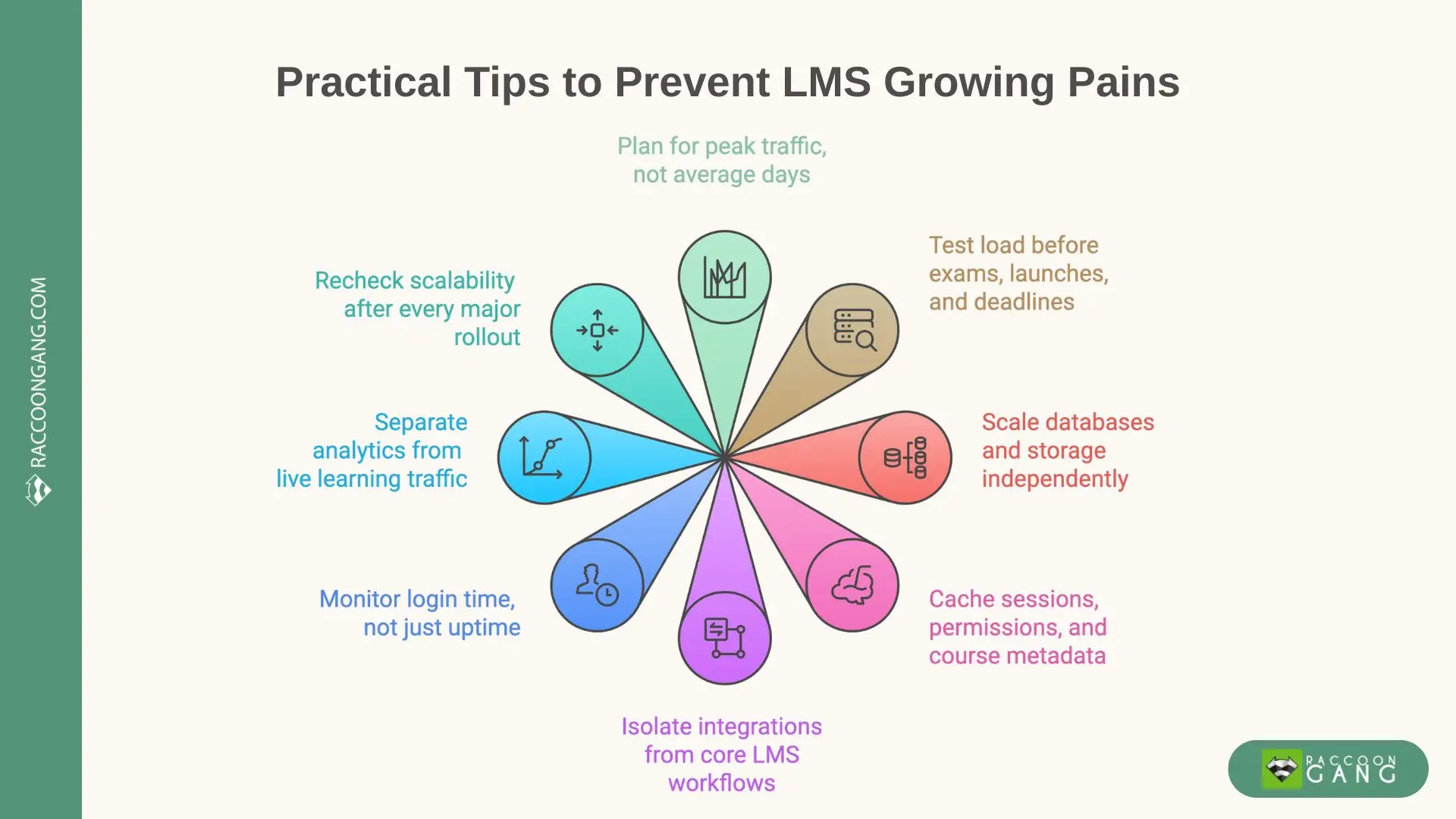
A practical checklist for preventing LMS growing pains: plan for peak traffic, test load early, scale databases independently, isolate integrations, cache critical data, and monitor real user performance.
What Is LMS Scalability?
Scalable learning management software is a platform that can maintain performance and availability as user load and content volume grow. It supports the number of students or employees your organization needs, including large groups of simultaneous users. In other words, scalability is your LMS’s ability to adapt as demand changes and still keep its ground.
Your institution has more students this semester. Your LMS for employee training hits a content ceiling and won’t let you add another course. Reporting gets slower every month, and dashboards start timing out. These are the exact situations that the LMS scale is meant to handle.
Vertical vs. Horizontal Scaling in LMS Infrastructure
| Scaling type | What it means | How it works in practice | Typical limits |
| Vertical scaling | Make one server stronger | Add CPU, RAM, larger DB instances | Hardware ceilings, downtime risk |
| Horizontal scaling | Add more servers | Distribute load via balancers and nodes | Requires solid architecture and testing |
| Cloud infrastructure* | Scale on demand | Auto-add or remove capacity as load changes | Needs cost and traffic control |
*Cloud-based scalable LMS solutions rely on horizontal scaling and cloud infrastructure to stay stable during traffic spikes and long-term growth.
Why Scalability Matters for Universities and Enterprises
The importance of scalability is easy to underestimate when the conversation remains theoretical. But its importance will ring true when demand spikes. When usage climbs fast, the LMS either keeps pace or becomes the bottleneck and starts demanding that you reassess your plans for updates and upgrades. That’s when expectations collide with reality.
How LMS Scalability Affects Universities
In universities, peaks are always dependent on the academic calendar. This is what is called seasonality, in business terms. Enrollment opens, students register, and thousands of logins hit the system at the same time.
“What does a scalable online education experience look like? Stable performance under growing user demand.”
During exam weeks, timed assessments, uploads, proctoring, and gradebook activity converge within the same hour, stressing the platform and often forcing emergency troubleshooting.
That’s why scalable LMS platforms for university campuses matter:
- Scalable LMS keeps pages responsive during peak hours
- Scalable platforms protect submission flows and support staff workloads
How LMS Scalability Influences Enterprises
At the enterprise level, a single training often hits multiple regions at once. We saw this while implementing an academy for the European Bank for Reconstruction and Development. In cases like that, scalability isn’t a catchphrase. It’s what keeps training running when demand stacks up across teams and time zones.
Whether your budget likes it or not, scalable learning programs depend on stable delivery and reliable tracking. For any learning or training initiative, the platform must stay flexible under load, without performance drops.
Key Factors That Influence LMS Scalability
1. Architecture & Hosting (Cloud vs. On-Premise)
Since the ability of an LMS to scale is largely determined by the architecture, we put this factor in first place. If “architecture” sounds scary, think of it as how the LMS is built inside: logins, courses, and reports, and how they share the load. Hosting is simply where the LMS lives: on your servers (on-premise) or in the cloud.
Savings here can play a cruel joke on you. If the platform relies on one “big server,” it may run fine at 500 users, then choke at 5,000. No matter how hard you try in such a situation, no settings will fix that during peak loads.
The real difference is elasticity versus prediction. On-prem requires you to buy capacity early and hope you guessed right. Cloud lets you react to reality and scale out faster.
- Tech insight: Auto-scaling without load testing can make outages worse.
2. Database and Content Storage Management
Every action in an LMS is recorded in the database. Logins, enrollments, progress tracking, grades, reports — all of it passes through the data layer. That’s why database and content storage management directly affect how well the LMS scales.
The dark side of the moon here is that dashboards, reports, permissions, and analytics often generate more load than the learning activity itself. Content materials such as videos, PDFs, and large files should be stored outside the core system. Don’t let content compete with application logic for resources.
Anyone who ignores this factor will see the LMS gradually slow down. Reports take longer. Adding servers won’t help, because the real bottleneck sits in the data layer.
- Tech insight: Most LMS performance issues come from read traffic, not write traffic.
3. API & Third-Party Integrations
Today’s LMS platforms are designed to be the central hub of your learning environment. Extensions like HR systems, proctoring tools, analytics platforms, and content libraries add convenience by integrating into a single whole. However, the logical consequence of this is increased load.
Therefore, the integration setup must be flawless. If the LMS waits for an external system to respond, a slow integration can block logins, enrollments, or reporting. If the system forgives a few bugs at small scale, those failures will multiply as usage grows.
For reports and logins to work as they should, not only does the LMS need to be stable, but the ecosystem around it, too.
- Tech insight: SSO latency becomes visible only at scale.
4. Load Balancing and Caching
Whether you like it or not, users log in together, start exams at the same minute, or open training links after one email blast. You will never get an even load distribution without peaks. To manage those spikes, load balancing decides whether traffic spreads across the system or crashes into a single point.
Caching complements this approach. To save resources, the LMS stores common answers in memory. Sessions, permissions, and course metadata load faster from cache instead of being rebuilt from scratch.
But caching has its own disadvantages. If data updates aren’t handled properly, users see outdated information.
If you think you can ignore this factor for now, let me warn you. Here’s what awaits you: the LMS works harder, servers overload, costs rise, and scaling feels ineffective.
- Tech insight: Caching permissions saves more resources than caching content.
5. Security and Data Protection at Scale
Let’s take a look at the next factor. The more users you get, the more security workloads appear. Just imagine: every login, permission check, and audit log consumes resources.
What’s not obvious is how quickly inefficient security flows slow everything down. Rechecking permissions on every request or validating sessions poorly adds silent overhead.
If you ignore this factor, you will see performance drops, or security controls will get relaxed to keep the platform usable. Scalable LMS platforms design security to grow with usage, not fight it.
- Tech insight: Security logging and audit trails often become the hidden bottleneck at scale.
6. User Analytics and Reporting Performance
Analytics matter because every decision should be based on data, shouldn’t it? At scale, reporting traffic rivals learning traffic.
The hidden issue is where analytics run. If your reports query live learning databases (and this is a common occurrence), they slow down the entire system. That’s why scalable systems move event data into separate pipelines, aggregate it, and report asynchronously.
To avoid having your team export data manually and to preserve resources, don’t ignore this factor.
- Tech insight: Reporting failures are usually architectural, not analytical.
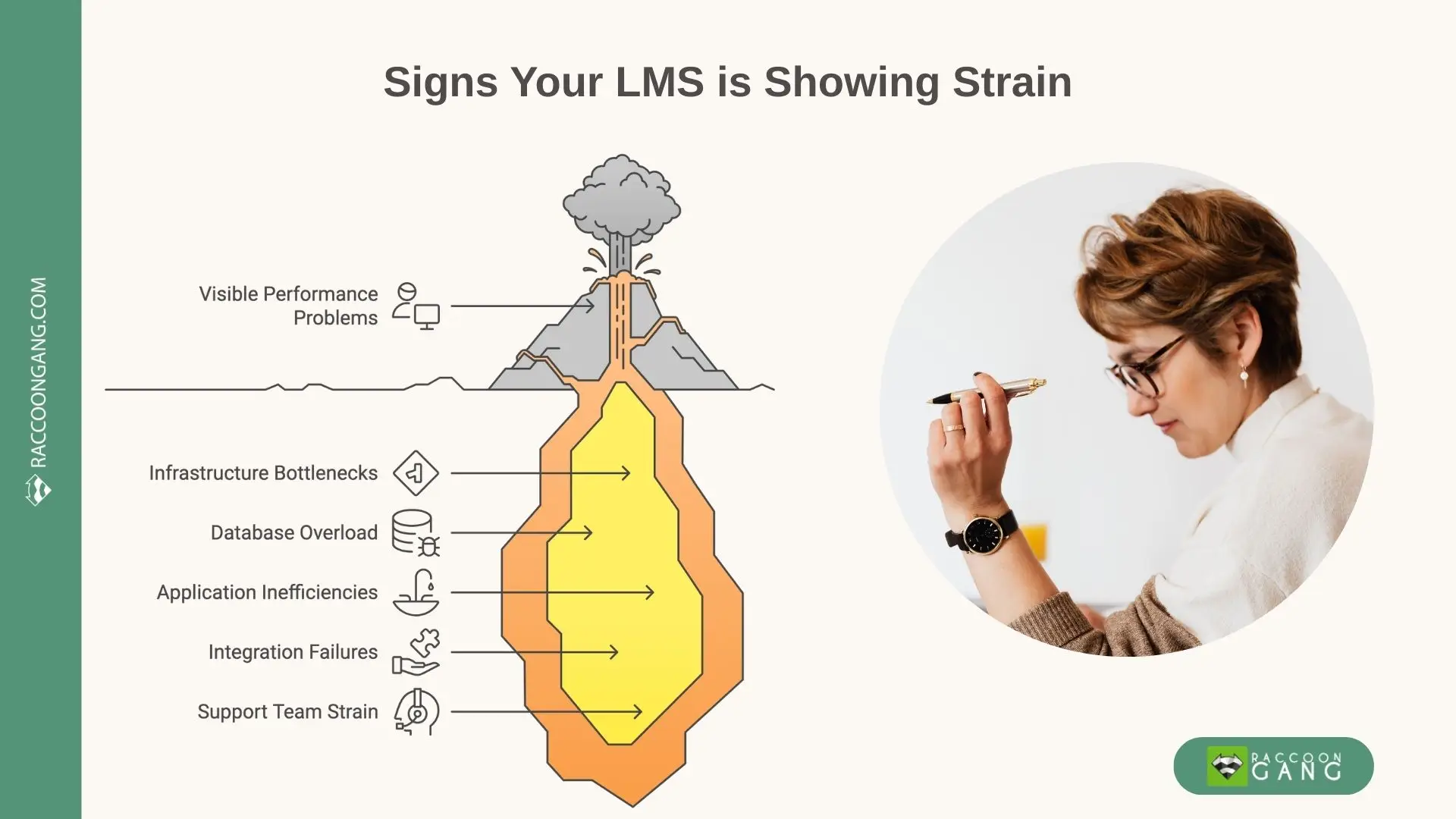
Common signs of LMS strain under growth: visible performance issues, database overload, application inefficiencies, integration failures, and increased pressure on support teams.
How Raccoon Gang Builds Scalable LMS Solutions
- We treat scalability as a point to grow for our technical decisions.
Cloud deployment (AWS / Azure)
- We deploy scalable learning management software in the cloud when growth is part of the plan.
- Our development team designs for horizontal scaling so traffic spikes don’t turn into fire drills.
Custom load balancing and clustering
- We configure load balancers and application clusters based on how learners actually behave: login bursts, exam starts, and reporting peaks.
Monitoring and performance optimization
- We track response times, database load, cache efficiency, and integration latency.
Ongoing scalability audits
- We run regular scalability audits to test limits, review assumptions, and adjust architecture as usage grows.
⭐️ Additional reading. Scaling the platform is one part of the equation. Designing training that will be suitable for busy teams is another challenge. Look at concrete examples of how enterprises deliver high-impact training at scale.
Conclusion
Thank you for reading. Let’s give you the latest advice here. If you take one thing from this guide, please take a habit: treat scalability as a recurring check-up, not a one-time project. Your LMS will keep changing because your organization keeps changing. New integrations appear. A new region joins. A new compliance cycle lands. A “small” content library becomes a warehouse.
In practice, growth hits are always unexpected, like Bilbo’s journey. Take a short checklist for today:
- Before you scale: test your LMS at 5–10× expected traffic (most don’t—and pay for it later)
- Design rule: separate content, users, and analytics so growth in one doesn’t choke the others
- Learner signal to watch: load time over 3 seconds = attention gone
- Architecture that wins: cloud-native, autoscaling Open edX with modular services
Contact Raccoon Gang to future-proof your learning environment with scalable Open edX solutions.
FAQ
What does LMS scalability mean?
LMS scalability means the platform can grow without slowing down or failing. It supports more users logging in at once, more courses, and more tracked data. A scalable LMS keeps load times steady and core workflows stable as demand increases.
How do universities benefit from scalable LMS platforms?
Universities face predictable peaks from the academic calendar. Enrollment periods, exam weeks, and submission deadlines can push thousands of users online at the same time. Scalable LMS platforms keep logins, assessments, and submissions running smoothly during those spikes.
What are the best practices for scaling an LMS?
The wise approach would be to start with architecture and hosting that support horizontal scaling. The next move is to keep content storage separate from the application layer. Protect the database with caching and replicas. Use load balancing, monitoring, and load testing, so you can validate performance under real peak scenarios, not average days.
How does cloud technology support scalable learning?
Cloud infrastructure scales resources based on real demand. It can add capacity during spikes and reduce it when traffic drops. That makes cloud setups a strong fit for scalable learning programs that grow by region, cohort, or season.
How can Raccoon Gang help build a scalable learning system?
Raccoon Gang designs and audits LMS platforms with scale in mind. This includes cloud deployment, load balancing, performance tuning, integration reliability, and recurring scalability reviews as usage grows.