








Online proctoring systems have become the standard exam infrastructure over the past five years. According to projections from ThinkExam (2025), approximately 75% of educational institutions globally are expected to use proctoring software by 2026 — up from early pandemic adoption rates.
Beyond these figures, many institutions now run thousands of remote exams every year.
In simple terms, a proctored exam means someone — or something — is watching the session. That “someone” might be a trained human proctor monitoring the exam live. In other cases, software records the session and flags suspicious behavior for later review.
Most modern systems combine automation with human oversight. Algorithms detect things like unusual eye movement, background voices, or attempts to switch tabs. When something looks suspicious, the system sends a flag to reviewers. This approach helps reduce false accusations while keeping exam integrity intact.
Although universities have recently started paying much closer attention to privacy, the goal remains the same: confirm the candidate’s identity and make sure the person taking the test actually follows the rules.
We’ve seen these challenges firsthand in university LMS implementations. For more than a decade, the Raccoon Gang team has helped universities and training providers build and scale LMS ecosystems. Proctoring often becomes part of that conversation. In several projects, we integrated systems like Examus and worked on campus-based proctoring setups when institutions needed tighter exam control.
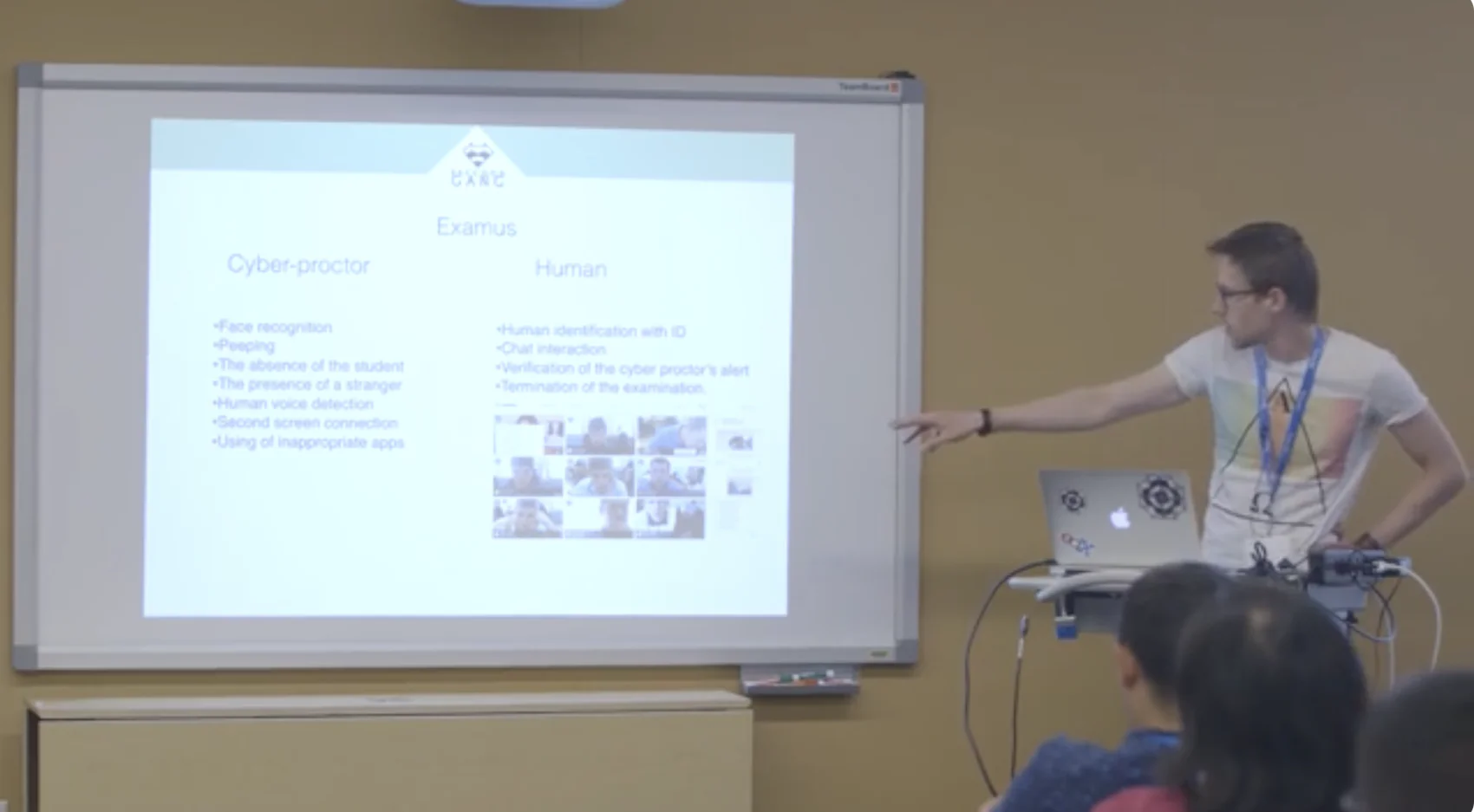
Raccoon Gang presenting the Examus proctoring solution at Open edX Lightning talks
Key Takeaways
- Online proctoring usually runs in three formats. Teams pick between live monitoring, recorded sessions reviewed later, or fully automated systems that flag suspicious behavior. Each model shifts the workload in a different direction — toward proctors, auditors, or software.
- Most vendors handle the same basics. Identity checks. Webcam monitoring. Screen tracking. Browser lockdown. Online proctoring software like Proctortrack, Proctorio, and Honorlock all cover that ground.
- Pricing will vary more than many teams expect. Entry-level automated monitoring may start around $5 per attempt, especially in high-volume certification programs. Add live proctoring, stronger identity checks, or tighter compliance controls and the cost often climbs past $30 per exam.
- In practice, the “best” setup depends on exam stakes. Low-risk quizzes often run fine with automated monitoring. Professional certifications, licensing exams, or hiring assessments usually bring humans into the loop. Organizations running thousands of exams each quarter learn this pretty quickly.
What Is Online Proctoring?
Online proctoring is a remote exam monitoring method that uses webcam surveillance, screen recording, identity verification, and AI analysis to ensure test integrity — without requiring a physical testing center. It allows test-takers to sit exams from any location while preventing fraud and confirming identity.
A proctor supervises an exam and verifies that testing rules are followed. The role may be performed by a human supervisor or AI-powered software. In traditional exams, proctors are present in the room. Online proctoring works differently. A proctor may monitor a live session, review recordings later, or investigate AI-generated alerts. A proctoring application provides the technology that makes remote supervision possible.
To address these concerns, monitoring software keeps an eye on you. A qualified proctor supervises the process, either in real-time or through recorded footage, verifying the student’s identity and ensuring the exam is completed without any fraud.
“Live proctoring allows proctors to control the process of exam completion, revise the previous student’s attempts, approve or reject the current attempt, and comment on their decisions. It is a great alternative to fully online proctoring. However, it is more pricey and resource-consuming, so in many cases online proctoring, or a hybrid system, turns out to be a better solution.”
— Peter Koblyakov, Co-founder at Raccoon Gang
Usually, online proctoring solutions involve several key processes to ensure a secure and seamless exam experience for both students and institutions. Here’s a breakdown of the basic steps.
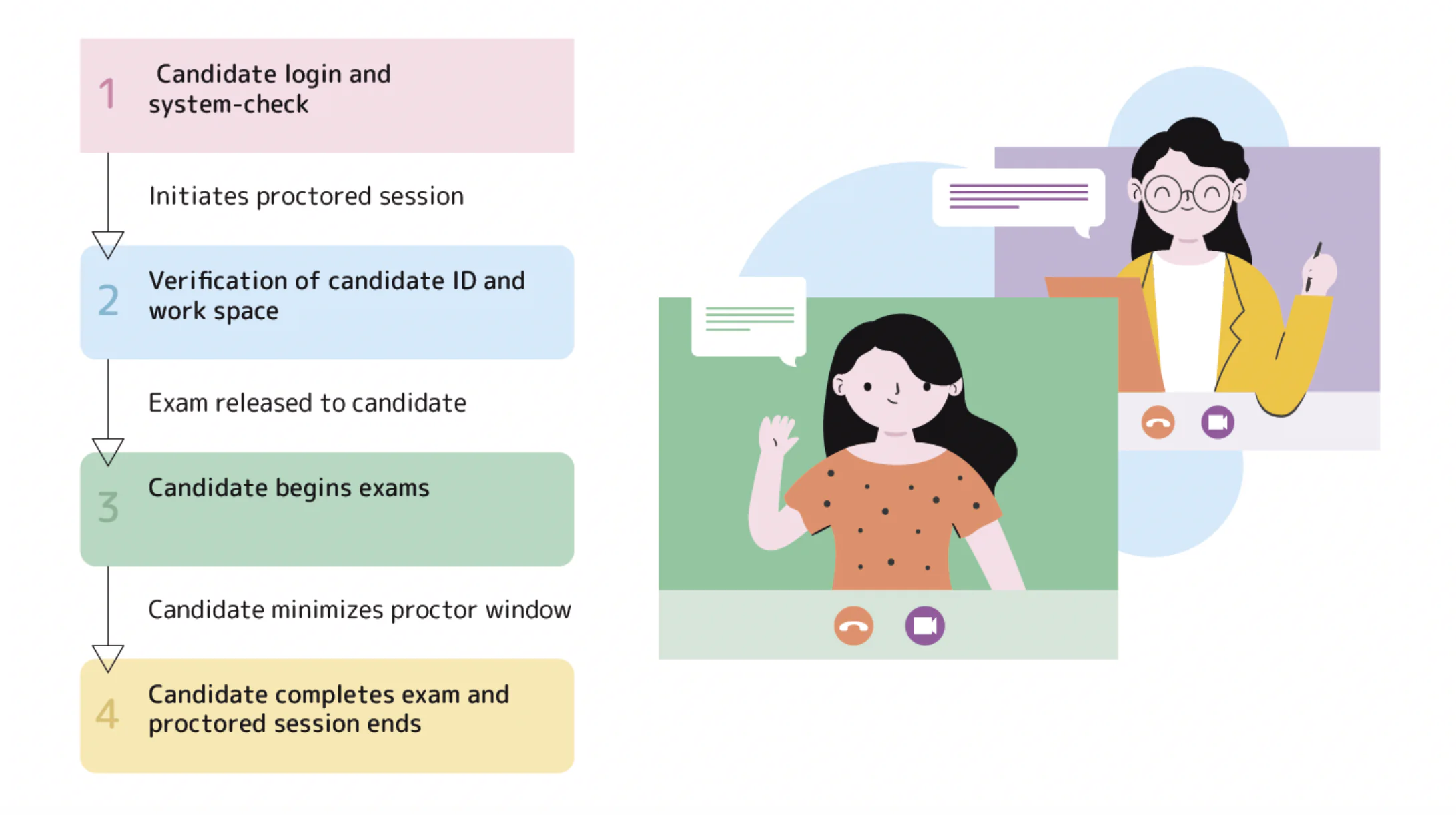
- Setup
Before the exam, students must install the appropriate proctoring software on their devices. The application usually has the functions of screen sharing, webcam access, and system monitoring to prohibit cheating.
The system may also require the student to do an identity verification process, like presenting a government-issued ID, to confirm their identity. Some platforms use AI face recognition technology for extra safety. Moreover, the testing environment, for example, the room or workspace, may have to meet some conditions, like no notes or unauthorized devices being present.
- Monitoring
A student is always monitored by either a proctor in real-time or an automated software during the exam. In live proctoring, a webcam and microphone are used during the entire exam, to make sure the student follows the exam rules. However, some AI-powered monitoring systems first ensure that the test-taker’s facial expressions and eye movements are not suspicious so that the software will not track any non-compliance.
The systems can even tell whether the test-taker stays within the exam window, uses any unauthorized programs, or is interacting with someone in the room.
- Test security
Proctoring software restricts functions on the computer like taking screenshots, using multiple tabs, or accessing other applications to secure the integrity of the exam. Additionally, proctors or AI tools govern any irregularities such as suspicious background noise or sudden changes in student behavior.
In certain situations, the exam session may be recorded, and later, administrators can analyze the recorded data to investigate any incidents that were flagged.
Key Benefits For Educational Institutions And Companies
Remote exams used to raise one big concern: can you trust the results? Online proctoring services and software try to solve exactly that. When it’s implemented properly, institutions and companies get more than just monitoring. They get control over how candidates access exams and how results hold up under scrutiny.
For educational institutions
- Stronger academic integrity. Thanks to proctoring systems, universities prevent cheating and protect the credibility of their degrees.
- Better accessibility for students. No travel to testing centers. No classrooms. Just a laptop and an internet connection. Students take exams from home. This works especially well for part-time learners and international students living in different cities or time zones.
- Lower operational overhead. Institutions can run large exam cohorts without expanding campus infrastructure.
For businesses
- Greater trust in certifications. When certifications rely on proctored exams, employers and partners trust the results more.
- Simpler hiring and training assessments. Companies can test candidates remotely during recruitment or internal training.
- Insight into candidate behavior. Proctoring systems capture signals during the exam. Things like screen activity or unusual behavior. Training teams review this data later and spot patterns that help improve certification programs.
Types of Online Proctoring
The solution lies in choice. Online exams can be tightly controlled. Online proctoring systems fit different needs. Each setup offers a unique level of monitoring and security.
There are three main types of online proctoring. We will dwell on each of them further, but for now, it is worth saying that each one suits a specific testing scenario. Institutions have chosen models that match their supervision standards and student accessibility goals.
Some have also added a lockdown browser. It blocks other tabs, apps, and external devices during the test. Students can’t view off-camera resources. However, it may limit accessibility tools—so it must be tested first.
Live Proctoring
Live proctoring is similar to a real-life classroom scenario. An online proctor monitors you throughout the exam. In case they have any suspicions, they may intervene, similar to a real-world classroom setting. It’s worth noting that here you will be required to book the exam in advance to find out whether a proctor can be assigned for your test.
This is a good model as it overcomes the location limitation that exists in proctoring. Both the proctor and the test taker can come online from any place.
Pros:
- It ensures greater security and responsibility.
- A proctor can respond instantly to possible cheating.
- Proctors can assist students with any technical or test-related issues.
Cons:
- The cost of the live proctor is one major drawback of the system if the volume of test-takers is huge because a proctor must provide separate attention to each student.
- It has the same amount of human involvement as offline proctoring does.
- It needs to be ‘scheduled’.
Recorded Proctoring
As the name suggests, there’s no real-time monitoring in this method. On the contrary, it records the candidate’s audio-video and screen share feeds of the whole test.
Authorized personnel go through these recordings and use annotations to mark any suspicious movement or activity.
This is a good model because it doesn’t only overcome location limitations, but also removes the scheduling part. However, humans still needed to review the footage, and therefore it remains expensive to a considerable extent. Remote Proctor (from Software Secure Inc.) uses this model.
Pros:
- This option is more cost-effective than live proctoring as it requires fewer proctors.
- Allows for a thorough review of the testing session to identify any missed issues.
- Can be used for exams with large numbers of test-takers.
Cons:
- It won’t allow for immediate intervention in case of cheating.
- It requires additional time and resources to record the review.
- It may not be suitable for exams that require real-time interaction with a proctor.
Automated Proctoring
Automated proctoring is a sophisticated type of proctoring. It guarantees that the test taker concentrates on the exam as it involves the use of software to detect any form of fraudulent activity. It can identify if another person is present in the room or if the test taker is using a tool or software in the background.
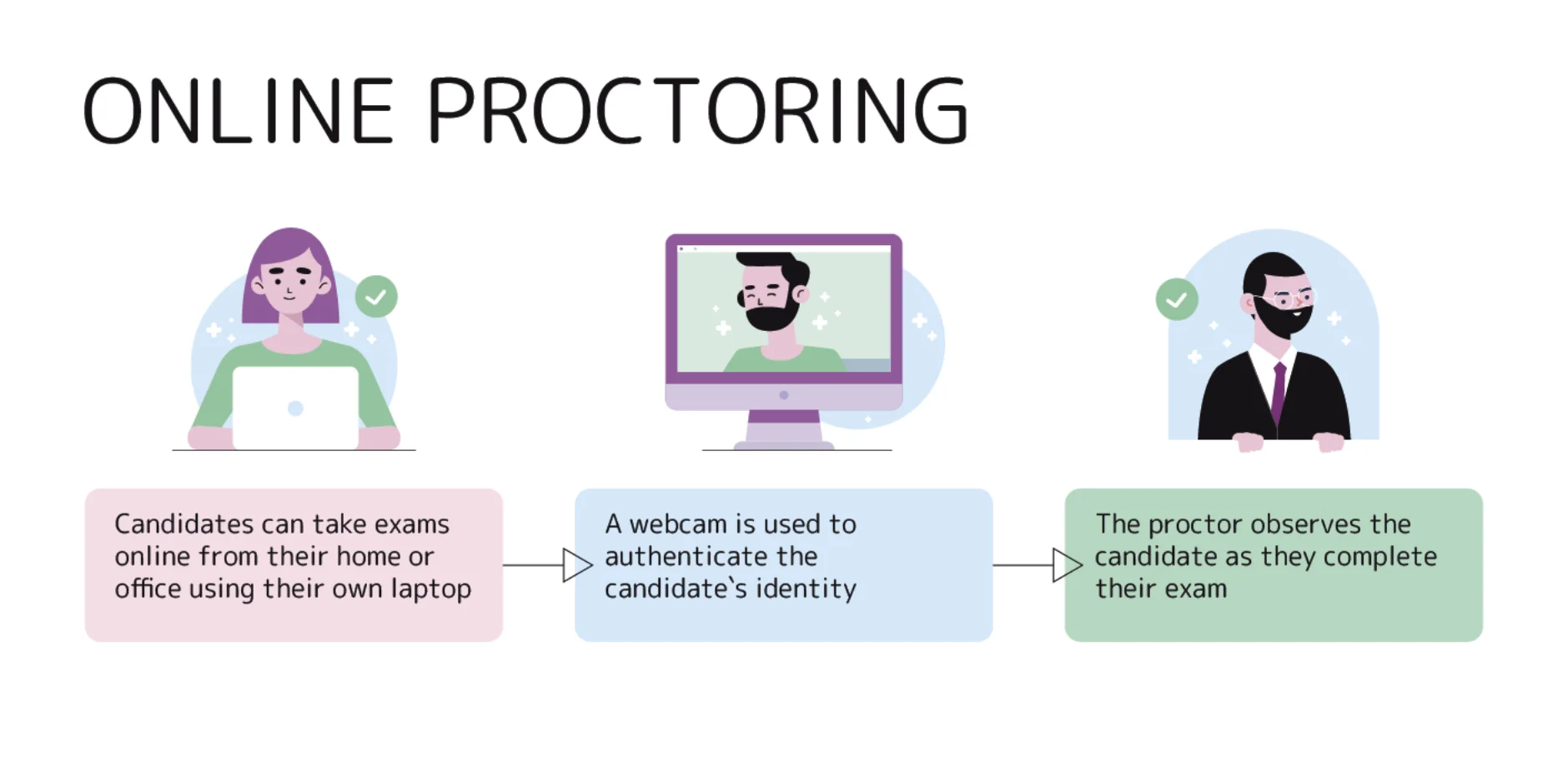
The good thing about this model is that it overcomes all the challenges that were prevalent in the previous forms of online proctoring. This means that there are no restrictions when it comes to location and scheduling and there’s no dependence on a human to review the feeds. This makes it more scalable and affordable.
Pros:
- Automated proctoring is easily scalable, making this particularly ideal for those institutions with a large number of test-takers.
- It usually tends to be the most budget-friendly as there is no need for a human proctor.
- It gives the green light for quicker processing by AI algorithms that flag issues, hence allowing more immediate reviews of tests.
Cons:
- AI may misinterpret harmless actions like glancing away from the screen as an attempt to cheat and hence may flag when there really is no need to do so.
- Any automated system is devoid of nuance and context instilled by human proctors about what constitutes cheating and what does not.
- Automated systems depend so much on technology; hence, any technical glitches may affect monitoring accuracy.
Hybrid Proctoring
Hybrid proctoring is a combined type of online exam monitoring. Hybrid, in this sense, means simultaneous monitoring from the outside (AI) and intervention by a live proctor when a precedent arises.
If any suspicious behavior is found, an alert is sent to the proctor, who will review it and make a decision. In addition, it performs student authentication through face recognition.
Pros:
- Reduces false positives with AI-based proctored validation of alerts.
- Scales across large groups and time zones, cheaper than full live.
- Improves experience: students get live chat support and institutions get classroom reports.
Cons:
- Requires platform integration and may have delays in validation.
- Higher cost ($10–25) compared to pure AI ($3–10).
- Depends on quality of AI for initial flagging.
In the last two decades, there has been a lot of development in online proctoring software. Since online tests are the most common type of testing where candidates are evaluated based on their domain knowledge, proctoring services are becoming more popular. Such tests are also conducted to assess a candidate’s behavioral profile or understand their learning ability.
Online Proctoring Tools and Services
Remote testing has surged. So has the need for reliable online proctoring tools. These platforms keep exams secure and make testing smoother for both students and institutions. The best tools don’t just monitor. They store data responsibly, comply with GDPR and FERPA, and support accessibility tools. They’ve built clear appeals workflows and integrate seamlessly with major LMS platforms.
Quick Comparison: Top Online Proctoring Software (2026)
Use this table to shortlist platforms before reading individual reviews below. For institutions integrating with Open edX, Examus offers native integration.
| Tool | Type | Price | No-Install | Open edX | Best For |
| Proctortrack | AI + Biometric | ~$5/exam | ✗ | ✓ | Certification programs |
| Proctorio | Automated AI | $5–8/exam | ✗ (ext.) | ✓ | High-volume HE |
| Examus | AI + Live | $0.5–5/exam | ✓ | ✓ Native | Open edX users |
| Honorlock | AI + Live | $10–15/exam | ✗ (ext.) | ✓ | Mid-stakes HE |
| Talview | AI + Live | From $10/exam | ✓ | ✓ | HR/corporate |
| ProctorU | Live human | $25–70+/exam | ✓ | ✓ | High-stakes exams |
| Respondus Monitor | Automated AI | Institutional | ✗ (app) | ✗ | Canvas/Moodle/BB HE |
| Integrity Advocate | AI + Human review | Custom | ✓ | ✓ | Privacy-first programs |
Each online proctoring service has its own mix of strengths. Some keep data for short periods; others retain it for audit trails. Accessibility support varies—always check before adoption.
Proctortrack
Proctortrack is a powerful online proctoring tool that uses AI and biometric data to ensure exam security. It continuously monitors student behavior during exams to detect and flag any suspicious activities.
Features:
- AI-powered proctoring with real-time monitoring
- Biometric identity verification for added security
- Comprehensive reporting and analytics for post-exam review
- Browser lockdown features to prevent unauthorized access
Price: Proctortrack pricing is customizable, starting around $5 per exam for automated proctoring and going higher for live options.
Proctorio
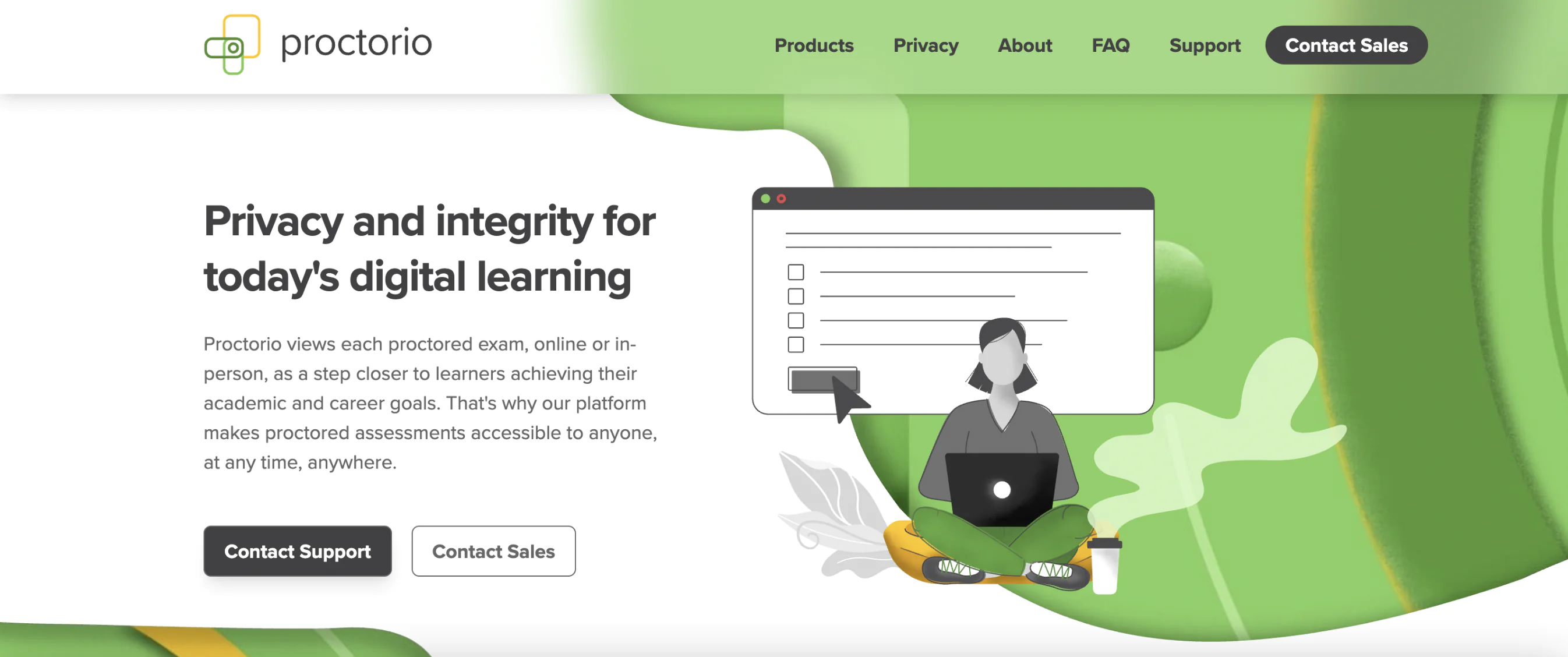
Proctorio offers identity verification and remote proctoring services to over 4,000 higher education, K-12, corporate, and federal institutions around the world. It is a fully automated, AI-based online proctoring system designed to protect exam integrity while respecting user privacy. It offers customizable proctoring options and integrates easily into most LMS platforms, providing a secure and flexible testing environment.
Features:
- AI-based proctoring with customizable settings and immediate results
- Automated exam recording with advanced behavior detection
- Customizable lockdown features to prevent unauthorized access
- Different LMS integrations with automated grading
Price: Proctorio offers a pay-per-use model with flexible pricing based on the number of exams, generally starting around $5-8 per exam.
Examus
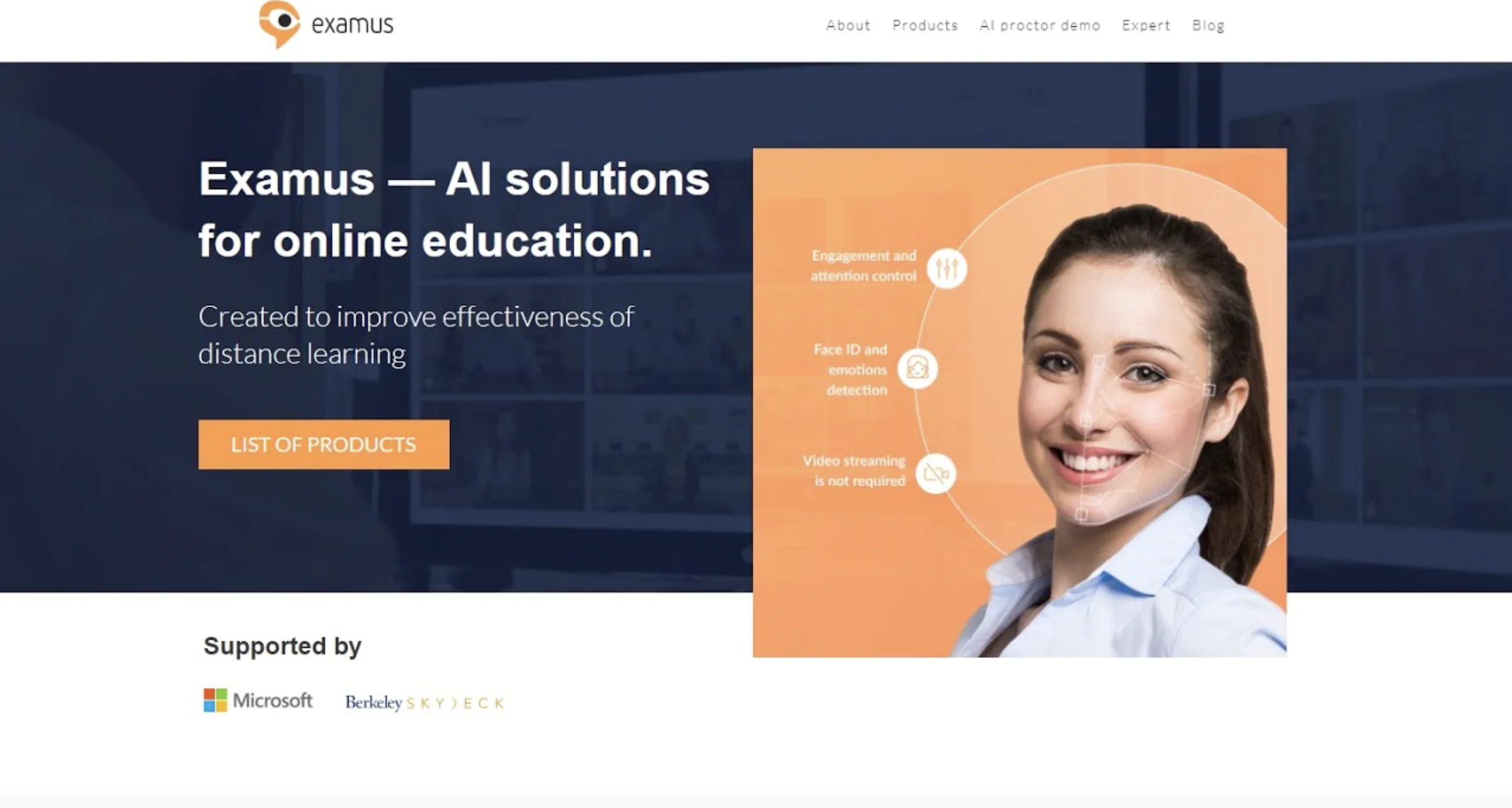
Examus is an AI-powered online proctoring system designed to ensure the security and integrity of remote exams. Its automated system uses facial recognition and behavior analysis to detect potential cheating and fraud during the exam process.
Features:
- AI-driven facial recognition to verify the identity of test-takers
- Automated behavior monitoring to detect suspicious activities
- Real-time alerts for proctors when unusual activity is detected
- Easy integration with various LMS platforms
Price: Examus offers customized pricing based on the number of test-takers and the level of proctoring required, starting at approximately $$0.5 to $5 per exam for automated services.
Honorlock
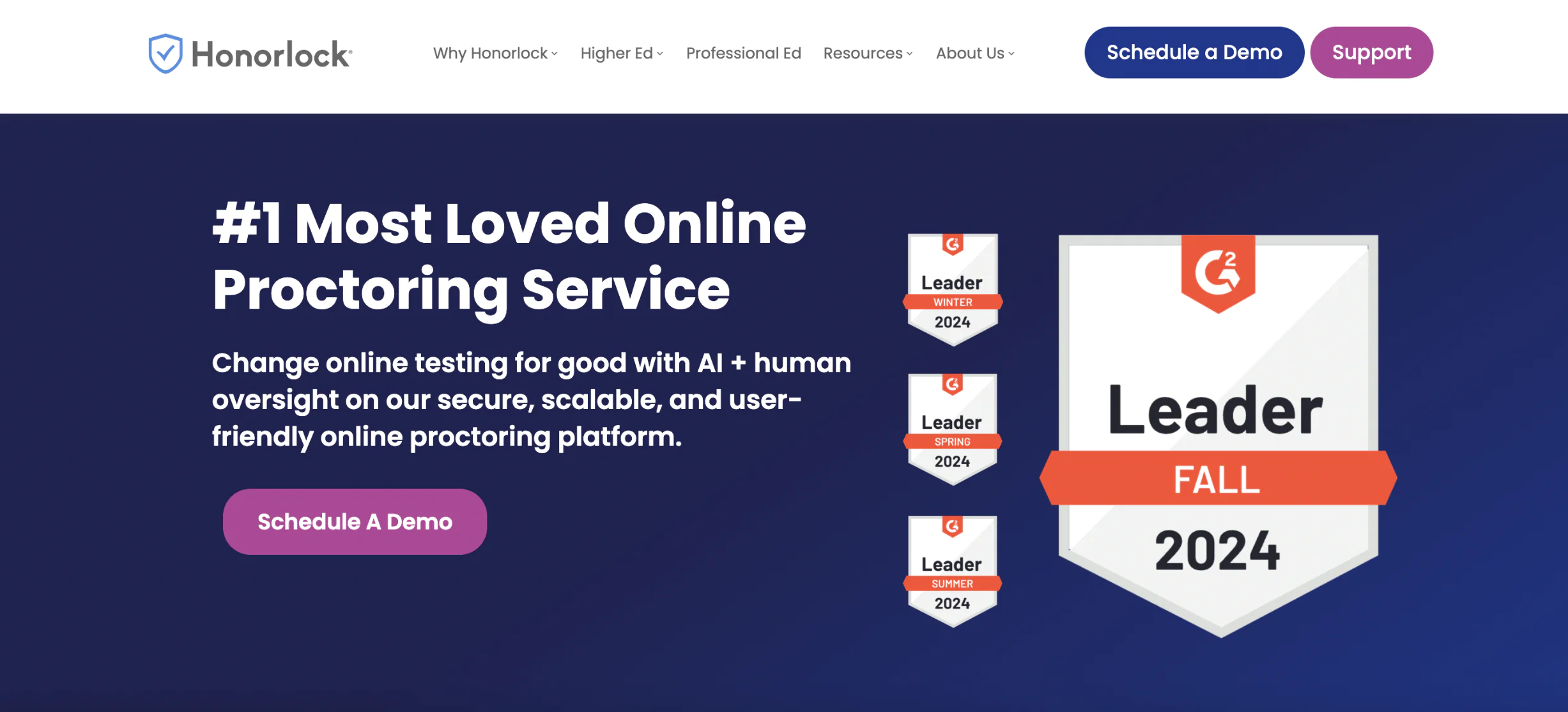
Honorlock provides a unique blend of AI and live proctoring, offering flexibility for higher education institutions and professional education programs. Known for its innovative “Search and Destroy” feature, it can prevent students from accessing exam answers online.
Features:
- AI-driven proctoring with live proctor intervention
- “Search and Destroy” feature that prevents students from accessing exam answers
- Real-time browser lockdown and monitoring
- On-demand proctoring services
Price: Honorlock typically charges around $10-15 per exam, depending on the level of monitoring required.
Talview
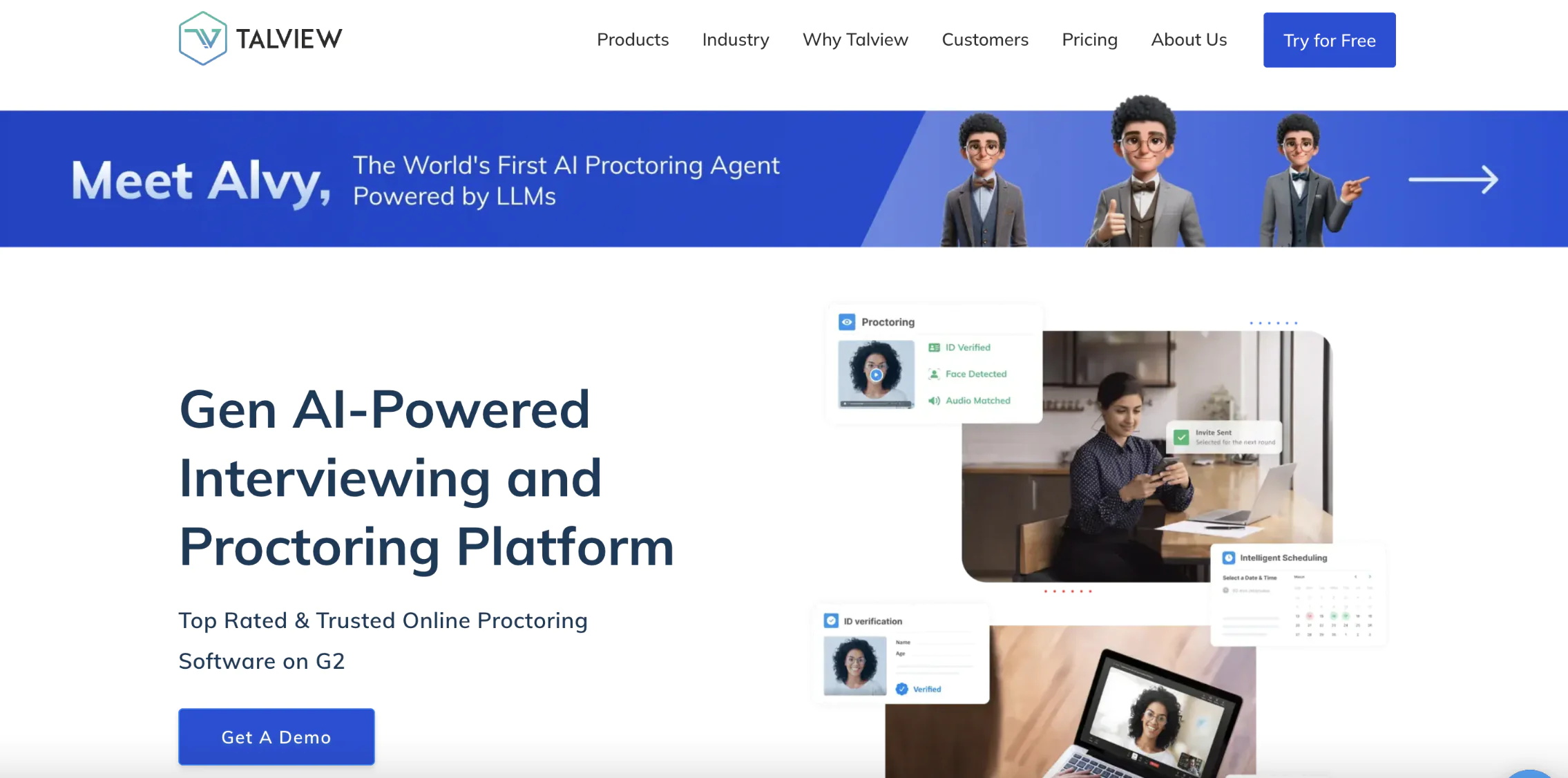
Talview specializes in revolutionizing organizational interview and exam processes through its GenAI technology, emphasizing integrity, efficiency, and fairness. The platform is designed to support educational institutions and businesses alike, providing a secure, scalable solution with real-time test supervision and post-exam analytics.
Features:
- AI-powered proctoring to detect suspicious behavior
- Live and recorded proctoring options
- Real-time ID verification and authentication
- Detailed post-exam reports with analytics
- Seamless integration with popular LMS platforms
Price: Talview offers flexible pricing based on the type of proctoring and the number of test-takers, starting at around $10 per exam for automated proctoring, while yearly plans cost starting from $25 000 per year. Custom pricing is available for large-scale and live proctoring services.
ProctorU (Meazure Learning)
ProctorU is the leading live human proctoring service, widely used for high-stakes exams, including professional licensing, certification, and government assessments. It combines real-time human monitoring with AI-assisted flagging and integrates with Canvas, Moodle, Blackboard, and Open edX. No software installation is required for students.
Features: Live human monitoring with AI flagging. On-demand and scheduled sessions. ID check and room scan. Detailed post-exam reporting. LMS integrations include Canvas, Moodle, and Blackboard.
Price: ~$25–45/exam for automated monitoring; $40–70+/session for live proctoring. Enterprise volume pricing available.
Best for: High-stakes exams where a documented human decision is required.
Respondus Monitor
Respondus Monitor is the most widely adopted automated proctoring tool in higher education, functioning as a webcam monitoring layer on top of the Respondus LockDown Browser. It records student video, audio, and screen activity, with AI flagging suspicious behavior for instructor review.
Features: Automated webcam + screen monitoring. AI behavioral flagging with video timeline markers. Works with Respondus LockDown Browser. Native LMS integrations (Canvas, Moodle, Blackboard, D2L).
Price: Institution-wide licensing — no per-exam fee. Most affordable option at scale for academic environments.
Best for: High-volume academic environments already using or planning to use Respondus LockDown Browser.
Integrity Advocate
Integrity Advocate is a privacy-first proctoring platform requiring no software installation. Students show up and take the exam through the browser. Every flagged session receives mandatory human review — no automated decisions. G2 Leader, Easiest To Use, and Best Usability in online proctoring — Spring 2026.
Features: Fully browser-based — no downloads or extensions. Mandatory human review for all flags. Privacy-compliant data practices. Works on any device, including Chromebooks and tablets. LMS integrations including Canvas, Moodle, and Open edX.
Price: Custom. Best for: Organizations where defensible, human-reviewed results and learner privacy are top priorities.
Privacy, Ethics & Student Concerns in Online Proctoring
Privacy now shapes proctoring choices. Institutions that ignore it risk student pushback, legal issues, and weaker assessment trust.
Common concerns include:
- Surveillance discomfort: Webcam and microphone monitoring can increase stress. Some learners have already reported lower exam confidence.
- False positives: AI may flag normal behavior. Without appeals, students could face unfair outcomes.
- Bias in facial recognition: Studies found accuracy gaps across skin tones. Institutions should ask vendors for testing data.
- Data retention: Vendors may store recordings or biometric data for months or years. Ask what they collect and who can access it.
- GDPR and FERPA compliance: EU institutions need data agreements. US teams should check FERPA and data-sharing rules.
Best practices:
- Share a clear proctoring policy before enrollment.
- Create an appeals process.
- Use no-install tools where possible.
- Choose open-book or project-based formats for lower-stakes exams.
How to Choose the Right Online Proctoring Software
The right online proctoring setup depends on exam stakes, not on which vendor has the most features. Use this framework:
- Low-stakes quizzes and formative assessments – Automated AI proctoring ($5–8/exam). Fast, scalable, low cost. Flags reviewed internally by instructors. No scheduling required.
- Mid-stakes course exams and professional certifications – Hybrid proctoring ($10–25/exam). AI handles volume, and humans review flagged sessions. Best balance of cost and defensibility.
- High-stakes professional licensing, bar exams, hiring assessments – Live proctoring ($15–30+/exam). Human proctors monitor in real time. Required when results carry significant legal or professional consequences.
Other factors to evaluate before selecting a proctoring application:
- LMS integration: Does the platform connect via LTI with your LMS (Canvas, Moodle, Open edX, Blackboard)?
- Privacy compliance: GDPR (EU), FERPA (US), data retention policy, biometric data handling.
- Accessibility: Does the platform support extended time, screen readers, and alternative formats for students with documented disabilities?
- Installation requirements: Does it require a desktop app, browser extension, or is it browser-native? No-install options reduce IT burden and device compatibility issues.
- Pricing model: Per-exam vs. institutional subscription — at high volume, subscription pricing saves significantly.
How Much Does Online Proctoring Cost?
Costs shift by vendor, test format, and scale. Many platforms now price per test or per student, not by the hour.
For example:
- Proctortrack lists $6 per automated test and $15 per live review test at some institutions.
- Honorlock is often quoted at $8 per exam session for live + AI combos.
- Some universities charge students $4.45 per exam with Honorlock for their courses.
- ProctorU: $25–45/exam automated, $40–70+/session live.
- Respondus Monitor: Institution-wide licensing — no per-exam fee.
Other vendors like Examus now tend to offer custom pricing, depending on the number of seats and service type.
Common Pricing Models
There are a few common pricing models that usually define online proctoring software costs:
| Pricing models | Proctoring costs |
| Pay-per-Exam | Automated proctoring: $5–8/exam. Hybrid (AI + human review): $10–25/exam. Full live proctoring: $25–70+/exam (updated 2026) |
| Subscription | Best for high-volume programs. Unlimited exams via a monthly or yearly fee. Institution-wide licensing (e.g., Respondus Monitor) removes per-exam costs entirely. |
| Tiered pricing | Choose automation level: automated, hybrid, or live. Cost scales with oversight level. |
| Per-student | Flat fee per student regardless of exam count. |
While most online proctoring platforms have transparent pricing models, there may be hidden costs to consider:
- Hardware requirements. Ensure you have the necessary hardware (e.g., computers and webcams) to use the proctoring platform. If you need to purchase new equipment, this can add to the overall cost.
- Internet connection. A reliable internet connection is essential for online proctoring. If you need to upgrade your internet service or purchase data plans, this can incur additional costs.
- Training and support. Some platforms may offer training or support services that come at an extra cost.
Online Proctoring Companies. A Side-by-Side Comparison
To help you choose the best solution, we’ve put together a side-by-side comparison of the top online proctoring companies. These simple infographics break down common functions, management tools, and violation detection for each service, allowing you to quickly identify which online proctoring system suits your needs. From live monitoring to automated solutions, you’ll find everything you need to make an informed decision at a glance.
Online Proctoring Exam Experience
There are several critical stages in the process of taking an exam via an online proctoring system to ensure security and fairness. Below, we are going to break down each of them for you.
Pre-exam setup
Most exam issues occur before the test begins. A few simple checks can prevent them.
For students:
- Test your webcam and microphone in advance.
- Install or update the required proctoring software.
- Prepare a valid photo ID for verification.
- Clear your workspace and check lighting conditions.
- Close unnecessary tabs, apps, and browser extensions.
For administrators:
- Verify LMS integrations before the exam period starts.
- Provide a practice exam 2–3 days in advance.
- Share proctoring and privacy policies before exam day.
Webcam, screen, and audio monitoring
During the online proctoring exam, the system or live proctor will monitor you through your webcam, microphone, and screen. This ensures that there is no cheating or suspicious activity. The proctor for online exam — human or AI — watches for identity inconsistencies, unauthorized applications, and unusual behavior patterns.
Post-test review
Once the test has been completed, any events tagged by AI or live proctors are reviewed for violations. Automated proctoring utilizes AI algorithms to flag unusual behavior for further evaluation. Flagged sessions should always go through human review before any disciplinary action is taken.
Final Thoughts
The online proctoring market reached $1.5 billion in 2025 and continues growing at 18.1% annually — reflecting how deeply remote assessment has become embedded in education and professional certification. As the technology matures, the institutions that get the most from proctoring are those that choose the right model for their specific exam stakes: automated proctoring for low-stakes, high-volume testing; hybrid systems for standard course exams and certifications; and live proctoring for high-stakes professional or licensing assessments where a defensible human record is required.
Certification centers and educational institutions rely on various techniques to conduct online examination processes. For instance, some opt to have their own built-in assessment features via Learning Management Systems (LMS), whereas others proceed by creating their own tailored proctoring centers. That is why Raccoon Gang created an On-Campus proctoring system using Open edX LMS to help universities and other educational institutions verify the students’ knowledge.
These centers are powerful enough to handle all aspects of studying procedures and undertake online exams without compromising on quality. There is a vast variety of proctoring solutions available in the industry. Depending on your educational strategy and budget, you will need to consider many factors before choosing one.
Get in touch with us so we can help you in this regard and improve the quality of education in your institution to the highest level.
FAQ
What is a proctor?
How does online proctoring prevent cheating?
Is online proctoring secure for personal data?
What happens if my internet connection drops during an exam?
How much does online proctoring typically cost?
Can you integrate online proctoring with existing LMS platforms?
Is online proctoring an invasion of privacy?
Does online proctoring require software installation on student devices?
How do I choose between automated, hybrid, and live proctoring?
- Automated proctoring works for low- and mid-stakes exams at scale. Your team will usually review the flags, so plan for that workload.
- Hybrid proctoring combines AI checks with human review. It suits university exams and mid-stakes corporate assessments.
- Live proctoring fits licensing, certification, and hiring exams. These cases need stronger oversight and documented decisions.
The higher the impact of the result, the more human review you should add. Raccoon Gang can help map your LMS and assessment needs to the right proctoring model.


- Key Takeaways
- What Is Online Proctoring?
- Key Benefits For Educational Institutions And Companies
- Types of Online Proctoring
- Online Proctoring Tools and Services
- Privacy, Ethics & Student Concerns in Online Proctoring
- How to Choose the Right Online Proctoring Software
- How Much Does Online Proctoring Cost?
- Online Proctoring Companies. A Side-by-Side Comparison
- Online Proctoring Exam Experience
- Final Thoughts
