









Most online training fails not because teams lack content, but because their eLearning content development lacks design logic behind it.
As digital learning expands across teams, regions, and devices, content quality alone no longer determines whether training works. Structure does.
Today’s learners lose focus even with highly gamified content, not to mention poor content, which inevitably leads to low engagement. At the same time, it is important to note that effective online training is not the result of good training material alone.
Let’s explore why some companies and training providers still see low completion and weak retention. And let’s look at how to turn content production into online training that actually works.
TL;DR
- eLearning content development is a structured process. You should treat it that way. Design training with clear logic and learner actions in mind.
- Traditional materials and eLearning content sit at opposite ends of the scale. Online training has to support interaction and carry the learning experience on its own.
- Every strong eLearning project starts with analysis and moves through design, build, LMS setup, testing, and iteration.
- Modern eLearning content now depends on formats like microlearning, video, interactivity, mobile access, gamification, and adaptive elements.
- The biggest mistake you can make is to start with unclear goals. Also, be ready to avoid SME bottlenecks and scope creep. And of course, poor UX can ruin every good initiative.
What is eLearning Content Development?
The process of planning, creating, and organizing materials for online training across a course, module, training program, or individual learning path is called eLearning content development.
In education and corporate settings, content development usually works as a structured, iterative process of planning, creating, and organizing learning materials for online training.
Let’s be honest. Writing lessons and uploading PowerPoint slides may count as online content development on paper. Still, eLearning content development goes much further. It ties content to learning objectives, job tasks, learner context, and assessment logic. That’s the difference between real training and a pile of information dumped into a course.
Most digital learning content is delivered via LMS platforms. Learners move through modules, take quizzes, submit assignments, and track progress there. That’s why eLearning content development is more than a content factory. As you develop content, you need to keep in mind how the content will work within the platform and how the learning experience supports completion, practice, and real application.
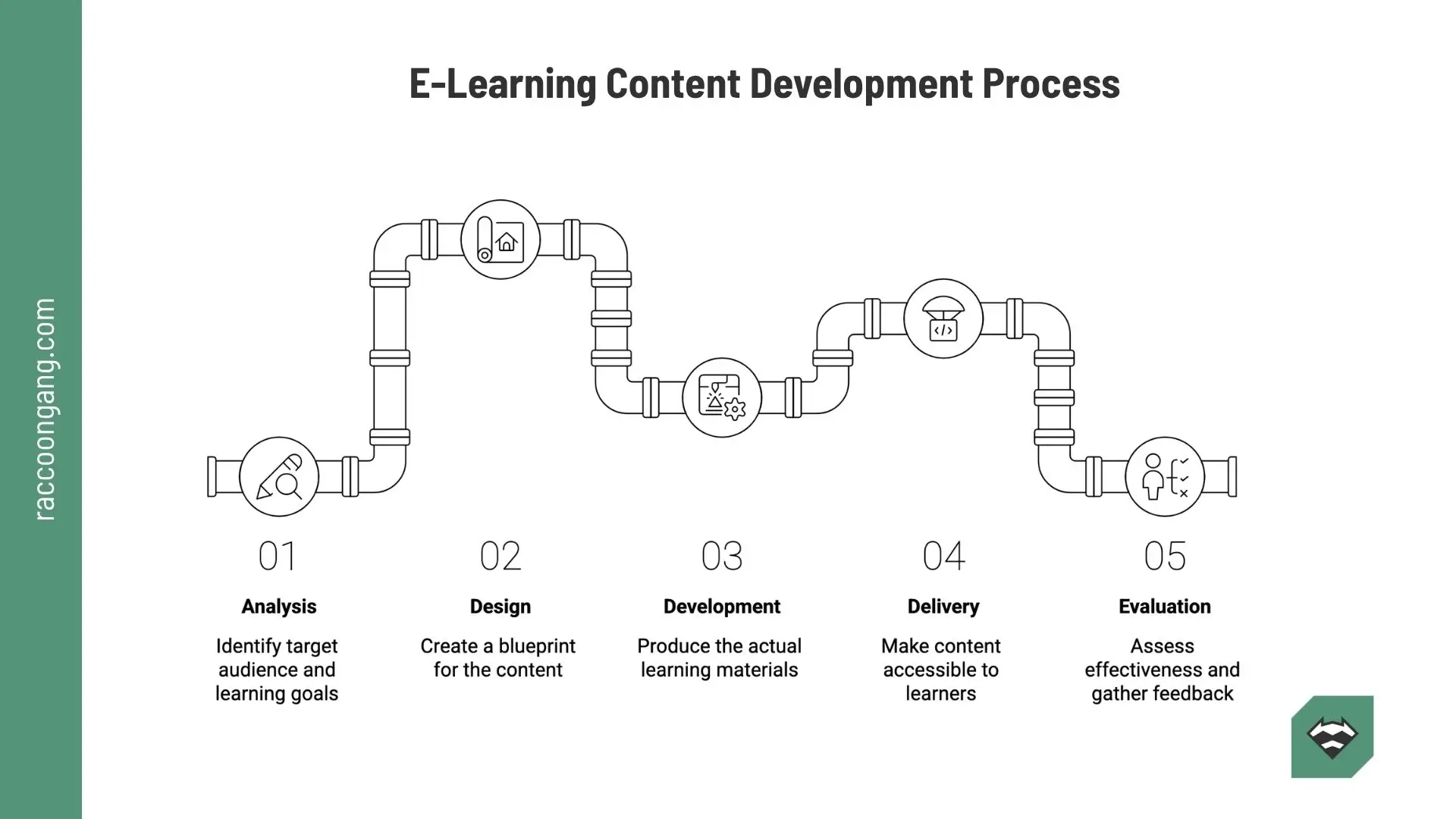
A visual overview of the e-learning content development process, from analysis and design to delivery and evaluation.
eLearning Content vs Traditional Training Content: What Changes Online
Right in the next section, you will find a step-by-step guide to creating eLearning content. But before it, let’s identify the differences between eLearning content and traditional training material.
- Static vs Interactive
Traditional ways of delivering educational materials and knowledge usually rely on reading, listening, or watching, because traditional training content is often static.
Online training formats provide more options for interaction. Learner in this approach becomes from a passive listener or reader to an active participant. Learners can click, try simulations and much more.
- Instructor-Led vs Self-Paced
In a classroom, the instructor sets the pace and explains things as they come up. Online learners usually move through the course on their own. That is why the content needs to give clear instructions, follow a logical order, and provide enough support inside the course itself.
- Content vs Experience
Traditional training content supports the trainer. The materials add context, examples, or reference points, but the instructor still carries most of the learning experience.
Online, the content carries much more of that load. The learner depends on the course itself for guidance, context, feedback, and next steps.
| Traditional training content | eLearning content |
| Usually supports a live instructor | Often has to guide the learner on its own |
| Often static: slides, notes, lectures | More interactive: quizzes, scenarios, tasks |
| Pace is controlled by the trainer | Pace is controlled by the learner |
| Questions can be answered in real time | Instructions and feedback must be built in |
| Content supports delivery | Content becomes the learning experience |
* This table highlights what changes when training moves online. In eLearning, content no longer supports the experience from the side. It becomes the experience itself.
eLearning Content Development: A Step-by-Step Process for Building Effective Online Training
An effective eLearning content development process should not start with content production. Only when it starts with analysis and then moves through instructional design, content creation, LMS setup, testing, and iteration stages does e-learning content become useful.
Each step affects whether the training will help learners do the job better or just add another course to the library. That’s why the eLearning development process should follow a clear sequence from the start.
Step 1: Analysis
Every eLearning course development process should begin with the problem the training needs to solve.
Start with the business goal. Then define the learner group, the skill gap, and the context in which people will use the training.
- What are they struggling with?
- Where does performance break down?
- What needs to change after the course?
Starting with the Analysis, you guarantee that your teams do not launch building too early. At first, you define what success should look like after launch: faster onboarding, fewer mistakes, stronger compliance, better performance. And only after you push the “Start” button.
If you skip this step, course content development can turn into guesswork and endless rework. And honestly, that’s where a lot of budget goes to die.
Step 2: Instructional Design
Once the analysis is done, the next step is Instructional Design.
Now the team turns the findings into a learning plan. Instructional designers set the course objectives. Then they break them into clear outcomes. Next, they choose the right format. After that, they map the course flow. The key task here is simple. Decide what learners need to do in each module. Then define how the training will guide them from one step to the next.
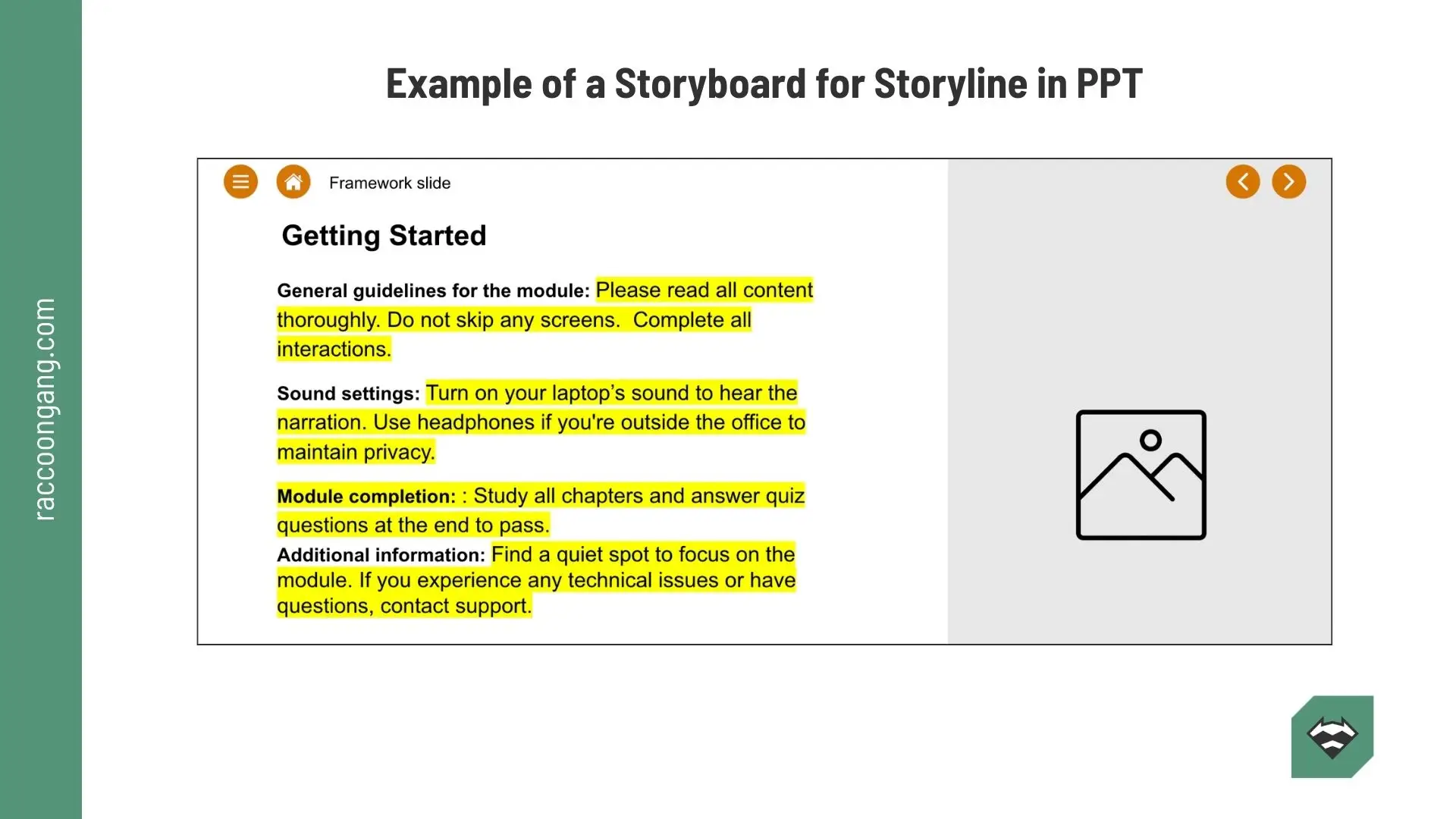
Also, it is the right moment to create an eLearning storyboard. How a good storyboard for eLearning looks, we have described in the article: What Is an Instructional Design Storyboard — and What It Actually Controls in Production.
Step 3: Content Development
Once the structure is set, your team can start creating eLearning content. As you can see, development starts at step 3, not step 1.
Here, specialists create scripts, videos, visuals, scenarios, quizzes, job aids, or microlearning units. The aim is simple. Build content that supports the learning objective and matches the learner’s role and work environment.
Extra volume will not make your course stronger. Good LMS content development gives learners only what they need, in the right order, with clear instructions. It does not try to pack every possible detail into one module.
And yes, if you’re working under tight timelines, the rapid eLearning development process still needs this logic. Faster production helps only when the structure is already clear.
Step 4: LMS Integration
The content is ready, but the work is not over. Your new eLearning content needs to work inside the learning platform.
Things that the team will work on at this step:
- uploading modules
- setting completion rules
- configuring navigation
- adding assessments
- checking reporting
This is a standard part of the eLearning content development process that often gets less attention than it deserves. Learners do not see the content by itself. They experience it through the LMS. If the platform’s UX/UI feels confusing or awkward, the whole training loses value for users.
Step 5: Testing and QA
Before launch, both the content and the LMS setup should be tested. No exceptions.
Review the course the way a learner would. QA checklist on practice has a few steps: check the logic, navigation, media, mobile behavior, assessment flow, and reporting.
The fifth step will help you catch unclear instructions, broken links, scoring issues, and friction points before they become learner complaints.
Step 6: Launch and Iteration
Launch is just a new beginning.
After release, monitor completion rates, quiz results, learner feedback, and business signals.
- Are people finishing the course?
- Are they passing because they learned something, or because the quiz is too easy?
- Are managers seeing fewer repeated errors?
That’s the kind of data that helps you improve the curriculum or future training initiatives for the next group of learners. That is how the eLearning development process stays useful for a long time.
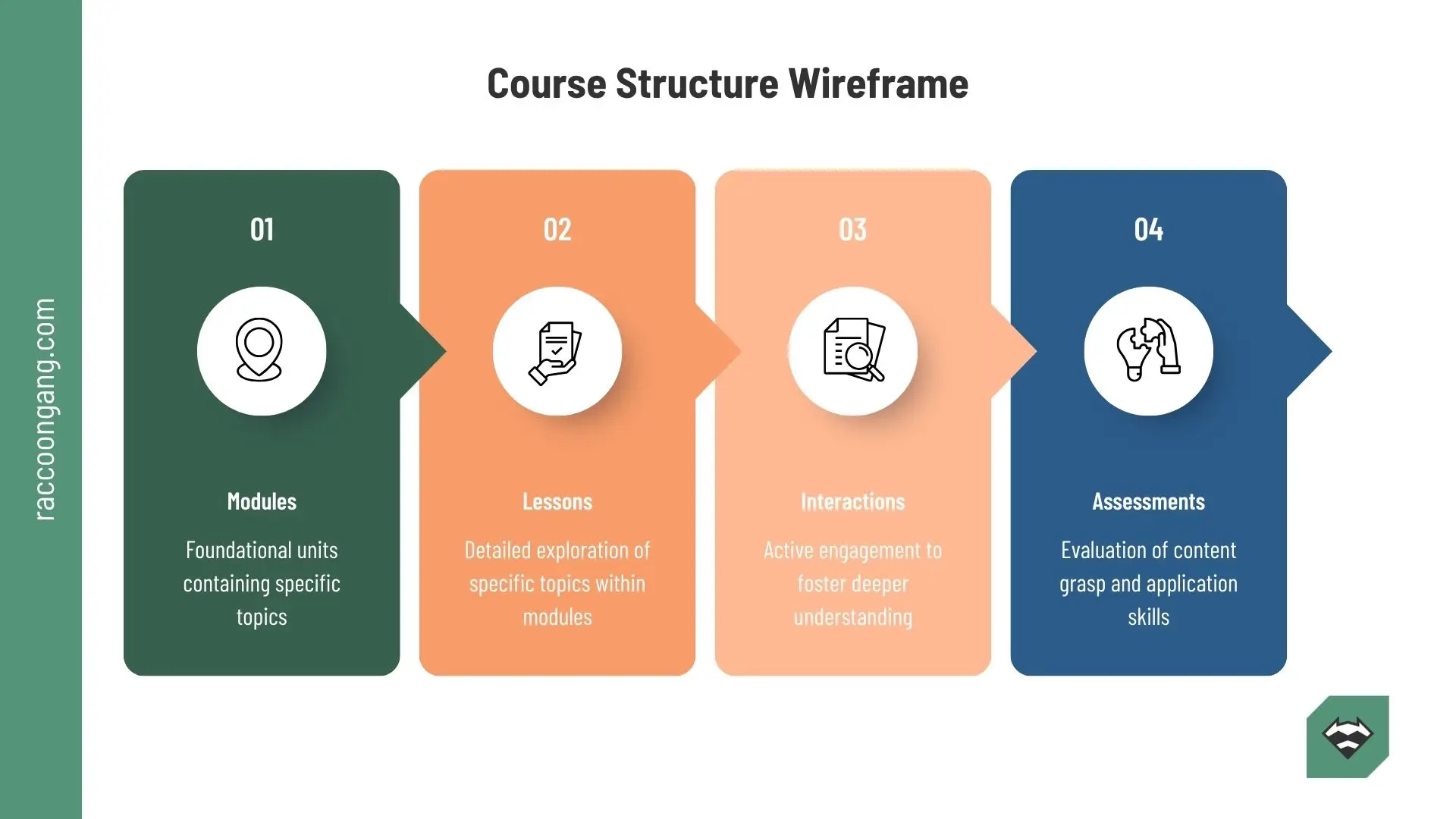
A course structure wireframe that maps modules, lessons, interactions, and assessments in an eLearning program.
Why is eLearning Content Development Important for Training Effectiveness?
The value of eLearning content development goes beyond the simple fact that it helps teams create training materials that can work inside almost any LMS.
Its real value shows up elsewhere. Digital learning content gives organizations a better way to teach, a cheaper way to deliver training, and a faster way to scale it than traditional printed materials or face-to-face formats. Here’s the proof.
Better engagement means better follow-through
Research shows that digital learning content can lead to higher retention rates, often in the 25% to 60% range, compared to 8% to 10% in traditional training.
That result does not come from putting a PDF online and calling it a course. Well-built digital learning content keeps learners active through different formats and learning tasks. We’ll look at those formats later in the article.
Scale without rebuilding everything from scratch
Once the core structure is right, you can deliver the same training across teams and time zones without starting over every time. That matters for onboarding, compliance, product training, and any program that depends on consistency. Traditional training formats, frankly, do not help much here.
And when you invest in custom elearning content development, you can go even further. You can build courses for a specific department, a certain workflow, or a single role inside the company.
Clear metrics make training easier to improve
One of the biggest strengths of online training is visibility. Every LMS today includes built-in analytics. Yes, the level of detail varies. Some platforms give you only the basics, while others offer deeper reporting. Still, the data is there.
And that data gives you more useful insight than the assumptions many face-to-face courses still rely on. You can see completions, quiz results, weak points, and learner patterns, then improve the training based on actual evidence.
More consistency, more flexibility, less waste
Good eLearning content development also brings practical gains that teams feel pretty quickly:
- lower training costs
- more flexibility for learners
- consistent quality across teams
- easy access anytime
- better productivity and stronger retention
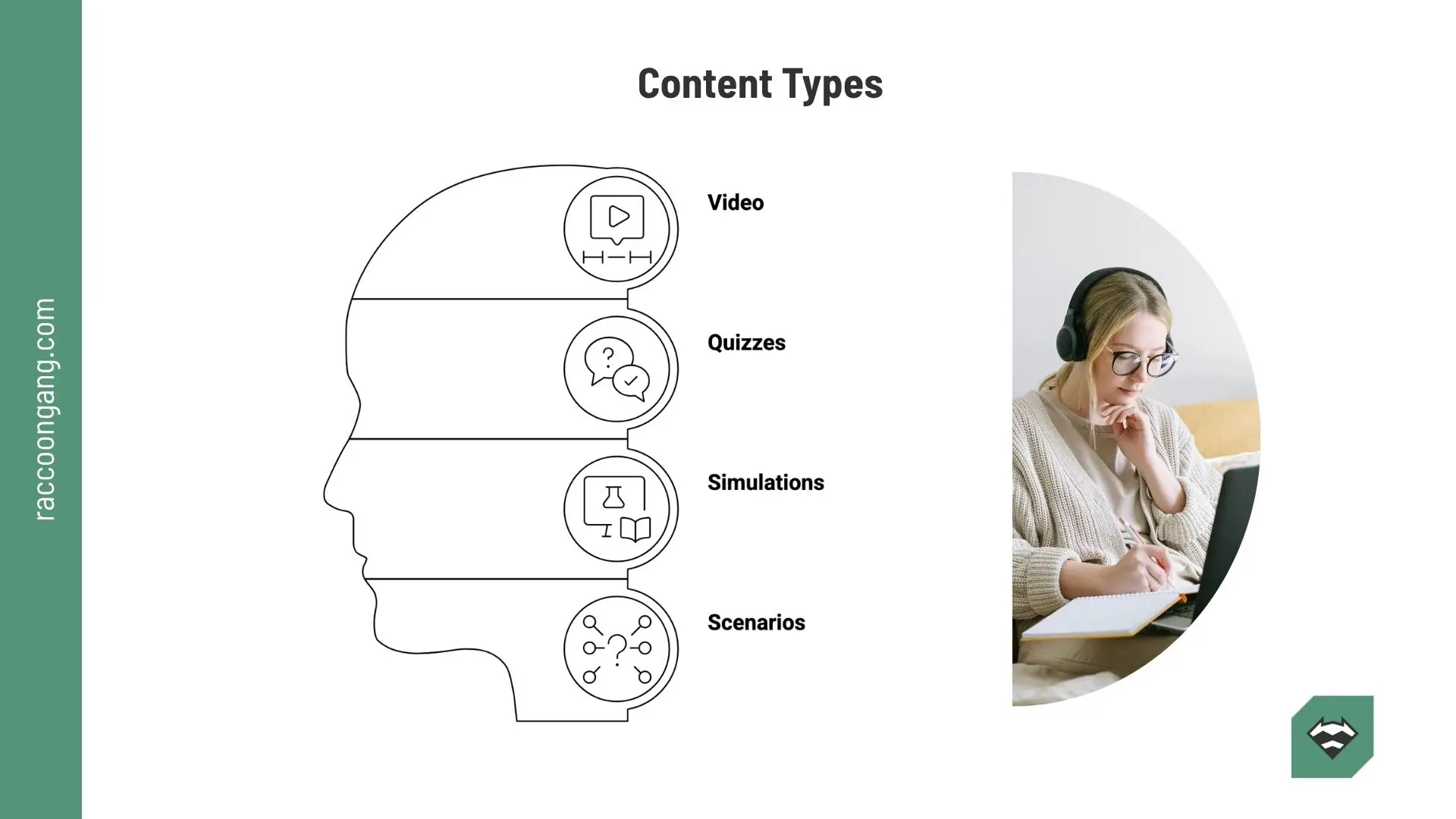
Types of eLearning Content and When to Use Each
Different training goals call for different content formats. Some work better for explanation. Others help learners practice or apply what they’ve learned.
| Type of eLearning content | What it works best for | What to watch out for |
| Video-based learning | Explaining concepts, showing processes, introducing topics | Easy to consume passively if used without practice |
| Interactive modules | Guiding learners step by step through content and decisions | Can feel heavy if too many clicks add little value |
| Simulations | Practicing tasks, systems, or real-life scenarios | Take more time and budget to build well |
| Quizzes and assessments | Checking understanding, reinforcing recall, spotting weak points | Poor questions can measure memory, not skill |
| Microlearning | Delivering short lessons for quick learning and refreshers | Works best for narrow topics, not complex skill-building |
* The best format depends on the task. Some formats explain. Others let learners practice. Strong online training usually combines both.
E-Learning Content Development Trends That Actually Matter
eLearning content creation, or if you prefer, online content development, keeps moving alongside technology. Nothing arrives quietly. AI assistants, mobile-first habits, and the steady rise of gamification are all leaving visible marks on how people learn online.
And honestly, course creators cannot afford to ignore that. These trends are no longer side notes. They already affect how learners pay attention, how they move through content, and what they expect from digital training.
- Microlearning. The idea of short lessons and micro-units is not new. Still, it remains highly relevant. People rarely sit down for a 45-minute module with full focus, and you know it. When training is delivered in smaller portions, completion rates usually look much healthier.
- Interactive learning. More than 67% of the world’s population uses digital devices every day. So why should learning still rely on static materials? People keep choosing interactive formats because clicking, responding, and moving through content now feels more natural than reading from paper.
- Mobile learning. This trend can be explained in two words: the TikTok effect. Just check how often you use your phone during the day. Banking, learning, games, video, messaging. It’s all there. Training has moved into that same space, whether course designers planned for it or not.
- Gamification. This trend connects closely to the previous two because it speaks to how people already think and behave in digital environments. Points help. Badges help too. Visible progress matters. When used well, gamification gives learners a reason to keep going.
- Video-based learning. Video works well for demos, walkthroughs, and expert explanation delivered at a distance. You do not need a lecturer standing in a room. Learners can watch training videos at home, with a coffee or tea in hand, and return to them when they need a refresher.
- Artificial intelligence. AI is already part of content work. It drafts outlines. Rewrites scripts. Summarizes long materials. Generates images. And this is only the beginning.
- Adaptive learning. Adaptivity is not just a trend. It is a goal that training teams should aim for. The same book will never work equally well for everyone, and the same rule applies to training. Learners need content that responds to what they are missing at that particular moment.
- Immersive learning. This format is more niche. Still, in the right context, it can be a strong fit. Safety training. Equipment practice. Spatial orientation. Field procedures. When learners need context, not just explanation, immersive formats start making a lot more sense.
- Social learning. People learn better when they compare, discuss, question, and reflect together. That has not changed. Even in digital formats, learning still becomes stronger when it includes exchange rather than isolation.
LMS Content Development and Integration: How Content and Platform Work Together
Once content enters the platform, the LMS starts affecting the learning experience. It controls access, sequence, completion, assessment flow, and reporting. So if the setup is weak, even strong content can underperform.
That is why e-learning software development and content development often go hand in hand. One defines the learning logic. The other makes sure the platform delivers it properly.
How content fits into the LMS
Inside the LMS, content becomes part of a larger system. Teams set navigation, completion rules, prerequisites, and assessment flow.
This is where the course either works as intended or starts creating friction for the learner.
SCORM and xAPI packaging
To run inside an LMS, content usually needs packaging the platform can read.
SCORM helps track completion and basic progress. xAPI gives teams deeper insight into learner activity across systems.
Tracking and analytics
When content is integrated well, the LMS can show starts, completions, scores, drop-off points, and weak areas.
That data helps teams improve training based on evidence, not guesswork.
Tools and Platforms for eLearning Content Development
The right tool depends on the job. Some tools help you build the course. Others help you deliver it. Some help teams move faster by offering ready-made assets.
| Tool type | What it does | Best use case | Examples |
| Authoring tools | Help teams create interactive modules, quizzes, video lessons, and other course assets | Building custom course materials and learning interactions | Articulate Storyline, Articulate Rise, Adobe Captivate, iSpring Suite |
| LMS platforms | Deliver courses, track progress, manage users, and support reporting | Launching and managing training at scale | Moodle, Open edX, Canvas LMS, Blackboard |
| Content libraries | Provide ready-made courses, templates, visuals, or learning assets | Saving time on common topics or speeding up course creation | Go1, LinkedIn Learning, OpenSesame, ELB Learning Library |
* Authoring tools help you build. LMS platforms help you deliver. Content libraries help you move faster when full customization is not necessary.
Common eLearning Content Development Challenges and How to Solve Them
Over the last 10 years, we have crossed this river and are ready to share some previously unknown streams on the map with you. Follow them and receive better results.
Unclear requirements
Vague learning objectives and unclear stakeholder expectations often lead to misaligned content.
How do you avoid that? Do not skip the initial analysis. Define the problem first. Then document SMART goals upfront, so the team knows what the training needs to achieve and how success will be measured.
SME dependency
Relying too much on subject matter experts almost always slows the work down. They are usually busy. And their raw knowledge usually needs a lot of rewriting before it fits into training content.
Can you build without SMEs? Usually no. A better option is to give them templates and support self-service authoring where it makes sense. That way, both your team and your SMEs stay in a better position.
Scope creep
Uncontrolled changes or additions create problems fast. A new feature appears in the middle of the project. Costs go up. Timelines slip.
To reduce that risk, define the scope in detail from the start and use a clear change request process. It sounds basic. Still, this is where many projects quietly go off the rails.
Poor UX
Last but not least, poor user experience can weaken even well-written training.
Follow UX best practices when developing custom content. Or ask the vendor for support. Focus on mobile-first design, accessibility, microlearning, and gamification where it truly supports the learning flow.
How Raccoon Gang Supports eLearning Content Development
In the past year, NASA has launched the Open Science 101 course, and this year, Artemis 2 has traveled across the Moon. The European Bank of Reconstruction and Development has launched an e-learning programme stands as an immersive learning initiative. What do these initiatives have in common?
Raccoon Gang has helped NASA and the EBRD transfer their paper- or slide-based knowledge base into an e-learning format. If you are interested in LMS content development or e-learning software development, just schedule a call, and our expertise could be yours.
Conclusion
Reading this far, you have probably already seen the main point. But let us repeat it once again. When it comes to eLearning content development, a folder full of presentations and PDFs is not enough.
Here is what to do instead:
- start with the job, not the format
- build for use, not for volume
- test the learning flow inside the LMS
- improve the course after launch, not once a year
Most online training fails because teams produce content instead of designing a learning system. Strong eLearning content development fixes that by turning scattered materials into structured training people can finish, use, and apply at work.
FAQ
What is eLearning content development?
It is the work of turning raw material into online training. The team plans it, builds it, and prepares it for delivery in a course or LMS.
What is the eLearning content development process?
Most teams start with analysis. Then they design the course, build the content, test it, launch it in the LMS, and review the results after release.
How do you create eLearning content?
Start with the goal and the learner. Then outline the course. Build the screens. Add checks or interactions. Test everything before launch.
What is an eLearning storyboard?
An eLearning storyboard is the draft of the course before production begins. It shows what appears on each screen and what the learner reads, hears, or does next.
What is a rapid eLearning development process?
It is a faster way to build training. Teams use templates, existing slides, or simple assets instead of creating everything from scratch.




- TL;DR
- What is eLearning Content Development?
- eLearning Content vs Traditional Training Content: What Changes Online
- eLearning Content Development: A Step-by-Step Process for Building Effective Online Training
- Why is eLearning Content Development Important for Training Effectiveness?
- Types of eLearning Content and When to Use Each
- E-Learning Content Development Trends That Actually Matter
- LMS Content Development and Integration: How Content and Platform Work Together
- Tools and Platforms for eLearning Content Development
- Common eLearning Content Development Challenges and How to Solve Them
- How Raccoon Gang Supports eLearning Content Development
- Conclusion
