












The global mobile learning market reached $77.4 billion in 2025, and 47% of businesses now use mobile devices to deliver employee training (Forbes, 2025).
Mobile learning, mlearning — no matter what you call it, the meaning behind those terms is the same — it is a solution designed to teach or train you through your mobile device, delivering flexible, engaging, and convenient education anytime, anywhere.
Key takeaways:
- mLearning differs from eLearning in content length (3–10 min vs 30–90 min), device focus (mobile-first vs desktop), and use case (reinforcement and just-in-time info vs deep-skill development).
- The global mobile learning market reached $77.4B in 2025; 47% of businesses now deliver employee training via mobile (Forbes, 2025).
- Top use cases: compliance refreshers, field sales updates, onboarding, and performance support delivered between formal training sessions.
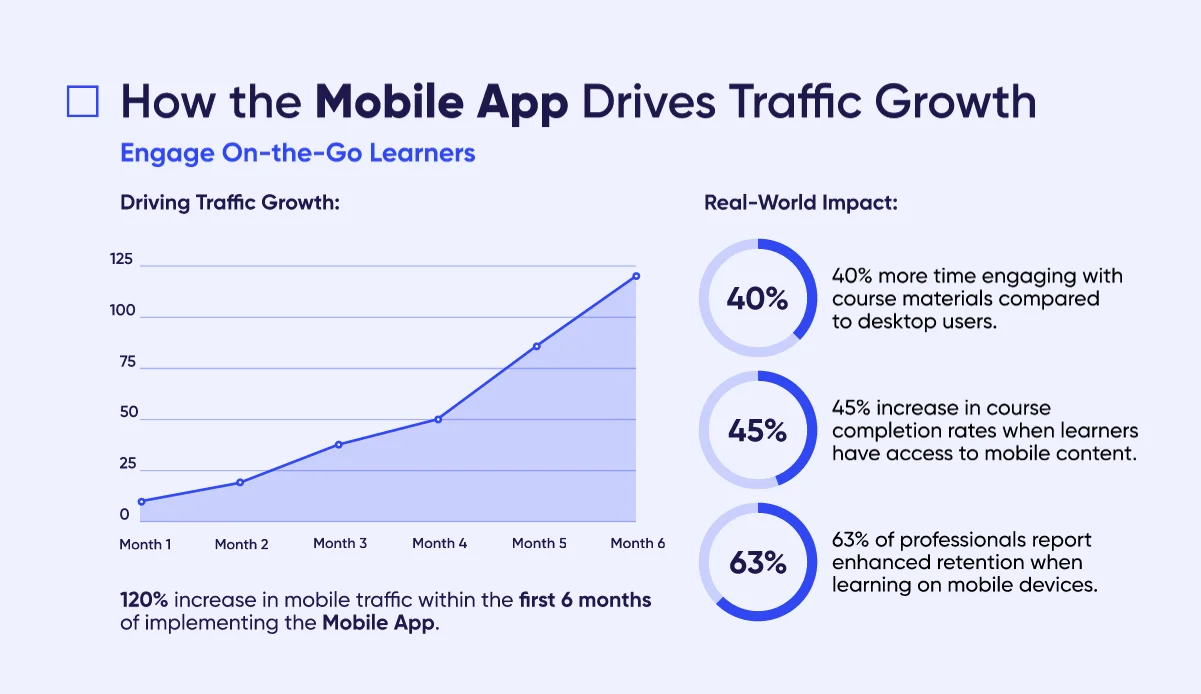
- Raccoon Gang’s Open edX Mobile App shows 45% higher learner retention and 70% higher motivation vs desktop-only delivery — deployed across 150+ LMS projects since 2015.
In this article, we will cover what mobile learning is, the key components and technologies that empower mlearning, what benefits and challenges you can expect to face, and give you some real-life examples of how it can be implemented. Use it as a quick, practical guide for your team or classroom.
What is Mobile Learning?
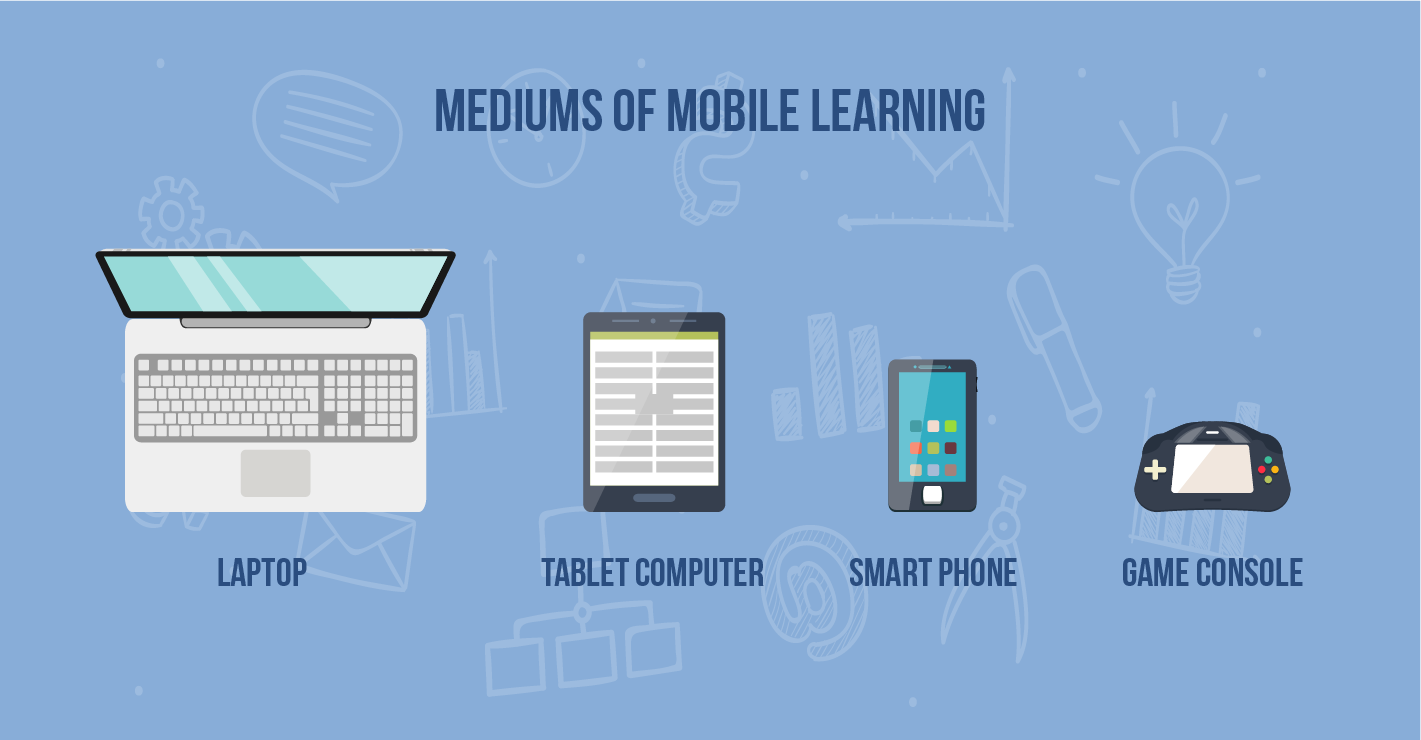
Mobile learning (mLearning) is the delivery of educational content through smartphones and tablets, designed for short, focused sessions that fit into real work and life contexts.
Mobile learning technology encompasses mobile learning apps, responsive mobile learning LMS platforms, and mobile-first content authoring tools — all optimized for small screens, touch interaction, and offline access. A mobile learning application can be a native iOS/Android app, a progressive web app, or the mobile interface of a learning management system.
Picture this — instead of booking several hours, or even sometimes days, to attend company-wide lectures, courses, or training, getting bombarded by information and catching on about 20%-30% of it, you could take short, focused lessons anywhere, anytime through your phone or tablet. That is the gist of mobile learning. It fits busy schedules and real work contexts perfectly, and uses all available mobile features to ensure you get the education you need. Mlearning is a top choice for onboarding, compliance refreshers, field sales updates, and as a companion to classroom or online courses.
But how did we get to the point where mlearning became so vastly popular? Here is a quick history recap:
- 1970s—Alan Kay’s Dynabook at Xerox’s Palo Alto Research Center — a concept designed to deliver interactive content to children.
- 1994—Mitsubishi Electric Corp’s launch of the IBM Simon, the first smartphone.
- 2007—First iPhone release, popularizing capacitive touch and full web on smartphones.
- 2020—COVID-19 pandemic forcing a massive shift to mobile/remote learning.
- 2022—Launch of ChatGPT— quicker, personalized, voice-and-camera-powered learning moments anytime, anywhere.
All those turning points laid the background to the mobile learning as we know it today — flexible, accessible, and immediate.
Mobile Learning vs eLearning: Key Differences
This is one of the most common questions when organizations first explore mLearning. The short answer: mLearning is a mobile-first subset of eLearning — but the design approach, content length, and use cases differ significantly.
eLearning refers to any digital learning delivered through electronic devices — including desktops and laptops — typically in formal, structured, longer-format courses designed for learners sitting at a computer with time and focus. mLearning, by contrast, is designed specifically for smartphones and tablets: shorter content, touch-first UX, offline capability, and learning in the flow of work.
The key practical difference: use eLearning for deep-skill development where learners have dedicated learning time. Use mLearning for reinforcement, just-in-time information, compliance refreshers, and onboarding — delivered in 5 minutes or less.
| mLearning | eLearning | |
| Device | Smartphone, tablet | Desktop, laptop |
| Content length | 3–10 min per module | 30–90 min per course |
| Connectivity | Offline-capable | Mostly requires the internet |
| Interaction style | Touch-first, swipeable | Click-through, scrollable |
| Best for | Reinforcement, just-in-time info, onboarding | Deep-skill development, formal courses |
Need help deciding which approach fits your workforce? See our guide to LMS selection for corporate training.
Phases of Mobile Learning Evolution
Mobile learning has grown with its users. Over the years, mlearning has adapted new features, trying to perfectly fit how people learn and work today. Now, content is easily accessible on the go, and interactive and social tools boost engagement and help knowledge stick. This evolution has unfolded in a few clear phases:
Phase 1
Focuses on using mobile learning devices to deliver education, enhancing access to content and tools optimized for mlearning. Educators can now develop and distribute lessons that adopt the digital capabilities of mobile phones and tablets to improve the learning process.
Phase 2
Expand learning environments beyond traditional settings by using robust internet connections to enable interactive educational outings. This approach fosters real-world application and deeper engagement with the content.
Phase 3
Demonstrates the global impact of mlearning, with significant adoption across continents including Asia, Europe, Australia, Africa, New Zealand, and North America. Notably, Scandinavia has excelled in integrating mobile learning (mlearning) into existing educational frameworks. A key example is the University of Southern Denmark, which developed a customized adaptive LMS platform. It is designed to enhance language learning by providing an engaging, accessible educational solution. This solution allows users to share insights and feedback, further enhancing the learning experience and engagement techniques.
Phase 4
Points to what’s next: AI, extended reality (AR/VR), and learning analytics working together to personalize and immerse. AI offers on-demand explanations and practice; analytics adjust difficulty and timing; AR/VR adds safe, repeatable simulations; and privacy and teacher controls stay in focus. The result is a shift from “content on a small screen” to guided, data-driven, hands-on learning that can be accessed anywhere.
Key Components of mLearning
As mobile learning (a.k.a. mlearning) increasingly permeates educational and corporate training spheres, its effectiveness hinges on several critical components. With approximately 85% of the global population now using smartphones — and millennials, who constitute nearly 60% of the workforce, showing around 95% usage rate — mobile learning app development services tap into an always-connected culture.
Millennials aren’t just frequent users; their smartphones are nearly always within arm’s reach, with about 88% reporting they keep their phone nearby constantly.
This widespread use allows learners to engage in quick, focused sessions — often just 2-3 minutes long — that seamlessly integrate learning into their daily activities without significant disruption.
To begin with, here are the pivotal elements that empower and optimize mlearning:
Key technologies that empower mLearning
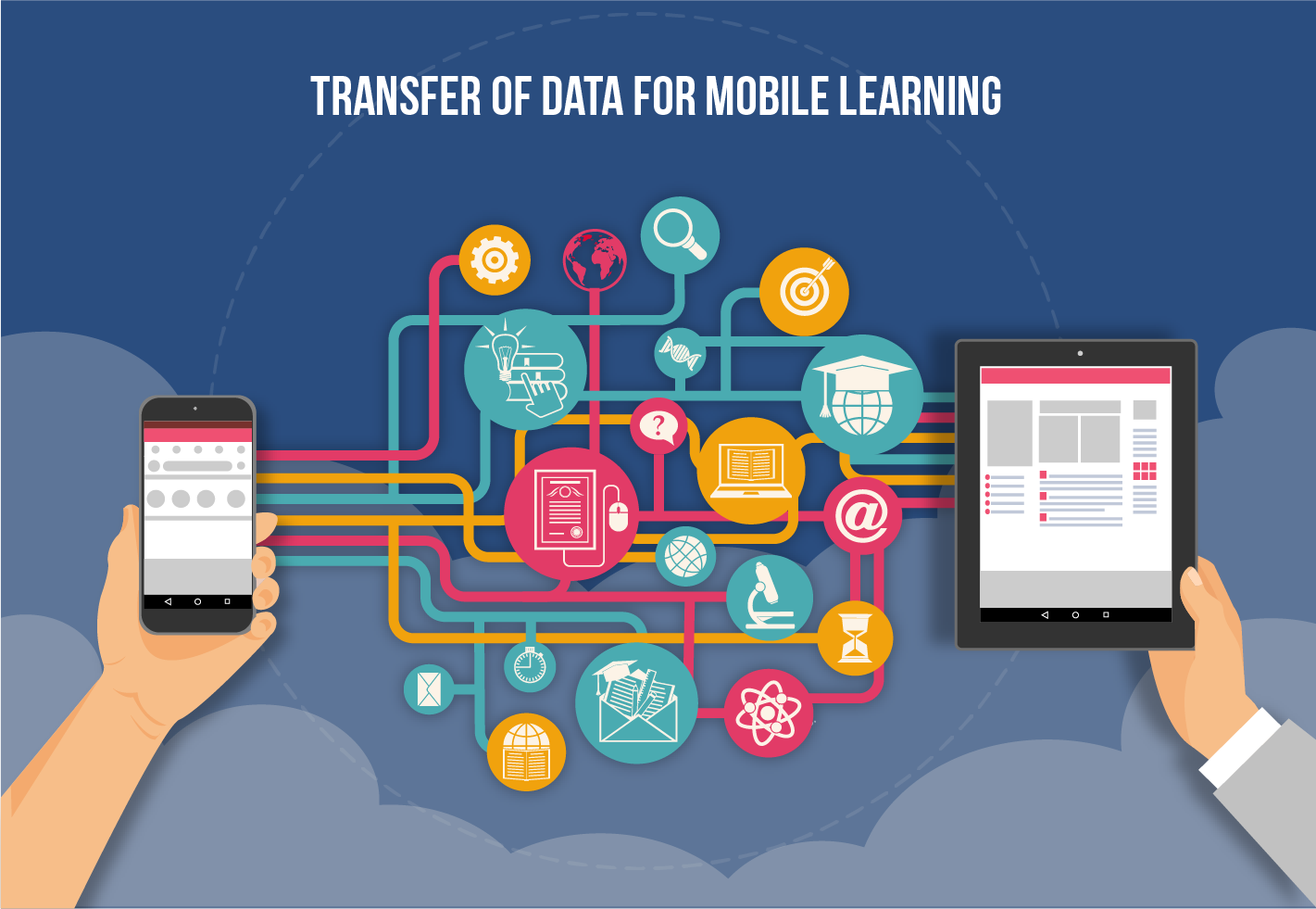
- Mobile Learning Devices: Central to mlearning, devices like smartphones, tablets, and laptops facilitate seamless access to educational resources. These mobile learning devices are crucial for ensuring that learners can interact with content anytime and anywhere, boosting productivity and learning flexibility.
- Learning Management Systems (LMS): An LMS is vital for orchestrating the delivery and management of mlearning content across diverse devices. A mobile-first LMS or dedicated mobile learning software connects learners to content through native apps, responsive web interfaces, or progressive web apps — and syncs progress across devices in real time. It supports the integration of educational apps and innovative tools, like AR/VR, making learning management efficient and scalable.
- Interactive Tools and Real-time Feedback: Incorporating features such as real-time polls and quizzes through mobile interfaces or applications increases learner engagement by providing instant feedback. These tools can support both open-ended and quantitative responses, enriching the interactive learning landscape.
- Collaborative and Social Learning: Platforms that support shared notebooks and documents promote collaboration among learners. Whether accessed via mobile or desktop, these tools enable users to co-edit and share files effortlessly, fostering a social learning environment.
- Utility Tools: Integrating calculators, language translators, and other computational tools into mobile phones supports diverse learning and real-world applications.
Mobile learning for improved training and engagement
- Compliance Training: mlearning devices simplify the delivery of up-to-date training modules tailored to the latest regulations. They allow organizations to ensure that all team members remain compliant with evolving industry standards, enhancing regulatory adherence through accessible and engaging content.
- Training Reinforcement: Mobile learning is pivotal in reinforcing knowledge after initial training sessions. It enables the distribution of bite-sized refresher modules and quizzes to help employees retain critical information, significantly improving long-term knowledge retention.
- Content Accessibility and Contextual Learning: Mobile e-learning provides instructional materials that are not only accessible universally but also tailored to specific learning contexts. For instance, delivering instructor commentary during field trips or providing augmented reality experiences that integrate GPS data with real-time content.
- Multimedia and Data Capture: Using mobile learning devices to capture and submit multimedia elements like photos, videos, and audio enhances experiential learning. Additionally, features like GPS tracking and text submission can transform field activities into rich learning opportunities.
- Synchronous and Asynchronous Learning Modes: mlearning supports both real-time (synchronous) and self-paced (asynchronous) learning. This duality ensures that education is both dynamic, allowing for instant interaction and feedback, and flexible, accommodating learners’ schedules and pacing needs.
The Advantages and Disadvantages of Mobile Learning
ty services
Mobile learning offers several transformative advantages for learners and professionals alike. Mobile learning services enable individuals to access tailored educational content, interact seamlessly with materials on the go, and effectively integrate learning into their daily routines.
Flexibility and comfort
- Learn anywhere: home, café, commute
- Relaxed setting boosts focus
- Up to 43% productivity gain; mobile courses are 45% faster than desktop
- Minimal disruption to work/life balance
Enhanced engagement
- Interactive formats beat paper-based for digital natives
- Virtual activities draw more enthusiasm than in-person ones
- 50%+ of leaders report growth after adding mlearning
- 94% learners would stay longer where development is supported
Rich media experience
- Mix of video, audio, and interactive visuals
- Visual aids get up to 95% better retention than text
- Mirrors familiar, engaging mobile content
Global accessibility
- Removes geographic barriers to quality education
- No travel needed; lower costs
- Expands reach in developing regions
Gamification
- Points, levels, and leaderboards keep learners motivated
- Gamification in digital education leads to 60% higher engagement and 50% productivity lift
- Makes practice feel like play
Challenges and limitations in mLearning
While mobile e-learning offers substantial benefits, it also faces several challenges that can impact its effectiveness. Addressing these disadvantages of mobile learning is crucial for developing more robust and accessible mobile apps for e-learning and business training.
Distractions and lack of focus
- Constant pings (social, calls, games) break attention
- Needs self-discipline, focus modes, and app blockers
- Plan short, structured sessions
Technological barriers
- Device/OS fragmentation; uneven internet access
- Varying digital literacy causes friction
- Require responsive design, low-bandwidth options, and clear UX
Expertise in content creation
- Mobile-friendly educational content strategy needs pedagogical knowledge + tech skills
- Hard to build engaging, accessible micro-content
- Needs templates, authoring tools, and faculty training
Dependence on connectivity and power
- Unreliable internet/electricity blocks access
- Heavy media drains data and battery
- Needs offline modes, caching, and lightweight media
Balancing entertainment and education
- Competes with addictive apps and media
- Needs purposeful interactivity, gamification, and nudges
- Needs live sessions/discussions for accountability
Scope and accessibility of learning
- Always-on access can cause content overload—curate paths
- Ensure WCAG accessibility: captions, transcripts, screen-reader support
- Device/data costs remain barriers for some learners
Despite these challenges, the adaptability and evolving nature of mobile learning services continue to drive its integration into mainstream education and corporate training. As the field grows, addressing these limitations will be key to maximizing the benefits of mobile learning and expanding its impact.
Top Use Cases of Mobile Learning in Education
Mobile learning has transformed how businesses and educational institutions approach training and human potential development. For example, here are three practical use cases that illustrate the versatility and effectiveness of mLearning across various settings.
Corporate training and upskilling
Professional training is a key application of mobile learning for businesses, where companies use mobile platforms to deliver essential training programs to employees. This method is especially valuable for onboarding new hires, allowing them to learn about organizational culture, workflows, and best practices conveniently. Mobile e-learning not only supports initial training but also facilitates ongoing professional development. Employees can upskill or reskill as required by industry changes, with companies deploying mLearning modules on new technologies or compliance standards to keep staff up-to-date and competitive.
Deepening learner involvement and enhancing memory retention
In educational environments, mobile learning in education significantly helps to capture student attention organically and enhances knowledge retention. Educators can integrate mobile technology to provide immersive and personalized learning experiences. Students can participate in hands-on activities such as quizzes and discussions through their devices, making education participative and engaging. This approach is particularly effective for retaining complex information, as the immersive nature of mLearning helps embed knowledge through active participation.
Accessibility and inclusion
Mobile learning is crucial for making education more accessible and inclusive. It allows educational opportunities to reach learners in remote areas, overcoming geographical barriers.
Additionally, mLearning adapts to the needs of learners with disabilities by offering customizable features like adjustable text and audio descriptions. By doing so, mobile learning for business not only equalizes educational opportunities but also creates an inclusive environment where all learners can thrive.
Frontline and Deskless Worker Training
Mobile learning works well for frontline, field, and deskless teams. Retail, healthcare, logistics, and manufacturing workers often cannot access a desktop LMS during shifts. Their phones may be the only practical training channel. Short modules, push notifications, offline content, and role-based job aids help teams train on the floor. As a result, organizations can support compliance, safety, and product knowledge without stopping work.
These examples show how mLearning is being used to transform traditional learning and training environments into more dynamic, accessible, and effective platforms.
Mobile Learning Solutions and Platforms: What to Look For
Choosing a mobile learning solution means deciding between three delivery models — each with different trade-offs between flexibility, cost, and control.
| Model | What it is | Best for | Trade-offs |
| Native mobile app (iOS/Android) | Purpose-built app for your LMS — offline mode, push notifications, device-native features | Organizations with field or remote workers who need offline access and high engagement | Higher upfront cost; requires App Store/Google Play deployment and ongoing updates |
| Responsive mobile LMS | Web-based LMS with mobile-optimized interface — no app install required | Teams that need mobile access without the overhead of native app maintenance | Limited offline capability; dependent on browser and connectivity |
| Progressive Web App (PWA) | Web app that behaves like a native app — installable, partially offline-capable | Organizations that want native-like experience without App Store dependency | More limited device feature access than native apps; uneven browser support |
What a Mobile-First LMS Platform Needs to Deliver
Whatever delivery model you choose, the mobile learning platform must support:
- Offline mode with sync. Learners download content, complete it offline, and progress syncs when connectivity returns — essential for field teams and low-bandwidth environments.
- Push notifications. Automated reminders for due dates, new modules, and compliance deadlines — the primary engagement driver in mobile-first programs.
- xAPI / cmi5 tracking. Mobile interactions (swipes, taps, partial completions, offline activity) need xAPI to be recorded properly — SCORM alone doesn’t capture mobile learning behavior accurately.
- Role-based content delivery. Different learner groups (field staff, managers, executives) see different content without requiring separate apps or platforms.
- SSO integration. Learners log in once with corporate credentials — no separate mobile password that creates friction and drops completion rates.
Case Studies and Success Stories in Mobile Learning
Raccoon Gang builds native iOS and Android apps for Open edX platforms — white-labeled, offline-capable, with push notifications and xAPI tracking. Platforms with the RG Mobile App show 45% higher learner retention and 70% higher motivation compared to desktop-only delivery, based on data from deployments across 150+ LMS projects since 2015.
Here are two detailed case studies. They show how mobile learning in education can be successfully applied. Furthermore, each one highlights how it works in real classrooms and learning environments.

Custom
Open edX Mobile App for King Khalid University
King Khalid University improved its online learning offerings through a custom mobile application developed by Raccoon Gang. This app supports the university’s KKUx online web learning platform.
- The app was developed for both iOS and Android to cater to the majority of the student population who regularly use mobile devices.
- Included Arabic localization and advanced app functionalities to match the existing Open edX platform.
- Full-cycle mlearning app development from scratch to ensure long-term scalability and the integration of unique educational features.
- Ongoing updates and customization to keep the app relevant and effective, with plans for a new mobile-first platform to further enhance learning accessibility.
Harrow e-Learning Platform for AISL Academy
Harrow International Schools collaborated with Raccoon Gang to create a custom LMS based on Open edX technology. This cost-effective platform is designed to serve as an advanced training tool for educators within Harrow’s network of international schools in Asia.
- Developed with a focus on high-quality design to reflect the school’s prestigious reputation, incorporating history and modernity.
- The LMS was built to be scalable to accommodate tens of thousands of users, integrating with existing educational technologies across different regions.
- Incorporated gamification elements and competitive features to keep users motivated and engaged in their learning journey.
- Included advanced analytics and reporting tools to monitor progress and outcomes, enhancing the overall effectiveness of the educational programs.
Learn about the Open edX Mobile App →
Best Mobile Learning Software & LMS Platforms in 2026
Choosing the right mobile learning platform is as important as designing the content itself. The platforms below represent the leading options in 2026, evaluated for their mobile app quality, offline capability, branded app availability, and fit by organization type.
| Platform | Mobile App | Offline | Branded App | Best For |
| Open edX | ✓ iOS/Android | ✓ | ✓ Custom | Universities, large enterprises |
| EdApp / SC Training | ✓ | ✓ | ✓ | Frontline workers, free tier |
| TalentLMS | ✓ | ✓ | ✓ | SMB, from $119/mo |
| Docebo | ✓ | ✓ | ✓ | Enterprise AI-powered LMS |
| 360Learning | ✓ | ✗ | ✗ | Collaborative/peer learning |
| Moodle | ✓ | ✓ | ✗ | Open-source, budget-first |
| Absorb LMS | ✓ | ✓ | ✓ | Compliance, mid-market |
| Canvas LMS | ✓ | ✓ | ✗ | Higher education |
Open edX stands out as the best open-source option for organizations that need a fully branded, customizable mobile learning app with no per-learner licensing fees. Raccoon Gang builds and maintains custom Open edX mobile apps for universities and enterprises — see Open edX mobile app development for details.
Custom Mobile Learning Solutions
Organizations that need more than off-the-shelf mobile learning software — with custom branding, deep API integrations, compliance certifications, or multi-tenant architectures for multiple client groups — often build custom mobile learning solutions on an open-source foundation.
Open edX is the most widely chosen platform for this use case. It supports white-label iOS and Android apps, xAPI tracking, SCORM import, offline content sync, and full customization of the learner experience — without per-user licensing fees. Organizations at any scale can build a custom mobile learning application that matches their brand, workflow, and compliance requirements.
Raccoon Gang has delivered custom mobile learning solutions for King Khalid University, Harrow International Schools, and other organizations across three continents. If your organization needs a scalable, branded mobile learning LMS platform, our team handles the full development cycle — from UX design to App Store deployment and ongoing support.
How to Implement the mLearning Solution?
Implementing a cost-effective mLearning solution involves strategic planning and understanding your organization’s unique needs. Here’s a simplified guide to getting started with mobile learning services and mlearning solutions.
Identify the need and analyze your audience
First, understand the specific learning objectives where mLearning outperforms traditional methods. Then, analyze your audience’s tech-savviness, preferences, and learning styles to tailor content that boosts engagement.
Determine the costs
Assess all costs associated with developing, maintaining, and updating mLearning content. Include technology, content creation tools, and ongoing support to avoid financial surprises.
Decide on the devices
Ensure compatibility with the devices predominantly used by your audience. Opt for a responsive design that adapts to different screen sizes, including smartphones, tablets, and wearables.
Design courses for small screens
Use microlearning principles to create focused, concise content suitable for small screens. Emphasize clarity and interactivity, and optimize visual and multimedia elements for mobile viewing.
Choose the right authoring tool
Select authoring tools that support responsive design, offer versatile templates, and facilitate multimedia integration. Consider tools with features that enhance collaboration and ease content updates.
Select the right delivery method
Consider different delivery methods such as apps, web-based platforms, or LMS. Evaluate each for accessibility, offline capability to continue learning, analytics, and user experience.
Key Criteria for Choosing a Mobile Learning Platform
Before selecting a platform, evaluate these six factors specifically for mobile delivery:
- Offline access: Can learners download content and complete it without an internet connection? Critical for field workers and travelers.
- Branded mobile app: Can you publish a white-label app under your organization’s name on the App Store and Google Play?
- SCORM / xAPI support: Does the platform import your existing SCORM courses and track completion via xAPI to your LRS?
- Content authoring: Is there a built-in mobile-first authoring tool, or do you need a third-party tool like Articulate Rise?
- Analytics and reporting: Does the mobile app track the same learning data as the desktop version? Can L&D teams access dashboards without desktop-only admin panels?
- Pricing model: Per-user, per-active-user, or flat-rate? At scale, per-user pricing can become very expensive — open-source platforms like Open edX eliminate licensing costs entirely.
- AI and personalization: Does the mobile learning software offer AI-driven learning paths, adaptive content recommendations, or spaced repetition? In 2026, these features increasingly differentiate enterprise-grade mobile learning LMS platforms from basic delivery tools — and directly impact completion rates and knowledge retention.
Best mLearning Practices
Design bite-sized microlearning modules
Keep lessons 3–7 minutes with one clear objective. End each with a quick check (1–3 questions) and schedule spaced practice to reinforce recall.
Ensure accessibility via captions/subtitles
Provide captions and transcripts for all media, high-contrast visuals, and descriptive alt text. Support keyboard navigation and screen readers; aim for WCAG 2.2 AA compliance.
Build content for responsiveness across devices
Use responsive layouts that adapt to phones, tablets, and desktops. Test common breakpoints, keep tap targets ~44×44 px, and offer low-bandwidth versions plus offline downloads.
Support phase 4 tech readiness
Use open data standards (xAPI/Caliper) and an LRS for tracking. Establish privacy/consent, prompt libraries for AI tutors, lightweight AR assets, and dashboards for learning impact; start with small pilots and clear governance.
Final Thoughts
Whether you call it mobile learning, m-learning, or mobile eLearning — the underlying principle is the same: training must meet learners where they are, not where it is convenient to deliver.
Mobile learning is now the primary delivery channel for 3.3 billion deskless workers worldwide. The global market hit $77.4 billion in 2025. Organizations that moved early gained real advantages in onboarding speed, compliance coverage, and skills development. The right program combines short, purposeful content with offline access, branded apps, and analytics that give L&D teams actionable data. The principle is simple: meet learners on their phones with content that respects their time.
Raccoon Gang has built custom Open edX mobile apps and mobile-first training programs for universities and enterprises across three continents. If your organization needs a scalable mobile learning platform, we can help.
FAQ
What is mobile learning?
Mobile learning (mLearning) delivers training through smartphones, tablets, and wearables — in focused sessions of 3–7 minutes. Content includes videos, quizzes, and interactive scenarios. It was built for small screens, touch interaction, and offline access.
How is mLearning different from eLearning?
eLearning means structured courses for desktop users with dedicated focus time. mLearning is the mobile subset — shorter content, touch-first UX, learning in the flow of work. Use eLearning for deep-skill development. Use mLearning for reinforcement, just-in-time support, and onboarding under five minutes.
Why is mLearning important?
By 2025, 47% of businesses delivered training via mobile, and the global market hit $77.4 billion. For deskless and frontline teams, mobile is often the only practical delivery channel. Microlearning improves retention by up to 80%, and mobile courses complete 45% faster than desktop equivalents.
What are the best practices for implementing mobile learning?
Design bite-sized microlearning modules with one objective per session (3–7 minutes). Build responsive content across all screen sizes and ensure WCAG 2.2 AA accessibility compliance. Support offline access and track learner progress with xAPI and learning analytics.
What are the best mobile learning platforms?
Top platforms in 2026 include EdApp for mobile-first microlearning, TalentLMS for SMBs from $119/month, and Docebo for enterprises needing AI features and offline access. Open edX delivers fully customizable branded apps with no per-learner fees — the standard for enterprises and universities. Moodle remains the free open-source option. The right choice depends on content format, team size, offline needs, and budget.
What is the ROI of mobile learning?
Mobile learners are up to 43% more productive than desktop-only learners. Courses complete 45% faster, and microlearning improves retention by up to 80%. ROI is clearest in onboarding, compliance, and sales enablement — where faster competency drives revenue. Mobile-first strategies also cut per-learner costs by reducing time off the job and eliminating travel expenses.
How is mobile learning used in corporate training?
Most companies started with onboarding — orientation delivered via app on day one. Today, mLearning handles compliance updates, sales enablement, and offline job aids for field workers. It works best for deskless, frontline, and distributed workforces — often the only channel that reaches all employees consistently.


- What is Mobile Learning?
- Mobile Learning vs eLearning: Key Differences
- Phases of Mobile Learning Evolution
- Key Components of mLearning
- The Advantages and Disadvantages of Mobile Learning
- Top Use Cases of Mobile Learning in Education
- Mobile Learning Solutions and Platforms: What to Look For
- Case Studies and Success Stories in Mobile Learning
- Best Mobile Learning Software & LMS Platforms in 2026
- How to Implement the mLearning Solution?
- Key Criteria for Choosing a Mobile Learning Platform
- Best mLearning Practices
- Final Thoughts
