
LXP solutions are increasingly pushing organizations to move from traditional LMSs to an experience-led approach to learning. The simple course catalogs that we mostly see in classic LMSs do not fully reflect how people actually want to learn at work. Even though the platform continues to track completions.
As practice shows, the catalyst for an organization’s shift from an LMS to an LXP often comes from a very specific need: make “learning in the flow of work” real. In other words, L&D requires an environment where people find role-relevant content fast and managers can still see skill progress across teams and departments.
Features like personalization, AI chatbots, skills analytics, and especially predictive analytics can lift engagement and ROI. We at Raccoon Gang have seen this many times during project implementation, including custom LXP development. And the effect shows up regardless of the platform core — Open edX®, Moodle, or another LMS foundation. In this guide, we won’t isolate each feature for LXP in a vacuum. We’ll look at how the feature set works as a system.
Here’s what you’ll get from this article:
- What an LXP is and why features matter: how LXPs differ from LMSs under the hood, and what breaks after launch.
- Key features of LXP: the capabilities that hold up in production, plus common “demo-only” traps.
- How LXP features support employee skill development: what actually reduces time-to-skill and content noise.
- Choosing the right LXP solutions: a practical feature checklist for scope, integrations, and ownership.
- LXP vs LMS: a clear feature comparison.
What Is an LXP and Why Features Matter
An LXP (Learning Experience Platform) is a learning software solution built for day-to-day learning at work. It pulls content from many sources (from your LMS course catalog or Confluence, to LinkedIn Learning or Coursera) and serves it based on role, skills, and behavior.
That’s the core eLearning experience: find, learn, apply, repeat.
To better understand the essence of an LXP, compare it with a content-only platform. A content-only platform mainly stores assets. It assumes learners will search and self-manage.
Unlike the content-only approach, a feature-driven LXP creates a “Netflix effect” — everyone gets a unique stream of learning opportunities based on what they do, what they need next, and what the organization tracks as priority skills.
According to eLearning Industry, 88% of LXP users say an LXP delivers a better learning experience than a traditional LMS — driven by things like recommendations, search, and social learning features.
We see the same pattern in engagement: people use LXP voluntarily and regularly, not just “when needed,” as with LMSs.
Key Features of LXP
Since corporate learning has been, is, and will be a part of the business processes of every evolving organization, LXP platforms must progress in parallel with this development.
We have prepared the main functionalities of an LXP that will benefit your company and your platform users. Let’s take a clear and objective look at personalization, analytics, integrations, UX/UI, and the use of artificial intelligence. In short, let’s bring together the most valuable gems.
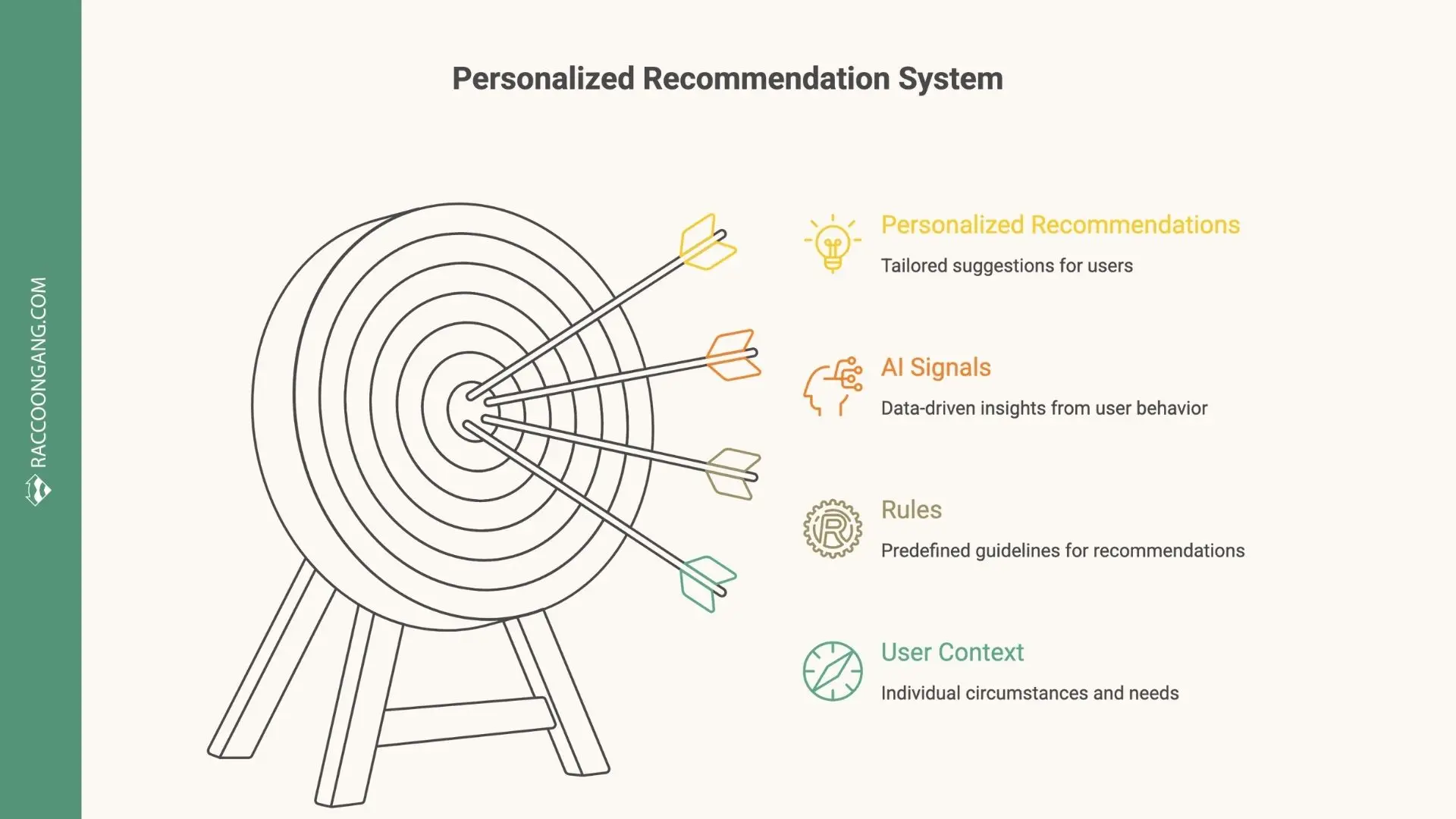
How an LXP personalized recommendation system combines AI signals, rules, and user context to guide learning.
1. Personalized learning recommendations (AI / rules-based)
Personalization is one of the whales that hold most LXP systems. Employees today feel a lack of time for learning like never before (on average, only ~24 minutes per week can be devoted to learning during work).
So how should we squeeze the most useful learning content into these 24 minutes? Ten points to Gryffindor! The answer is personalization. Personalized recommendations rely on a mix of rules and AI signals:
- Role
- Team
- Skills profile
- Past activity
- Peer behavior
For employee skill development, personalization means nothing more than adaptive learning paths. As a user takes courses or searches for materials, algorithms “learn” from their behavior and increasingly select relevant content. This is one of the key features of LXP platforms.
AI chatbots as “coaches” inside the LXP. AI chatbots also support personalization. Users can ask for advice or get instant feedback after a task. The platform reacts to user actions almost like a live mentor.
2. Skills mapping and competency frameworks
The vast majority of modern LXPs use skill taxonomies tied to roles, projects, and career paths. You can find platforms that work with predefined frameworks. Meanwhile, some others will support custom skill graphs built around your business logic.
In real deployments, skill data usually comes from:
- HRIS role data
- Assessments
- Manager input
- Learning activity
When skills mapping works well, teams stop talking about course completions. Instead, they talk about whether someone is ready to take on a task, role, or responsibility. For example, the platform can pull up vacant roles or positions and show the employee what skills are needed to move to the desired position, and accordingly suggest training steps (so-called skills mapping & career pathing).
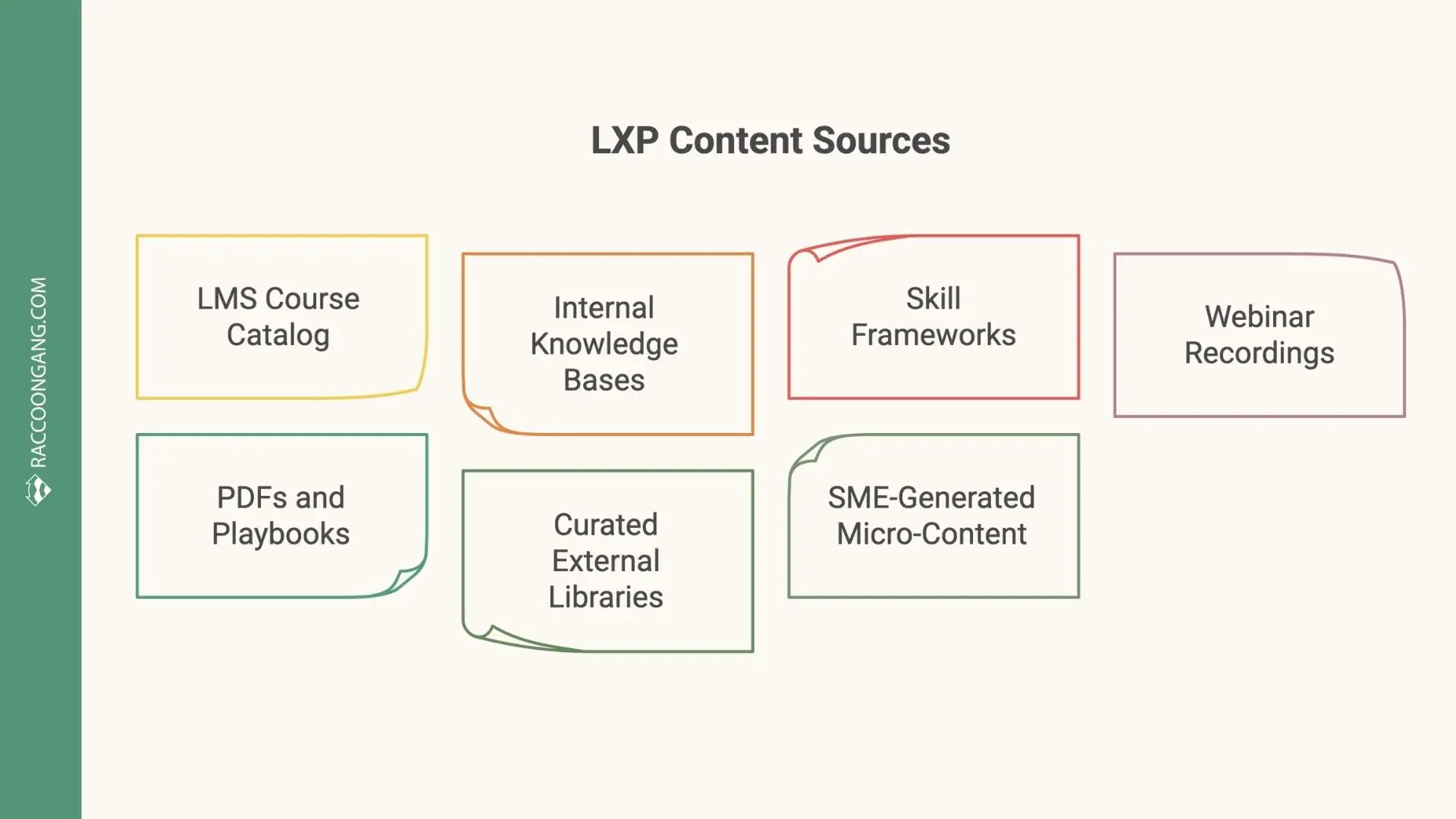
Key content sources aggregated by an LXP to support personalized, skill-based learning experiences.
3. Content aggregation (internal and external sources)
LXPs rarely win by hosting content alone. We’ve already mentioned the so-called “Netflix effect” in this article, so Content aggregation is also part of this effect. A strong LXP pulls learning assets from LMS catalogs, internal knowledge bases, shared drives, webinars, and external providers.
In practice, teams stop uploading the same material to three systems. Learners get one entry point to the knowledge they need — log in once, search once, and move on.
For the eLearning experience, aggregation works best when discovery feels seamless and consistent, regardless of where the content originated.
4. User-generated content and knowledge sharing
Well, we’ve already covered three key features of LXP, and without slowing down, we move on to the next one — User-generated content (UGC). This is a feature that provides employees with tools that allow every specialist to turn not into a passive learner, but into a contributor. In mature LXPs, creating content feels as simple as posting internally. The feature allows you to publish materials much faster and more easily than publishing a course.
We’ve seen this feature succeed when subject experts can share short videos, notes, or links without L&D mediation.
You can only dream of such ease and speed if you follow the old ways, where approval workflows slow everything down.
The real benefit you should note here is that knowledge stays within the organization. Experienced employees mentor younger ones, and communities of practice are forming (for example, a data scientist club within the company that shares useful tips).
5. Learning pathways and playlists
Learning pathways stop learners from getting lost after they open an LXP. Instead of long programs, LXPs use modular sequences — short steps that move people from basic knowledge to confident performance.
Pathways work best when learners can:
- Skip what they already know
- Focus on skill gaps
- Move at a realistic pace
In practice, pathways work best when learners can skip what they already know and focus on gaps. In corporate (often mandatory) learning, linearity is the biggest enemy of motivation. “Step one to step fifty” routes usually drain energy, especially for experienced specialists.
Playlists play a simpler role, yet they remain just as useful. They group materials around a topic, role, or project. Learners can jump in fast without committing to a full track.
For employee skill development, pathways and playlists provide clear direction and keep learning plans up to date, even when roles, tools, or priorities change.
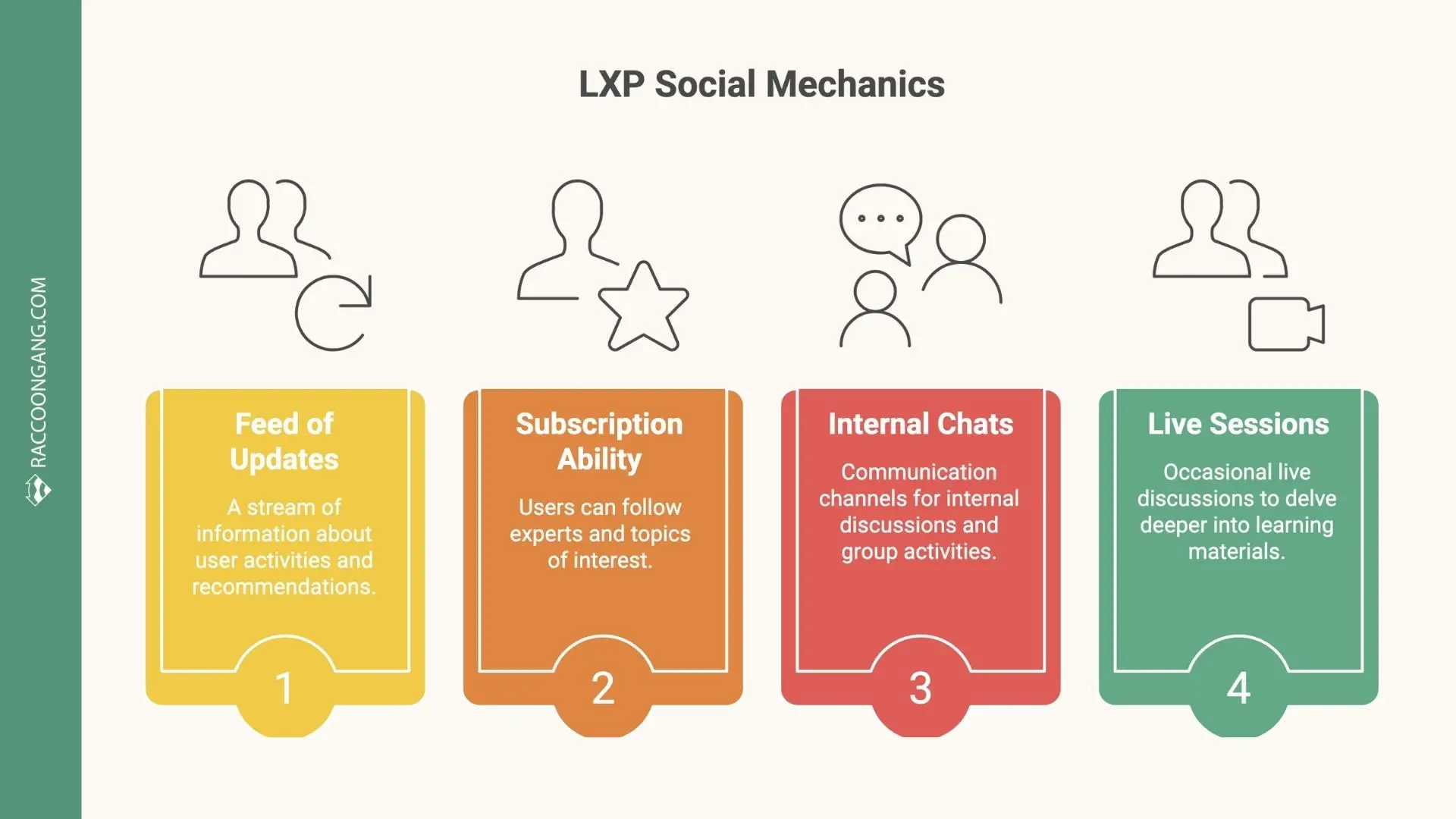
Core social learning mechanics in an LXP, including activity feeds, expert subscriptions, internal chats, and live sessions.
6. Social and collaborative learning
Over the past few years, it has become clear that people learn a lot by sharing their experiences with each other. Therefore, social functions in learning platforms have become one of the top trends.
LXPs already incorporate familiar social mechanics:
- A feed of updates (who took what, what they recommend)
- The ability to subscribe to an expert or topic
- Internal chats and interest groups
- Sometimes live sessions to discuss materials
A year ago, the term LXP 2.0 even emerged, emphasizing the community: the platform becomes not only a place where content is found, but also a place where communication happens around this content.
For organizations, this is valuable because knowledge is less “lost” when employees leave — if experts share life hacks on a corporate platform, this information remains in the company. It is expected that in the future, LXPs will increasingly integrate with corporate social networks (such as Yammer or Workplace) or will themselves acquire the functionality of an internal social network.
Remember, we mentioned the example of forming a data scientist club within the company when we talked about UGC? Social and collaborative learning features are the pillars of such interest-based clubs.
7. Microlearning and mobile-first delivery
Modern LXPs must provide full mobile access. This means more than adapting to a phone screen: it also includes offline mode (so users can download materials and go through them on a plane or on the go), push notifications about newly recommended content or colleague activity, and more.
The growth of mobile learning has also boosted the popularity of the microformat (microlearning as it is). On a small screen, it’s simply more comfortable to read short articles or watch short videos. Leading platforms released “mobile-first” updates, and some new products even debuted as mobile applications first.
For companies, this means a higher chance of engaging younger employees who are used to doing everything via a smartphone. The trend is simple: if a learning platform isn’t fully usable on mobile, it’s unlikely to make the shortlist.

An example of an LXP analytics dashboard that visualizes learner behavior, engagement, and skill distribution.
8. Analytics and learner insights
Modern LXPs can track course completions. In addition, the platforms with analytics features can analyze user actions under a microscope. Based on this data, an LXP generates insights into what content engages employees, where they struggle, and which skills need extra attention.
LXPs track course completions, but also user actions in detail:
- What people search for
- What they like or save
- How much time they spend
- Where they drop off
For example, the platform may show that a specific group of employees actively learns programming outside mandatory courses. That signal often points to a real business need: an internal development program in this area.
LXP analytics help businesses make data-driven decisions. Teams can refine training programs, tune content recommendations, and measure how learning connects to work outcomes. Some LXPs also include predictive analytics, which can highlight employees who are likely to need additional support or training before progress stalls.
9. Gamification elements (badges, progress, challenges)
Gamification is the next feature we’re going to talk about — let’s go. It works when it supports progress visibility, not competition for its own sake.
- Badges, streaks, and challenges give feedback without turning learning into a contest.
Gamification also fits mobile learning well. Completing small “quests” or earning badges feels natural on a phone, where it resembles a familiar game.
When aligned with skills and pathways, gamification increases return visits. The key is balance: the feature should support engagement without distracting from learning goals.
10. Integrations with LMS, HRIS, CRM, and content providers
Another, and this time final, feature on our list is integrations. Businesses want a single solution for talent development — from hiring to training and career growth. That’s why LXPs are increasingly integrated with skills and career management systems.
The demand for integration also shows up on the technical side. Many organizations want LXPs to be part of a single digital workspace (with SSO, shared analytics, data exchange via xAPI/LRS, etc.).
As a result, a new class of platforms is emerging — TXPs (Talent Experience Platforms), which combine LXPs with talent management functions (career opportunity navigation, development goal setting, mentoring programs, and more). Some LMS/LXP vendors are already rebranding themselves as TXPs.
For companies, this is a chance to link training directly to business results. For example, they can build an internal Talent Marketplace on top of an LXP, where employees see which projects or roles they can take on after completing certain training.
How LXP Features Support Employee Skill Development
Unlike a classic LMS, where you simply assign a course and people finish it, an LXP offers learners a personalized, skill-targeted environment.
Upskilling and reskilling work the same way. An LXP can highlight the gap and suggest the next step. To be honest, the system can act like a mentor, showing the learner a clear path: “To move into role X, here are the missing skills, and this is the path that closes them.”
Here’s how LXP features improve employee skills:
- Onboarding: New hires follow a “Week 1” pathway, take five-minute modules, and watch quick teammate videos (“how we do it here”).
- Leadership tracks: First-time managers run coaching scenarios, use playlists for tough talks, and compare notes in a peer space.
- Sales enablement: Reps grab a two-minute pricing refresher, an objection snippet, or a discovery script right before a call.
Each feature we mentioned for an LXP contributes to employee skill development. More importantly, over time, the platform also becomes a kind of HR analytics layer. It can help you answer a practical question: “Can this person do the job?”
Choosing the Right LXP Solutions: Feature Checklist
Choosing the right LXP solutions comes down to how the platform behaves in a real business environment. We have prepared a short question list for you. Use it for making decisions.
- Personalization depth: Does it adapt to behavior and role changes?
- Skills and taxonomy support: Can you model skills for your roles?
- Content flexibility: Can it aggregate internal and external content?
- Integration requirements: Does it connect with LMS, HRIS, CRM, and collaboration tools?
- Analytics and reporting: Do you see skill signals and behavior, or just completion reports?
- Scalability and multi-tenant support: Can it scale across regions and audiences without admin overload?
- Customization vs SaaS limitations: Can you tailor workflows and UX?
LXP vs LMS: Feature Comparison
| Area | LMS | LXP solutions |
| Administration vs experience | Built for administration: enrollments, assignments, compliance tracking, scheduled programs. | Built for experience: discovery-first UX, personalized feeds, social signals, and skills context inside one learning platform. |
| Push vs pull learning | Push model: L&D assigns courses and deadlines; learners follow a planned track. | Pull model: learners discover what they need via search, recommendations, pathways, and peer cues, often driven by role and skills. |
| Course-centric vs skill-centric | Course-centric: progress = completions; content is the main unit of structure. | Skill-centric: progress = skill signals (levels, evidence, practice); content supports capability growth. |
| Reporting differences | Reports focus on attendance and completion: who took what, when, and pass/fail status. | Insights focus on behavior and growth: searches, engagement patterns, pathway drop-off, skill movement, and content impact over time. |
| Content and format | Optimized for formal courses: SCORM/AICC packages, long modules, structured curricula. | Optimized for mixed content: short videos, articles, podcasts, internal docs, webinars, UGC, plus courses — all discoverable in one feed. |
| Learning types | Best for structured learning: compliance, certification, scheduled onboarding programs. | Best for continuous learning: just-in-time support, self-directed growth, peer learning, skill progression. |
| Main use cases | Regulated training, mandatory programs, standardized assessments, audit-ready reporting. | Upskilling/reskilling, internal mobility, performance support, fast-changing teams, knowledge sharing at scale. |
| Experts advise: “If you need to organize mandatory training with clear requirements, choose an LMS. If you want to develop a culture of self-education, look at LXP.” | ||
To better understand the differences between LXP and LMS, we recommend reading a detailed comparison guide.
How Raccoon Gang Builds Feature-Rich LXP Solutions
When implementing LXP platforms, we at Raccoon Gang start by analyzing the customer’s needs. We explain the differences between implementation options. We also clarify which feature sets work best for specific cases.
Our work often begins with a familiar situation. The organization already has an LMS core, often Open edX® or Moodle. Learners still struggle to find the right material fast. Managers can’t see skill progress across teams. In these projects, we add LXP-style features where they matter most in day-to-day use.
After all, we’ve been helping organizations select learning systems for more than 10 years. We always emphasize that even the most modern LXP won’t deliver results without high-quality content and management support, and that even the strictest LMS can become engaging when you add elements of gamification or social interaction.
Choose services from Raccoon Gang for your business case:
- LXP development from scratch
- LMS upgrade with selected LXP features
- Integration of analytics into training systems
- Adding gamification to LMS and LXP
- Adapting training materials to specific training goals
Conclusion
In summary, LXPs are constantly evolving, adopting new technologies and approaches to make corporate learning more digital, personalized, and continuous. Those companies that implement these innovations (AI, micro- and mobile learning, social interaction, integration with HR processes) gain a more flexible and effective system for developing their talents — something that is a competitive advantage in today’s world.
We hope this guide will help you navigate the world of LMSs and LXPs and make decisions that increase learning effectiveness in your organization. Remember that investments in learning pay off in increased team expertise, engagement, and innovation – and therefore a direct contribution to business success.
According to research, 94% of employees say they will stay with a company longer if it invests in their development. Choosing the right platform is a significant step on this path of development. Good luck with your implementation!
FAQ
What are the key features of an LXP?
How do LXP features support employee skill development?
What is the difference between LXP and LMS features?
How do I choose the right LXP solution?
Can Open edX® be used as an LXP platform?




- What Is an LXP and Why Features Matter
-
Key Features of LXP
- 1. Personalized learning recommendations (AI / rules-based)
- 2. Skills mapping and competency frameworks
- 3. Content aggregation (internal and external sources)
- 4. User-generated content and knowledge sharing
- 5. Learning pathways and playlists
- 6. Social and collaborative learning
- 7. Microlearning and mobile-first delivery
- 8. Analytics and learner insights
- 9. Gamification elements (badges, progress, challenges)
- 10. Integrations with LMS, HRIS, CRM, and content providers
- How LXP Features Support Employee Skill Development
- Choosing the Right LXP Solutions: Feature Checklist
- LXP vs LMS: Feature Comparison
- How Raccoon Gang Builds Feature-Rich LXP Solutions
- Conclusion
